
Microsoft, in a recent announcement, said it is now bringing the "full experience" of Power Query (Get and Transform) to Excel on the web.
To import data into Excel using Power Query, you first navigate to the Data tab and select Get Data. This opens a dialog box that presents a variety of data sources. You can pull from an Excel workbook, a Text or CSV file, XML, JSON, a SQL Server database, or even a SharePoint Online list.
After you pick your source, you have to connect to it. The system will suggest an authentication kind based on the source you selected, but you have the freedom to change it if needed. Once that's sorted, you select Next and choose the specific table you want to work with from the data source.
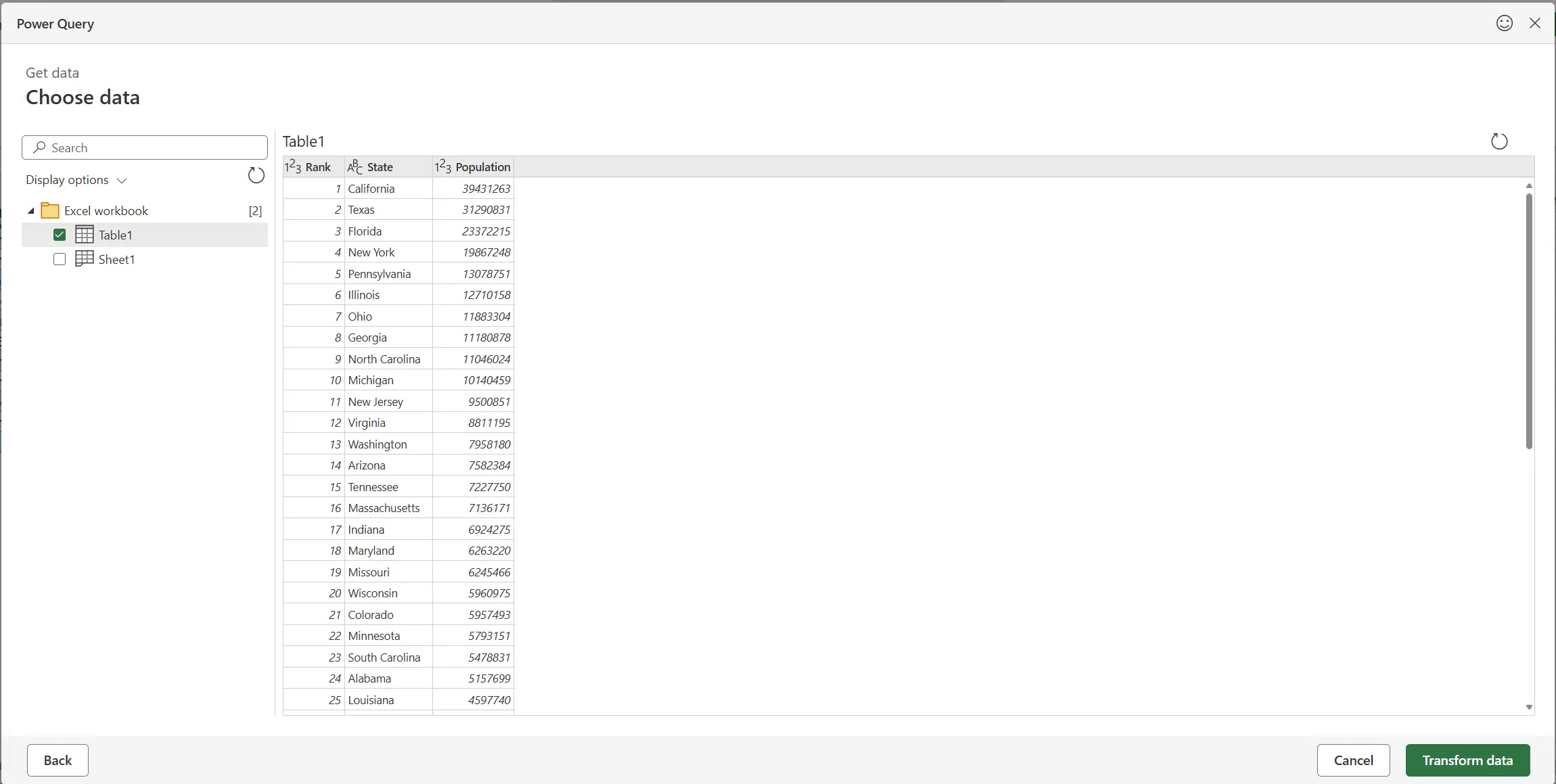
To transform that data, select the Transform data button. This action launches the Power Query Editor, which is where you can clean, shape, and reorganize the data before it ever hits your spreadsheet. You can perform many different operations here to get the data exactly how you want it. You can also open the editor anytime by using Data > Get Data > Launch Power Query Editor.
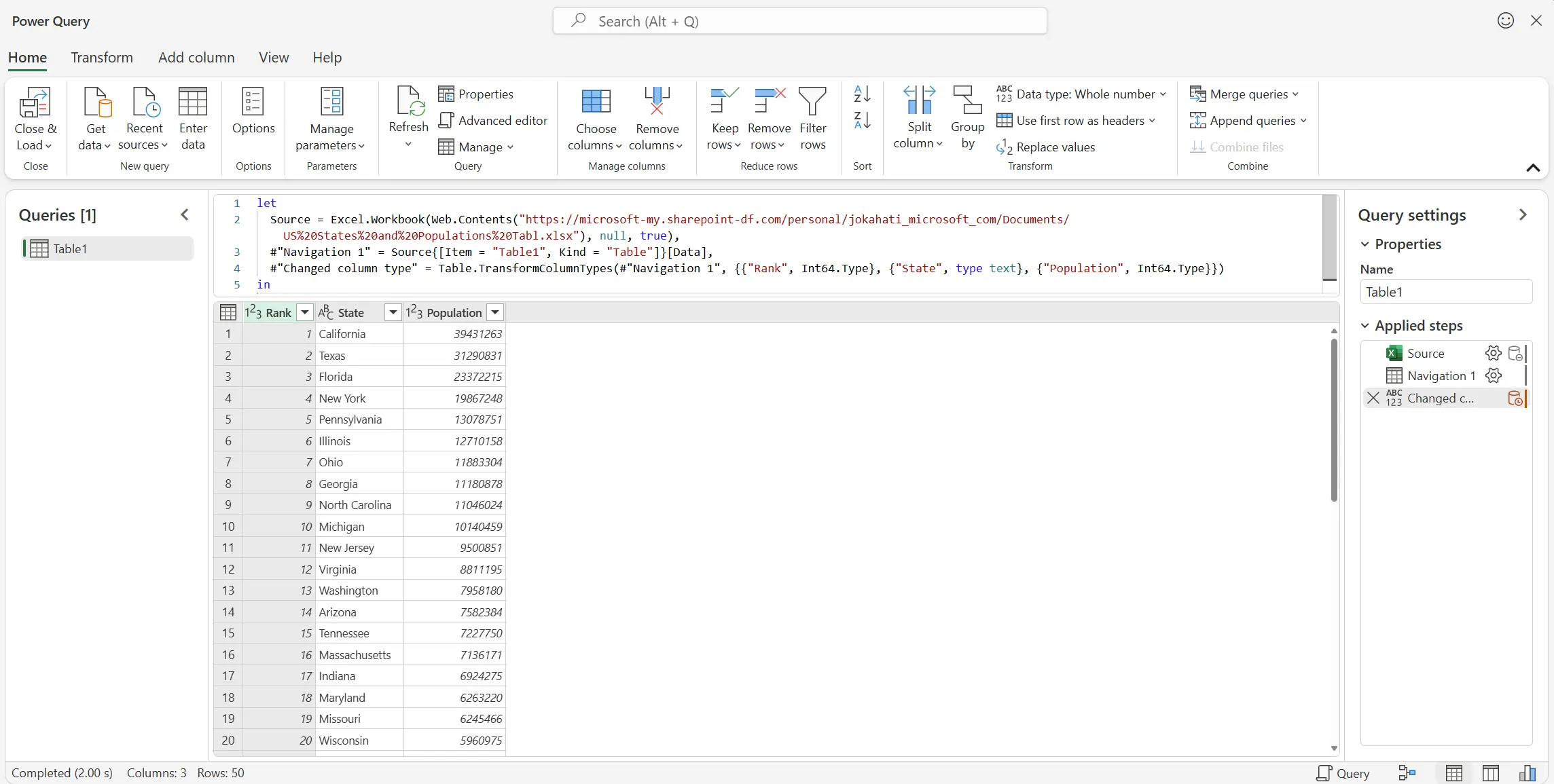
Once your data looks right, you load it into the grid by selecting Close & Load. There is also a "Close & Load to…" option, which gives you the choice to either load the data into a table or just create a connection-only query. The new query then shows up in the Queries & Connections pane for you to manage.
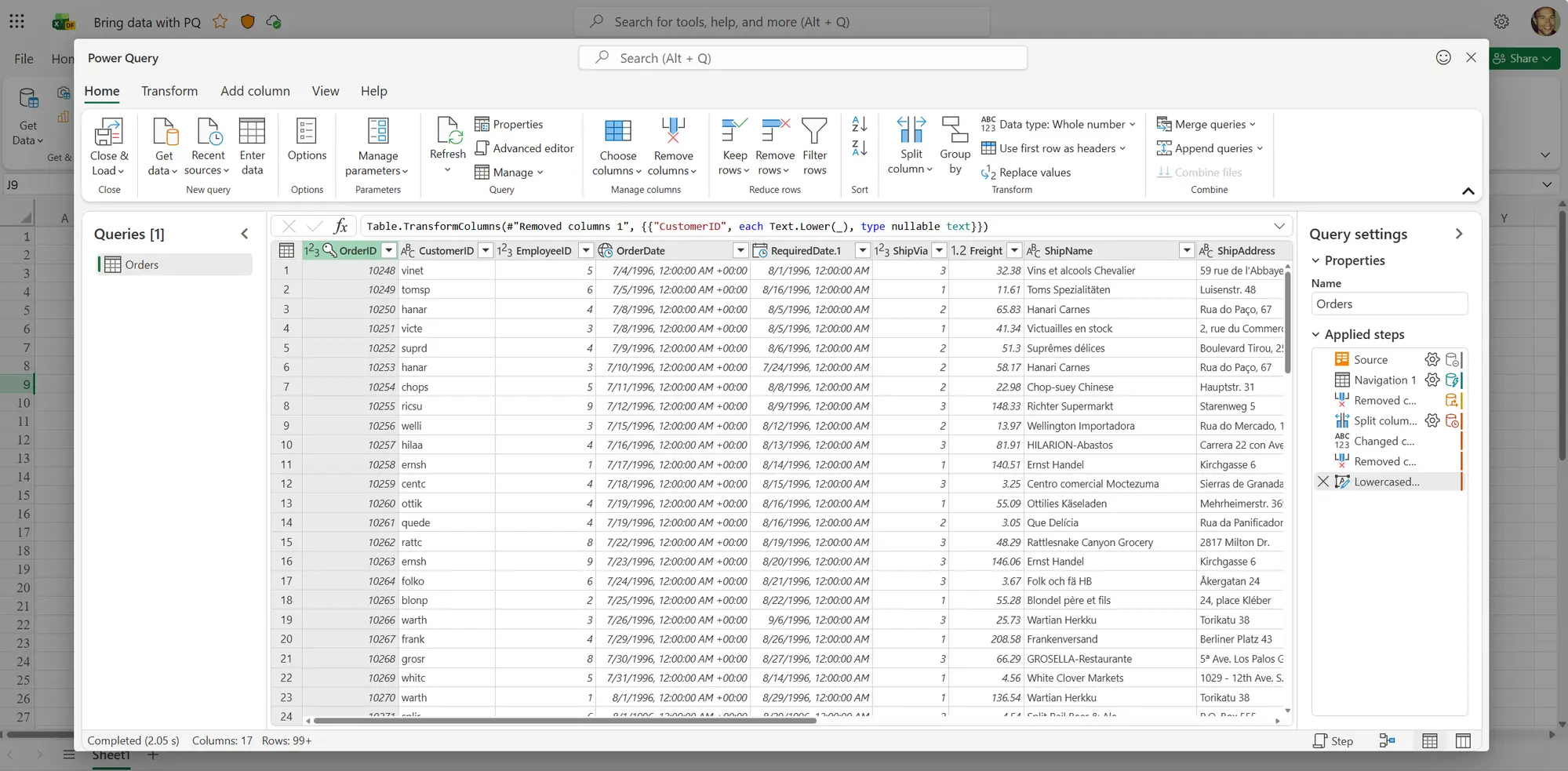
Microsoft said that refreshing queries, a feature it introduced last July, is available to all Microsoft 365 Subscribers. The "full Power Query experience" of importing and editing, however, is reserved for subscribers with Business or Enterprise plans.
The company noted that your browser needs third-party cookies enabled to support certain Power Query functionalities, so keep that in mind if you use private browsing sessions. Looking ahead, it plans to add more data sources and introduce more advanced features to the web version in the future.


_small.jpg)















0 Comments
Load the comments and join the conversation!
Read the comments, ask the editors questions, show respect and join the conversation.