
Google is updating NotebookLM with a new Data Tables feature designed to organize unstructured information from various sources into neat, clean tables, which can be easily exported to Google Sheets.
The search giant said that Data Tables is available for Google AI Pro and Ultra subscribers at launch; it will be available to all users over the coming weeks. Different types of people, such as knowledge workers, students, scientific researchers, and consumers, can use the feature to organize their data.
For instance, you can compare destinations, best times to visit, and estimated costs while planning a vacation, convert meeting transcripts into a table of actions, or generate a comparison table to analyze pricing and strategies.
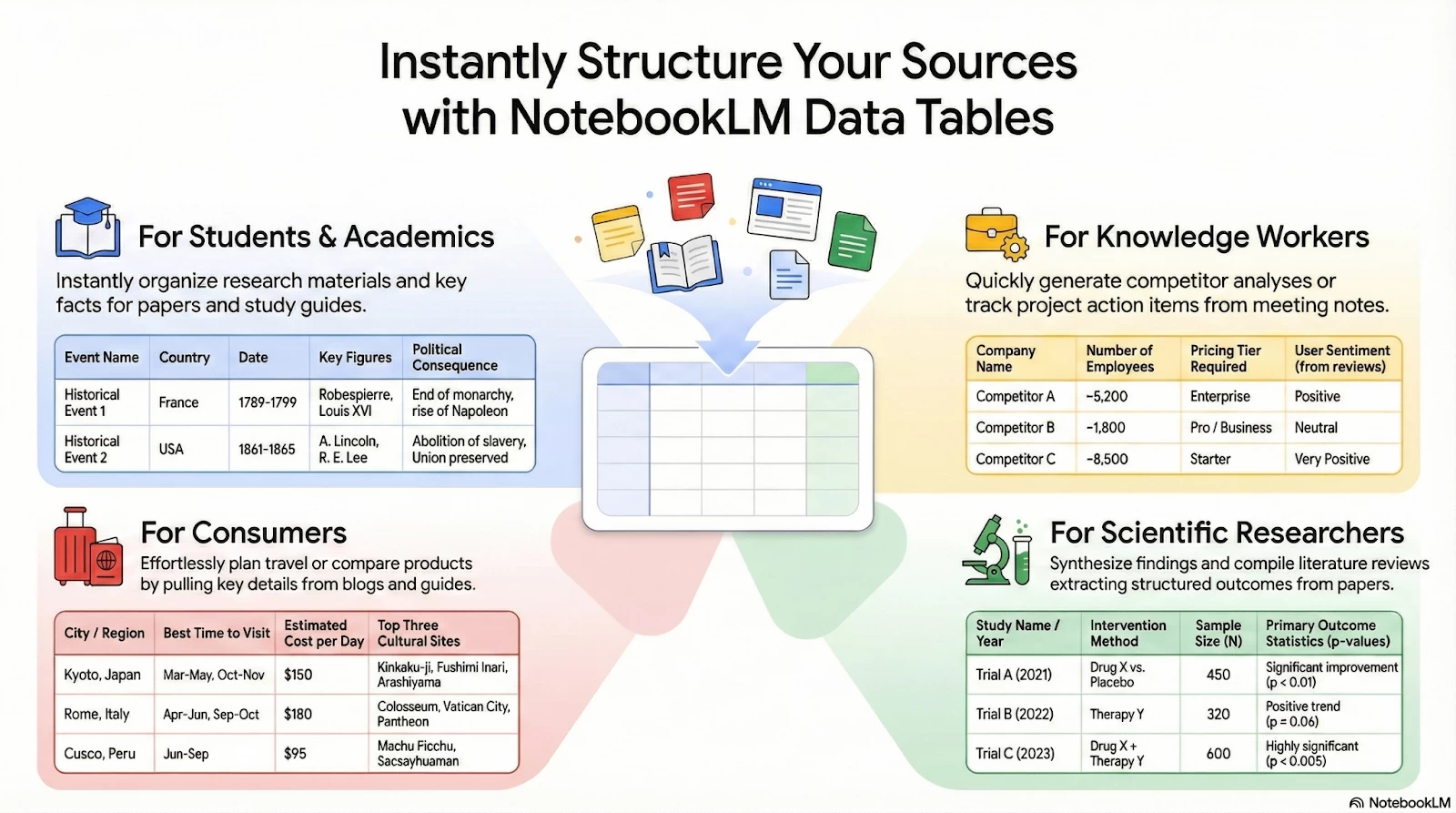
Students can use Data Tables to create study tables with historical events, organized by date, key figures, and consequences, Google said, adding that researchers can synthesize findings and compile literature reviews.
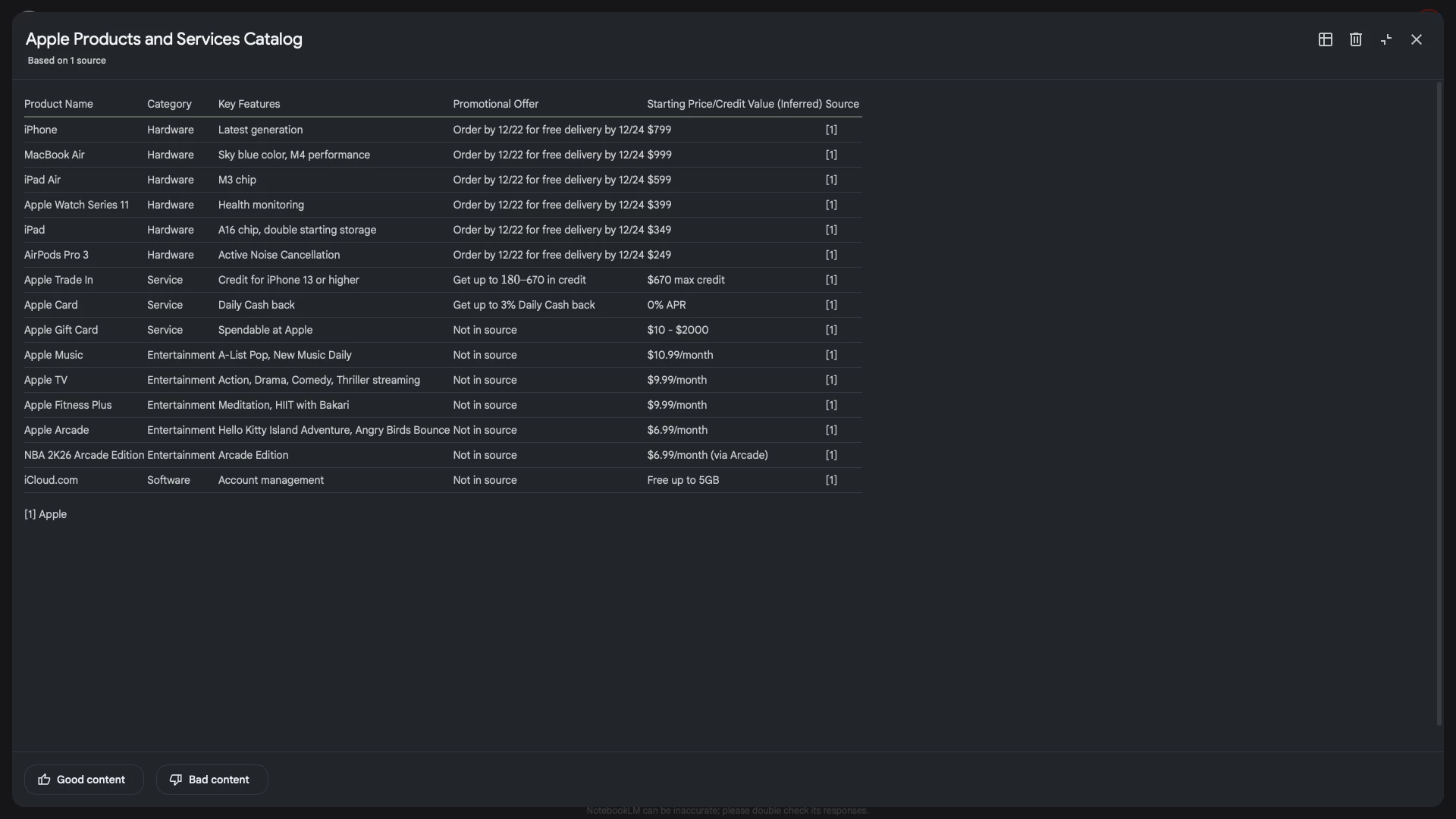
The Data Table feature is present in the Studio panel on the right side of the screen. Just like other NotebookLM features, you will be able to choose a preferred language for your Data Table and add a prompt describing what goes into the rows and columns.
After a table is generated, the options to view the prompt, export to Sheets, and delete it are available at the top. Note that the table is not interactive, and you can't modify it in the NotebookLM user interface by adding more prompts. You'll have to generate a new table or make changes after exporting to Sheets.
It's too early to say when (or if) Google will launch an interactive version of Data Tables, just like it has launched interactive diagrams in Gemini to understand science and math concepts. Speaking of interactive, Google is experimenting with a new feature called "GenTabs" that creates interactive web apps on the fly based on your prompt and the topic you're researching.













0 Comments
Load the comments and join the conversation!
Read the comments, ask the editors questions, show respect and join the conversation.