
When Windows 11 was introduced in 2021, its context menus were pitched as a solution for overcrowded Windows 10 menus. What initially looked sleek and compact eventually turned into the same mess, but with worse performance. Not cool.
Microsoft itself cannot help but litter the context menus with unnecessary entries like "Open with Notepad" for completely unrelated items like images or videos, plus there is stuff like PowerToys with its countless utilities, GPU drivers, and more. Getting rid of all that boosts performance significantly, but doing so is not easy, as it requires either digging into the system registry or uninstalling apps. Fortunately, there is a tool that makes cleaning up Windows 11's context menus much easier.
Windows 11 Context Menu Manager (not a very creative name, I would say, but it is what it is) is a small utility whose sole purpose is to show you a list of all the context menu entries and give you the option to remove them with a single click. Using it is dead simple: launch the app (you do not even need to install it) and toggle off everything that you do not want to see in your context menus. Like, why on Earth do I need Radeon Software in my File Explorer context menus, AMD?
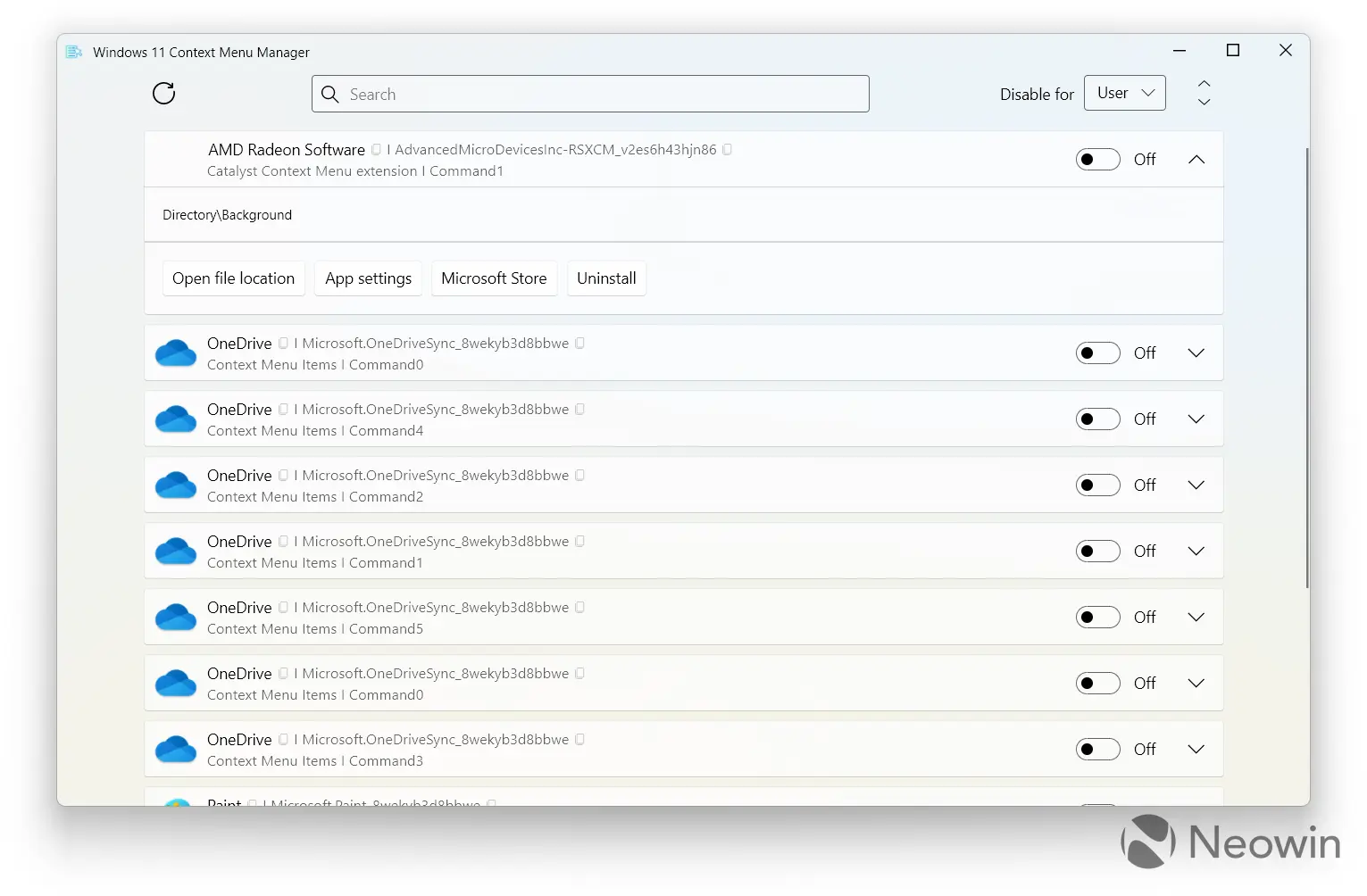
What I like about the app is that it does not require any restarts. A single toggle flick removes the unnecessary extension. Additionally, there are a few extra features, such as the ability to view associated file extensions, links to Settings / Microsoft Store, and even an option to uninstall each app that litters your context menus. If you have too many of them, you can also use the search box.
Windows 11 Context Menu Manager looks like a good fit for PowerToys, a set of advanced utilities for Windows 10 and 11. Niels Laute, PowerToys Product Manager, recently posted on X that his team is tracking the idea, but for now, third-party apps are your only way to get things in order.
Cleaning up Windows 11's context menus is not just about looks. The menus are already quite slow, and overcrowding them makes performance absolutely miserable. As such, tools like Windows 11 Context Menu Manager could speed things up significantly. If you want to try it yourself, get it for free from its GitHub repository.


















9 Comments
Load the comments and join the conversation!
Read the comments, ask the editors questions, show respect and join the conversation.