
Microsoft has released Visual Studio Code version 1.107 (November 2025) to the general public. A major theme for this release is the enhancement of agents, introducing multi-agent orchestration and integration into the Chat view.
With this new update, you can now use GitHub Copilot and custom agents together to accelerate and parallelize your development. Another new feature is Agent HQ, which gives you a central location to manage all your agents and lets Copilot and custom agents collaborate across tasks. With 1.107, developers will also get improved background agents, which have just received enhanced isolation with support for Git worktrees. Now, when you make a new background agent, you can choose to run it on the current workspace or in a dedicated Git worktree.
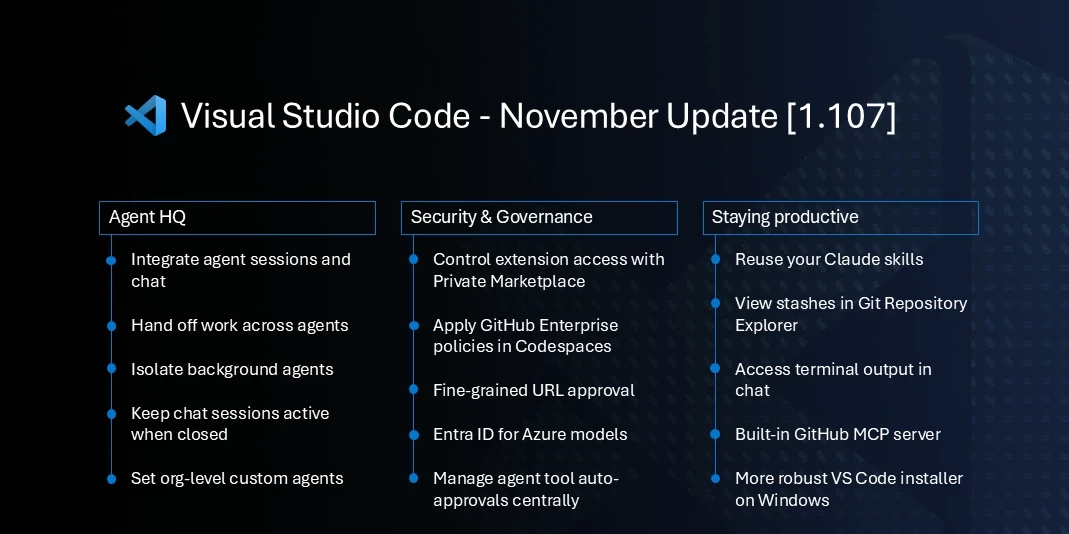
Another relatively big change in this update is that the standalone Agent Sessions view is being disabled by default, as they are now integrated directly into the Chat view. The Chat view now shows a list of your agent sessions, displaying status, progress, and file change stats. Furthermore, local agents will now continue running in the background even if the chat session is closed, which is helpful for long-running tasks.
VS Code 1.107 also carries with it some improvements to the editor. For example, it now has support for TypeScript 7.0 Preview. The new version of TypeScript is a complete rewrite in native code and delivers much better performance. The preview has almost complete type checking support, and the TypeScript team has been adding editor features, including auto import completions, rename support, and references for code lenses. It also brings experimental support for Git stashes in the Source Control Repositories view, allowing you to view, apply, or drop them.
To get the new update, check for updates in the Help menu. If you don't have it installed yet, you can download it from the Visual Studio Code website.


















0 Comments
Load the comments and join the conversation!
Read the comments, ask the editors questions, show respect and join the conversation.