
This week, Microsoft released new Windows 11 preview builds with some pretty substantial changes, including new Windows Update features, reworked Windows Insider channels, and more. As usual, shortly after, enthusiasts started digging out hidden features and upcoming changes. One of those hidden features is the so-called "Screen Tint."
Screen Tint is an upcoming display feature that makes the screen easier on your eyes by applying a color filter. Microsoft says the feature "shows a color overlay on your display to reduce eye strain and improve viewing comfort." While Windows 11 already has the Night Light, which makes the screen warmer on schedule, it is limited to just yellow light. Screen Tint will let you pick among several tints, with each having its own purpose:
- Calm amber: Effective for long screen usage
- Rose tint: Reduces migraine triggers and fluorescent sensitivity
- Soft yellow: Helps with visual stress and reading comfort
- Cool blue: Useful for glare sensitivity, particularly in bright environments
- Gentle green: Relief from photophobia and white backgrounds
- Natural grey: Helps those who find stark black-white contrast fatiguing
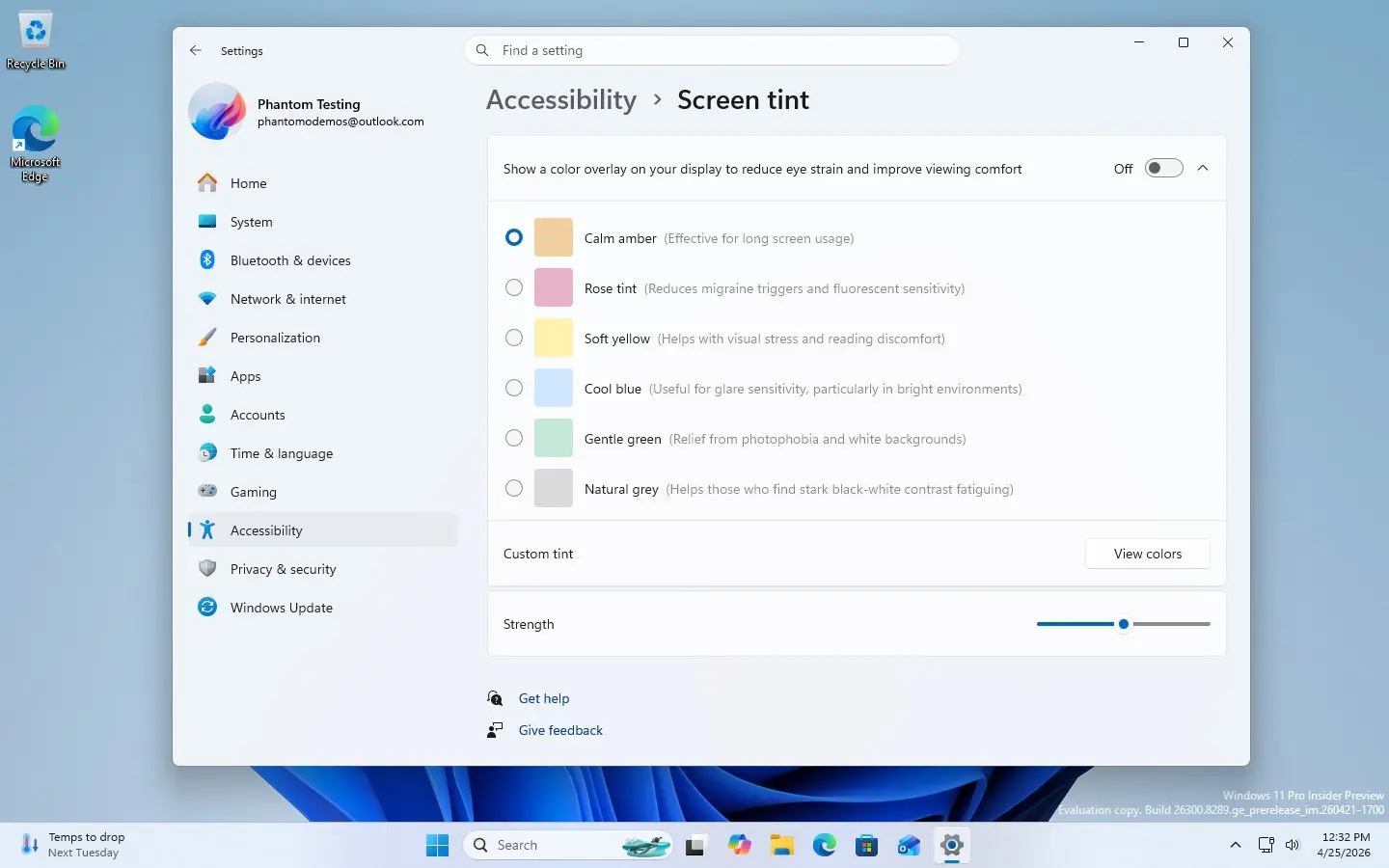
Interestingly, Screen Tint is not limited to just six presets. There is also a dedicated "Custom tint" feature that lets you create a custom color overlay for your display. Additionally, you can adjust the filter intensity with a dedicated slider.
Screen Tint is not publicly available yet, so we have to wait for Microsoft to announce its rollout formally, but digging it out in the current build reveals that Microsoft plans to keep the new feature in the Accessibility section, right next to color filters, contrast themes, magnifier, and other screen-related assistive technology.
In case you missed it, release notes for the latest Dev, Beta, and Canary builds are available here and here.
Source: @phantomofearth on X

















18 Comments
Load the comments and join the conversation!
Read the comments, ask the editors questions, show respect and join the conversation.