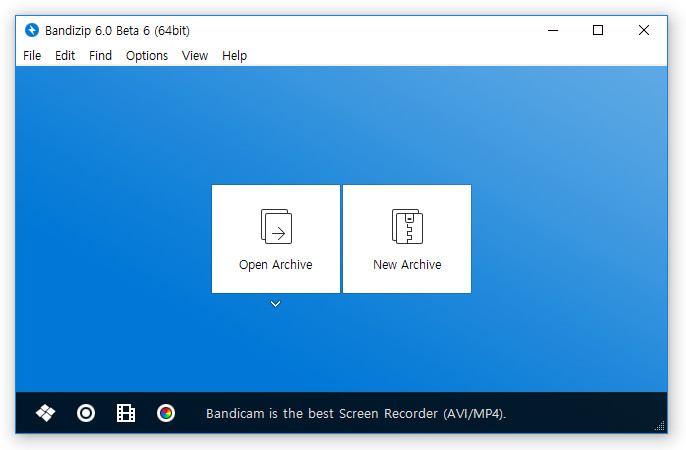
Bandizip is a lightweight, fast and free All-In-One Zip Archiver. Bandizip has a very fast Zip algorithm for compression & extraction with Fast Drag and Drop, High Speed Archiving, and Multi-core compression. It handles the most popular compression formats, including Zip, 7z, Rar, and so on.
Changes in Bandizip 6.0 Beta 8:
- Added the 'New window as administrator' function.
- The internal image viewer supports WebP.
- Changed the internal image viewer icon.
- Added the RTL support.
- Added the check option for the "Show password" in the New Archive dialog box.
- Fixed a bug that doesn't properly check the share folder permissions of the Samba server.
- Other minor bugs fixed.
New features in Bandizip 6.0:
- Bandizip is now able to extract MS Compound (MSI, DOC, XLS, PPT), Arc (SEA Arc), Lzip and ZPAQ format.
- Added support for sparse algorithm and symbolic link of TAR format.
- Added support for compressing GZ/XZ formats.
- Users are now able to move the main window while compressing or extracting.
- Bandizip now supports its own command-line tool (bc.exe, Alpha version).
- Added support for custom file names when compressing by right clicking.
- If the file name contains MBCS (Multibyte Character Set), Bandizip forces to store the INFO-ZIP's UTF-8 filename header.
- Added the View menu on the main window.
- Added support for show/hide tree controls.
- Added an option, "Always on top".
- Users are now able to see the file list by Icons, List and Details.
- Users are now able to export Bandizip Settings.
- If users do not have write permission to the destination folder, Bandizip will show a pre-warning notification dialogbox.
- Bandizip will display the archive file name which is currently being processed if it takes a long time while opening split files.
- The internal image viewer (Aiview.exe) now supports the TIFF format.
- Bandizip is now able to delete archive files permanently through the "Ctrl+Shift+Del" hotkey.
- Added support for "Quick Open Header" to open RAR files faster (RAR5).
- Bandizip updater will automatically download the setup file from the fastest server when it updates.
- Bandizip shows the 'Recent Files' list under the File menu.
- Bandizip shows the Honeyview suggestion window when users try to view an image in an archive.
- Users are now able to install Bandisoft's other programs from the main Bandizip window.
- Bandizip can recognize the user-defined extensions as archive files when right clicking or dragging & dropping.
- Etc.
Improvements
- Improved the main UI, program icon, toolbar design.
- The Bandzip32.exe and Bandzip64.exe files have merged into Bandizip.exe.
- Bandizip will delete temporary files when the program exits. (It used to delete temporary files when the process finished.)
- Improved the CRC32 and AES processing speed by applying the assembly code of 7zip (LZMA SDK)
- Improved the opening of corrupt or damaged ZIP files.
- The maximum password length limitation (up to 300 characters) has been removed.
- Bandizip now uses XZ algorithm instead of LZMA when compressing ZIPX/EXE.
- Users can select AES-256 encryption algorithm when compressing ZIP files.
- Bandizip no longer recognizes EGG files which had dummy data at the end of the file as a corrupted file.
- File names will no longer be corrupted when ZIP files are modified after setting the code page.
- If the header was encrypted as PKZIP, Bandizip will show an error message which says this format isn’t supported.
- Improved the processing speed slightly by optimizing file I/O.
- Bandizip will use less memory when compressing 7z files.
- The High Speed Archiving function will work while compressing with multi-core processors.
- Etc.
Removed features
- Bandizip no longer supports Windows XP. If you use Windows XP, please use Bandizip 5.x.
- Bandizip now uses its own console compression program (bc.exe) instead of 7z.exe.
- Several other features have been removed.
Download: Bandizip 6.0 Beta 8 | 4.2 MB (Freeware)
View: Bandizip Home Page
Gallery: Bandizip 6.0



















15 Comments
Load the comments and join the conversation!
Read the comments, ask the editors questions, show respect and join the conversation.