CompressO: Shrink your videos without losing quality
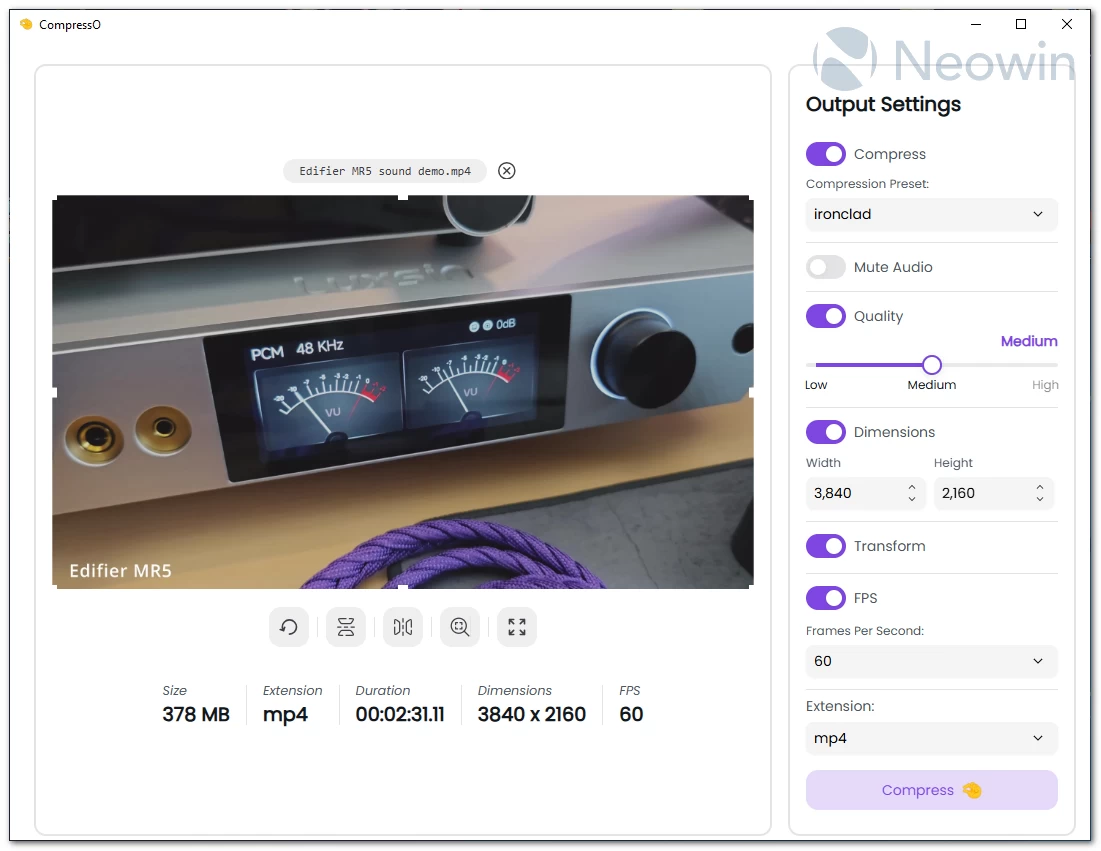
If you’ve ever struggled with huge video files that take forever to upload or eat up your storage, CompressO is the kind of tool you’ll instantly fall in love with. It’s a clean, lightweight, open-source video compressor that helps you shrink videos to a tiny size—without noticeable quality loss and without dealing with complicated settings. Built with a modern TypeScript + Vite interface and powered by Rust and Tauri, CompressO uses the rock-solid FFmpeg engine behind the scenes. Everything runs locally on your computer, so your videos stay private and you don’t need an internet connection to get the job done.
CompressO is available on Windows, macOS, and Linux, with prebuilt installers for each platform, making setup quick and hassle-free. Licensed under AGPL-3.0, it’s free to use and customize, giving developers the freedom to tweak it for their own projects. Whether you’re a content creator, educator, or just someone who deals with large video files, CompressO provides a reliable, lightweight solution to save storage and speed up video sharing. For anyone passionate about open-source tech and productivity tools, it’s definitely worth a look.
CompressO 2.0.0 changelog:
Features
- Batch compression.
- Video trim/split functionality.
- Video player for Mac & Windows. Note: Linux WebGTK does not support playing local videos, so this feature is not available on Linux.
- Paste video files from clipboard. Paste a directory from clipboard for batch compression.
- Drag & drop a directory containing videos for batch compression.
- Open video files in CompressO directory from file managers. Just right click and select "Open with CompressO"
- Full video information including video container, video, audio, subtitles, chapters, etc.
- Copy compressed video to clipboard functionality.
- Video codec selection.
- Video metadata preserve/editing (title, artist, album, year, genre, description, comments, synopsis, copyright, creation date, etc.).
- Custom thumbnail for video. The thumbnail shows as a preview on file managers.
- Homebrew support for macOS installation.
Brand new Audio tab containing
- Audio codec selection.
- Audio track selection.
- Audio channel manipulation.
- Audio bit rate manipulation.
- Audio volume adjustment.
Enhancements
- Revamped UI with tabs for video, audio, and metadata settings.
- Improved slider UI components.
- Thumbnail regeneration for videos on image thumbnail mode.
- Video frame capture for transformations.
Bug Fixes
- Remove support for 32-bit Windows.
- Windows release builds have been changed to nsis from msi for better compatibility.
- Fix Linux desktop template file to be more specific. LINK
- Preserve audio tracks when the video contains multiple audio tracks. LINK
- Fix drag & drop issue on Windows.
Changes in CompressO 2.1.0:
Features
- Subtitle Upload: You can now upload single or multiple subtitle and embed in the final output video. You can upload subtitles from Others tab.
- Download Embedded Subtitle from the video: You can also download the embedded subtitles of the video in SRT or VTT format. You can download these subtitles from Subtitles tab of the full video info overlay.
- Theme Color: You can customize the color of the app to your liking. The selected color will be applied to everywhere on the app.
- Audio Amplification: You can now amplify the volume upto 200% of the original audio.
- Capture Current Frame: You can now capture the current frame from the video player and copy it to the clipboard. Just right click on the video player and the context menu will show up to do so.
- Progress % in Dock: MacOS dock icon now shows progress % during processing.
Improvements
- Light Mode for Timeline Bar: Video player timeline and trimmer timeline gets light theme mode support.
- Timeline Performance Improvements: Timeline performance has been heavily improved. Earlier it used to show blank spaces due to constant auto-scroll update during video play progress but now it has been updated to only scroll when the cursor goes out of view.
- Metadata improvements: Metadata inputs are now controlled to sync the value properly during batch videos and single video mode.
Download: CompressO 64-bit | 57.3 MB (Open Source)
Links: CompressO Home Page | Screenshot | Other OSes
 Get alerted to all of our Software updates on Twitter at @NeowinSoftware
















0 Comments
Load the comments and join the conversation!
Read the comments, ask the editors questions, show respect and join the conversation.