MEmu is a brand new FREE Android emulator that brings fun of the Android experience to Microsoft Windows devices. It runs on nearly all Windows devices (PC, notebook, 2-in-1 devices, tablets). Comparing to other Android emulators, MEmu provides the highest performance and greatest compatibility.
The richest features:
- Full Android experience with an elegant desktop
- Flexible customization (CPU#, memory size, resolution, device model, nav bar location, root mode, etc.)
- Mapping the keyboard / joystick to screen touch for much better game experience
- Passing through sensor data (e.g. accelerometer) to Android, so you can play car-racing like games intuitively
- GPS location simulation
- File sharing between Windows and Android
- Fast APK installation by drag and drop
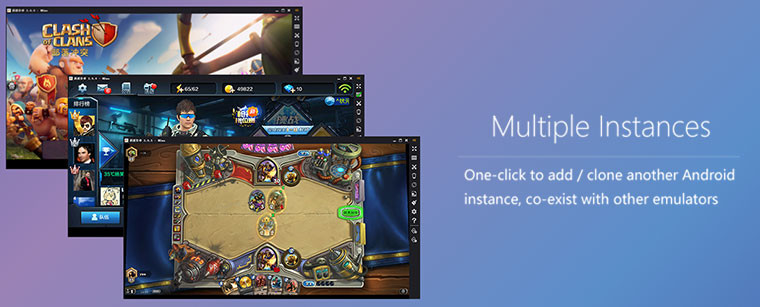
- One-click Android system creation / clone / deleting, and you can run multiple Android instances simultaneously
Using MEmu, you can:
- Have fun playing Android games on PC
- Chat more conveniently by using keyboard in Whatsapp, Wechat, etc.
- Watch live show and TV channels
- Ten seconds to start
- Directly open several Android Emulator windows
MEmu 7.0.9 changelog:
- You can now set the limitation of FPS with a minimum interval 1 FPS;
- Multi-MEmu now will keep the order of Instances;
- Operation recorder now supports shut down MEmu after executing a script;
- The bubble after making a screenshot now can be turn off by turning off Android notification
- The volume +/- now can be synchronized by synchronizer
What’s Fixed:
- Fixed the RAM, GPU memory leak of MEmu
- Fix adb commands cannot be used in MEmuc when using bridge Internet
Download: MEmu 7.0.9 Offline Setup | 333.0 MB (Freeware)
View: MEmu Home Page | MEmu Support
 Get alerted to all of our Software updates on Twitter at @NeowinSoftware