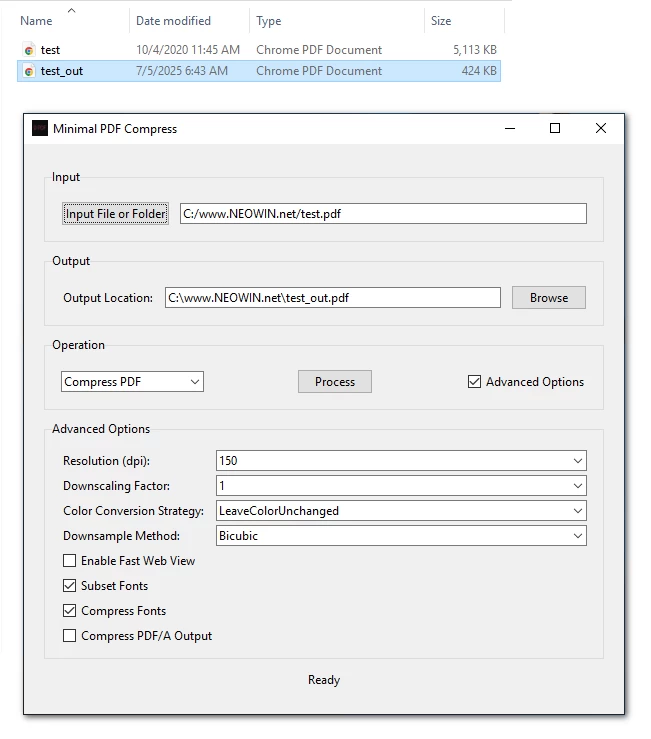
Minimal PDF Compress is a user-friendly, graphical desktop application designed to simplify PDF compression and conversion tasks using Ghostscript on Windows. It allows users to compress PDF files or convert them to PDF/A format with customizable options, all through an intuitive GUI (Graphical User Interface). Built with Python and Tkinter, this tool eliminates the need for command-line interactions, making PDF processing accessible to everyone.
For many users, the command prompt can be intimidating due to its text-based nature, complex syntax, and lack of immediate feedback. Ghostscript, while powerful, typically requires command-line expertise to perform tasks like PDF compression or conversion to PDF/A.
Note: Ghostscript's pdfwrite device doesn't technically "compress" PDFs in the traditional sense. Instead, it recreates a new PDF that may be smaller due to optimizations like removing unnecessary metadata, simplifying fonts, or recompressing images.
Minimal PDF Compress 1.8.1 changelog:
This fixes lossless mode, with two options.
- Lossless: optimizes JPEGs using tools (jpegoptim, ect) that restructure the image file to be visually imperceptible. It also applies powerful lossless techniques to other image formats like PNG. It performs a very high-quality re-compression, which is technically slightly lossy but visually imperceptible.
- True lossless (in output settings at bottom): it skips optimizing CMYK images entirely, guaranteeing that their original color information is never altered. This is much different from normal compression, which extracts, converts to RGB, then compresses.
Download: Minimal PDF Compress 1.8.1 | 33.8 MB (Open Source)
View: Minimal PDF Compress Home Page | Screenshot
 Get alerted to all of our Software updates on Twitter at @NeowinSoftware
















0 Comments
Load the comments and join the conversation!
Read the comments, ask the editors questions, show respect and join the conversation.