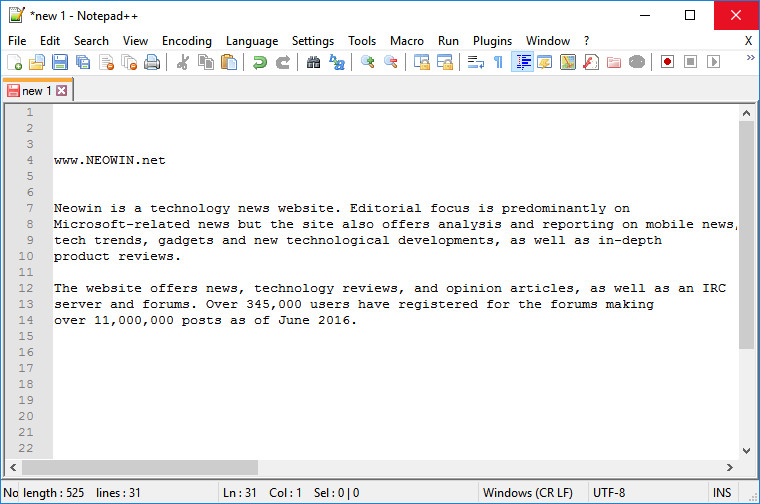
Notepad++ is a free (as in "free speech" and also as in "free beer") source code editor and Notepad replacement that supports several languages. Running in the MS Windows environment, its use is governed by GPL License.
Based on the powerful editing component Scintilla, Notepad++ is written in C++ and uses pure Win32 API and STL which ensures a higher execution speed and smaller program size. By optimizing as many routines as possible without losing user friendliness, Notepad++ is trying to reduce the world carbon dioxide emissions. When using less CPU power, the PC can throttle down and reduce power consumption, resulting in a greener environment.
Notepad++ v8.8.4 changelog:
- Fix -notabbar & asNotepad.xml stop hiding tabbar regression (from v8.7.9). (Fix #16794)
- Fix “Edit with Notepad++” not removed by uninstaller regression (from v8.8.3). (Fix #16896)
- Fix possible heap memory leak. (implement #16883)
- Increase search input length from 2046 to 16383. (Fix #1088, #16749)
- Add warning tip for the max length on search input (Find/Replace). (Fix #16749)
- Fix JavaScript listed twice in Language & Indent settings of Preferences issue. (Fix #4521, #16861, #16884)
- Fix external lexers showing several time in Indent settings issue. (Fix #16462)
- Add button to insert variables in the run dialog. (implement #16820)
- Enhance “Go to settings”: guide users to the related setting explicitly. (Fix #16846)
- Add a clear button for filter field in Shortcut Mapper. (Fix #15742)
- Make NFO font overridable by adding font name in Lexer “nfo” of stylers.xml. (Fix #16839)
Notepad++ v8.8.5 regression-fix:
- Fix “Edit with Notepad++” context menu not being installed correctly regression. (Fix #16913)
Download: Notepad++ 64-bit | Portable 64-bit | ~4.0 MB (Open Source)
Download: Notepad++ 32-bit | Portable 32-bit
Download: Notepad++ ARM64 | Portable ARM64
View: Notepad++ Home page | Other Operating Systems | Screenshot
 Get alerted to all of our Software updates on Twitter at @NeowinSoftware



















0 Comments
Load the comments and join the conversation!
Read the comments, ask the editors questions, show respect and join the conversation.