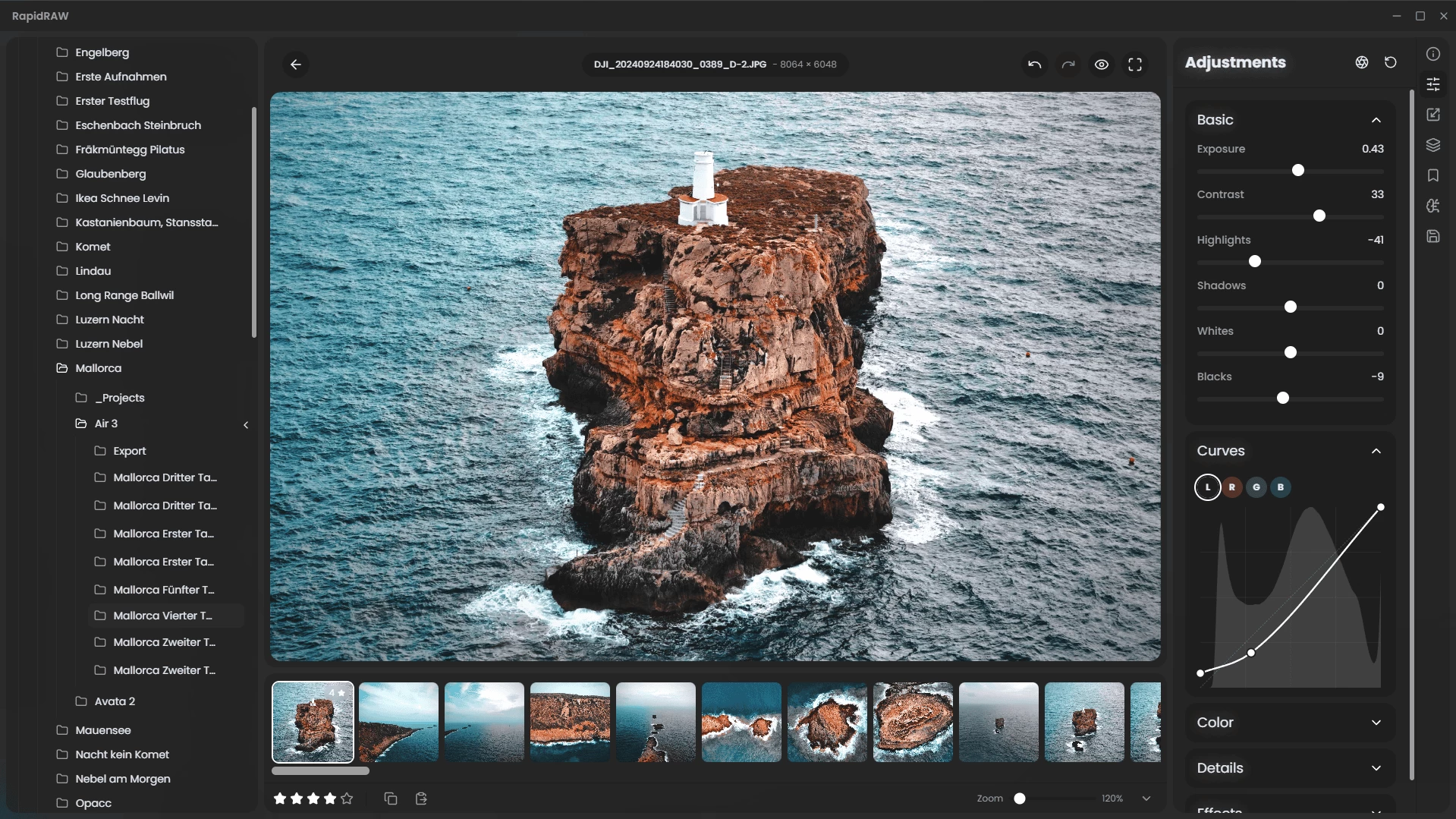
RapidRAW is a beautiful, non-destructive, GPU‑accelerated RAW image editor designed for speed and simplicity. It uses a lightweight (~30 MB), efficient code base built with Rust, React and Tauri. Ideal for Lightroom workflows, it offers rich editing tools—exposure, contrast, highlights, shadows, whites/blacks, tone curves, HSL mixer, dehaze, vignetting, film grain, sharpening, clarity and noise reduction—processed in real-time on the GPU.
Features include intuitive masking (brush, linear, radial, AI-powered subject and foreground detection), generative edit layers (via ComfyUI), 32‑bit precision, and full RAW format support through rawler. RapidRAW also provides library management (folder navigation, ratings, metadata, EXIF viewer), batch operations, export presets (JPEG/PNG/TIFF), sidecar editing (.rrdata), undo/redo history, customizable UI themes, smooth animations, resizable panels, and preset copy/paste.
A modern high-performance Lightroom alternative with polished UX and creative tools, RapidRAW brings powerful photo editing to photographers seeking speed, responsive GPU feedback, and streamlined workflows.
RapidRAW 1.2.12 changelog:
- Auto crop when cropping an image to prevent black borders
- Added drag & drop sort ability to presets panel
Download: RapidRAW 1.2.12 | 19.8 MB (Open Source)
View: RapidRAW Home Page | Screenshot | Other operating systems
 Get alerted to all of our Software updates on Twitter at @NeowinSoftware














0 Comments
Load the comments and join the conversation!
Read the comments, ask the editors questions, show respect and join the conversation.