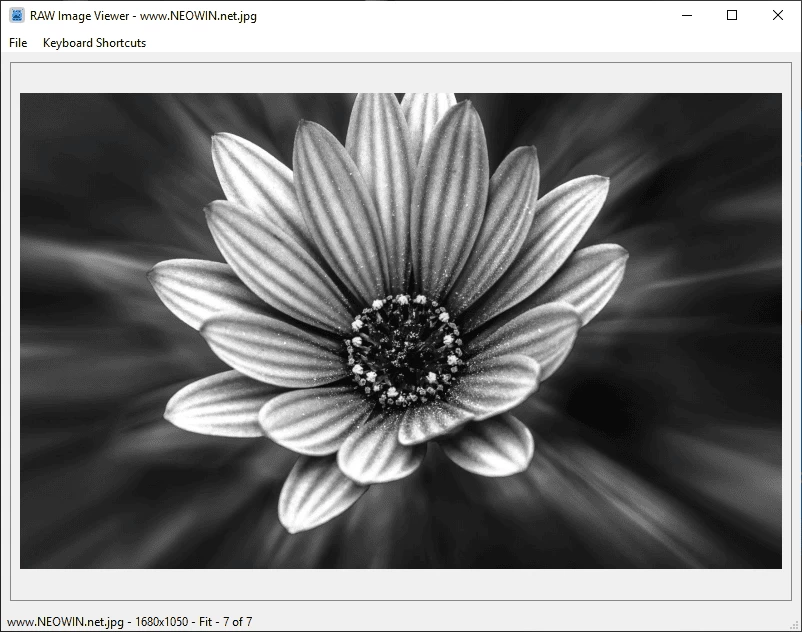
RAWviewer is a lightweight, cross-platform tool designed for photographers who need to quickly review and cull large sets of RAW images. Unlike Lightroom or Capture One, it skips lengthy imports and opens files instantly, making it ideal for fast-paced scenarios like airshows, wildlife, or sports photography.
The app supports a wide range of formats including Canon CR2/CR3, Nikon NEF, Sony ARW, Fujifilm RAF, Panasonic RW2, Adobe DNG, and standard JPEG/HEIF. With a keyboard-driven workflow, users can flip through images, zoom to 100% for sharpness checks, and move unwanted shots to a discard folder or delete them permanently.
Built on PyQt6 and rawpy, it offers smooth performance, EXIF metadata display, and orientation correction.
RAWviewer features:
- Cross-platform support: Windows and macOS
- Wide RAW format support: Canon (CR2, CR3), Nikon (NEF), Sony (ARW), Adobe DNG, and many more
- Automatic orientation correction: Reads EXIF orientation data and displays images correctly (portrait/landscape)
- Intuitive navigation: Keyboard shortcuts and mouse controls
- Zoom functionality: Fit-to-window and 100% zoom modes with smooth panning
- File management: Move images to discard folder or delete permanently
- EXIF data display: View camera settings and capture information
- Session persistence: Remembers your last opened folder and image
- Portable executable: No Python installation required for users
- Threaded processing: Smooth, non-blocking UI
RAWviewer 0.5 changelog:
Smarter, Faster, and More Responsive RAW Viewing
- Major RAW Processing Engine Overhaul
- Brand new multi-threaded RAW processor – Up to 46% faster loading on large RAW files
- Progressive image loading – See thumbnails immediately while full image decodes
- Fallback thumbnail support – Uses embedded previews when decoding fails
Performance & Memory Improvements
- Advanced image cache system – Speeds up switching and reduces repeated decoding
- Smart preload logic – Preloads adjacent images to improve navigation flow
- Memory-aware caching – Automatically clears cache based on system memory
- Configurable cache budget – Fine-tune performance for low- or high-spec machines
EXIF & UI Enhancements
- Instant EXIF display – Metadata appears immediately in fit-to-window mode
- Signal-based EXIF system – Real-time loading with no UI delays
Download: RAWviewer 0.5 | macOS | ~70.0 MB (Open Source)
View: RAWviewer Home Page | Screenshot
 Get alerted to all of our Software updates on Twitter at @NeowinSoftware

















0 Comments
Load the comments and join the conversation!
Read the comments, ask the editors questions, show respect and join the conversation.