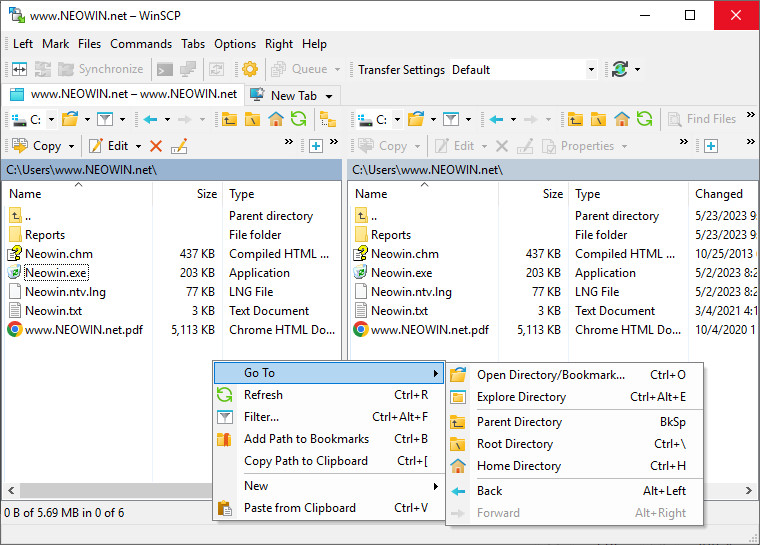
WinSCP is an open source free SFTP client, FTP client, WebDAV client and SCP client for Windows. Its main function is file transfer between a local and a remote computer. Beyond this, WinSCP offers scripting and basic file manager functionality.
WinSCP features:
- Graphical user interface
- Translated into several languages
- Integration with Windows (drag&drop, URL, shortcut icons)
- U3 support
- All common operations with files
- Support for SFTP and SCP protocols over SSH-1 and SSH-2 and plain old FTP protocol
- Batch file scripting and command-line interface
- Directory synchronization in several semi or fully automatic ways
- Integrated text editor
- Support for SSH password, keyboard-interactive, public key and Kerberos (GSS) authentication
- Integrates with Pageant (PuTTY authentication agent) for full support of public key authentication with SSH
- Explorer and Commander interfaces
- Optionally stores session information
- Optionally supports portable operation using a configuration file in place of registry entries, suitable for operation from removable media
WinSCP 6.6.1 Beta changelog:
- Support for OpenSSH ssh-agent. 1682
- Optionally connecting all workspace/folder sessions immediately. 1026
- Preserving panel scroll position after rename. 2425
- Ctrl+C works in list views on ‘Server and protocol information’ dialog.
- Preventing moving or copying a file or folder over ancestor folder with the same name. 2427
- WebDAV/HTTP core upgraded to neon 0.37.1.
- XML parser upgraded to Expat 2.7.5.
- Bug fix: Some menus were not working on displays to the left or above the primary display. 2423
- Bug fix: Mouse wheel downwards scrolling did not work on toolbar drop down lists.
- Bug fix: Once any control of permissions popup box was focused the popup no longer closed when user clicked outside of it.
- Bug fix: Failure when closing Transfer settings dialog with X button while a permissions popup box control is focused. 2420
- Bug fix: Failure when switching to a session that is being reconnected.
- Bug fix: Failure when the first bit of an SFTP response is set. 2422
- Bug fix: Copying to clipboard with Ctrl+C from ‘Server and protocol information’ was broken.
- Bug fix: Protocol additional information scrolling was broken.
- Bug fix: Master password dialog was missing Help button.
- Bug fix: Checking if edited/opened file was modified externally didn’t work for inactive sessions. 2426
- Bug fix: Wrapped settings values from Raw Site Settings dialog were not preserved.
- Bug fix: Some files modified by local custom command in SCP session fails to upload back. 2428
- Bug fix: Whole Key exchange page was incorrectly hidden when “Handles SSH key re-exchange badly” bug was enabled.
- Bug fix: Some message boxes leak GDI handle. 2430
- Bug fix: Login dialog leaks GDI handles. 2431
Download: WinSCP 6.6.1 Beta | 12.5 MB (Open Source)
Download: WinSCP MSI | 24.9 MB
Download: Standalone Executable | 8.5 MB
Link: WinSCP Home page | Screenshot
 Get alerted to all of our Software updates on Twitter at @NeowinSoftware
















0 Comments
Load the comments and join the conversation!
Read the comments, ask the editors questions, show respect and join the conversation.