
A couple of days ago, we learned that GIFs in the Windows emoji panel had suddenly stopped working. Later, it was revealed that this was not happening due to a bug from Microsoft's side, but because Google had retired its Tenor API, so the Redmond tech giant quickly had to switch to GIPHY as its GIFs provider to fix the issue. Now, users are reporting another Windows bug, and it appears that Google is to blame yet again.
I came across this issue a few hours ago where I turned on my Windows 11 PC and a blank white window appeared on the top-left corner of the screen, covering significant space, and not allowing me to interact with anything behind it. It went away by itself after a few seconds without causing any further harm, so I dismissed it as a temporary glitch.
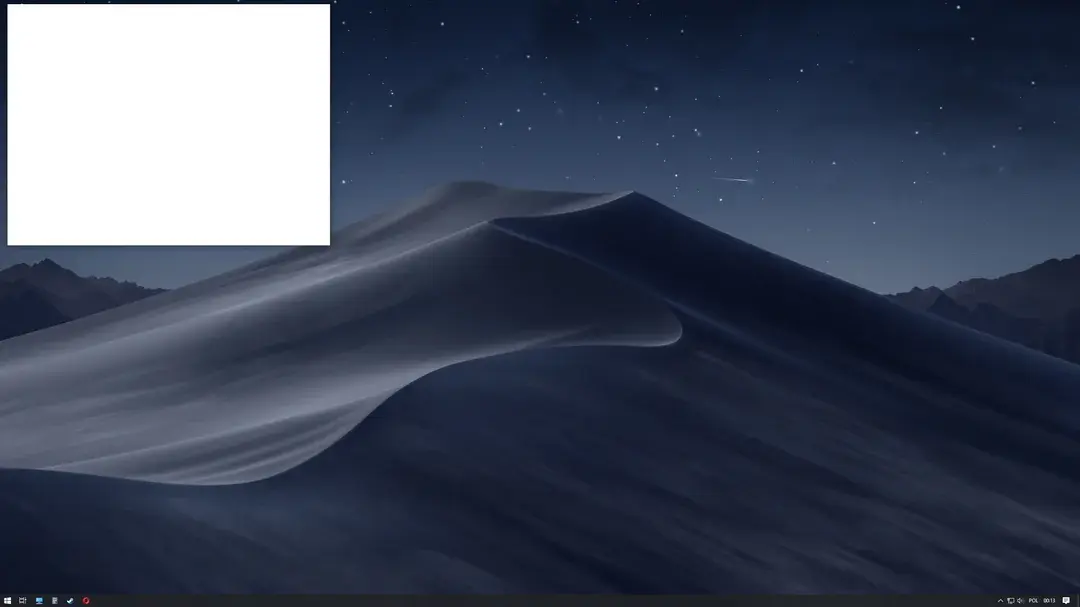
However, when I was browsing Reddit just now, I realized that other Windows users are experiencing the same issue across a variety of configurations. I discovered it on Windows 11 version 25H2 Insider build 26300.8687, but others also came across it on other versions, even Windows 10. The discussion had people theorizing that it was due to AMD drivers, but I have Intel, and others had varying configurations too, so this theory was dismissed.
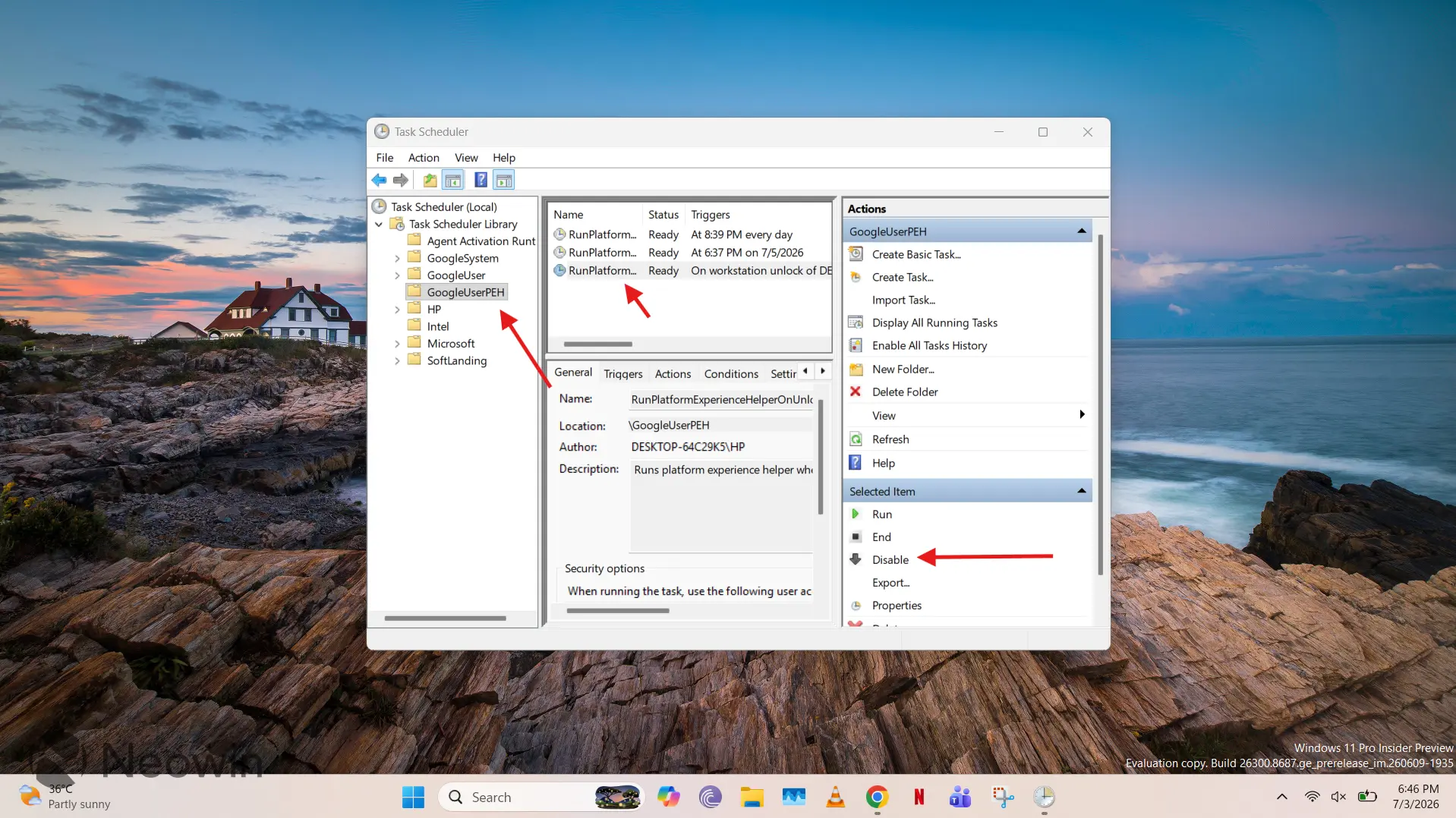
The original poster on the Reddit claim has now claimed that they have found a fix for the problem. It's apparently happening due to the GoogleUserPEH folder hosting the RunPlatformExperienceHelperOnUnlock task. A quick search on Google explains that this is a background component associated with Google Chrome that is "designed to manage interactions between the browser and external components, such as extensions, plugins, and update tasks."
As such, the fix involves opening Task Scheduler in Windows, navigating to the GoogleUserPEH folder under the Task Scheduler Library tree, selecting the RunPlatformExperienceHelperOnUnlock service, and clicking Disable, as shown in the screenshot below:
Although some on the thread claim that they run into the bug on each startup, I was not able to reliably reproduce this behavior, so I cannot confirm that the fix works robustly or if the Google service is indeed the culprit. However, it seems to have worked for a few, so it may be worth giving a shot. However, if you are encountering the obstructive blank white window but don't find it very annoying, it's probably better to wait for an official fix. The exact scope and root cause of the problem is currently unknown.

















4 Comments
Load the comments and join the conversation!
Read the comments, ask the editors questions, show respect and join the conversation.