AMD's upscaling and frame generation technology suite, FidelityFX Super Resolution, is now on its fourth edition. What started as a spatial upscaler in 2021 evolved into a machine learning-based upscaler earlier this year with the RX 9000 series release. But AMD isn't finished with its machine learning-improved tech upgrades just yet. Today, it announced that the first feature of its new Redstone FSR upgrade will be available with Call of Duty: Black Ops 7.
Dubbed AMD FSR Ray Regeneration, this is a process that is said to be able to make raytraced effects like lighting and reflections sharper using a machine learning–based real-time denoiser. Much like Nvidia's Ray Reconstruction system, this is supposed to reduce the rendering cost thanks to the use of sparse samples without the drawback of fuzzy visuals.
As previously announced, these FSR 4 upgrades will be exclusive to AMD Radeon RX 9000 series graphics cards.
Call of Duty: Black Ops 7 will be the first game to receive the new FSR Ray Regeneration, with it being available day one when it launches tomorrow, November 14. As already seen by players, it will be found in the settings menu's Ray Tracing Denoiser section under Ray Tracing Reflections, letting RX 9000 series players choose FSR Ray Regeneration. The setting also recommends using it with FSR 4. Players looking to try the new tech out will first want to install the new AMD 25.11.1 driver that landed earlier today too.
"Lighting and reflections are essential to creating an immersive gaming experience," says AMD's Jack Huynh, describing the new feature drop into Black Ops 7. "Imagine spotting your opponent’s reflection rippling in a puddle beneath your feet as every ray of light is rendered with stunning precision. Experience crystal-clear reflections and lifelike lighting that redefine immersion."
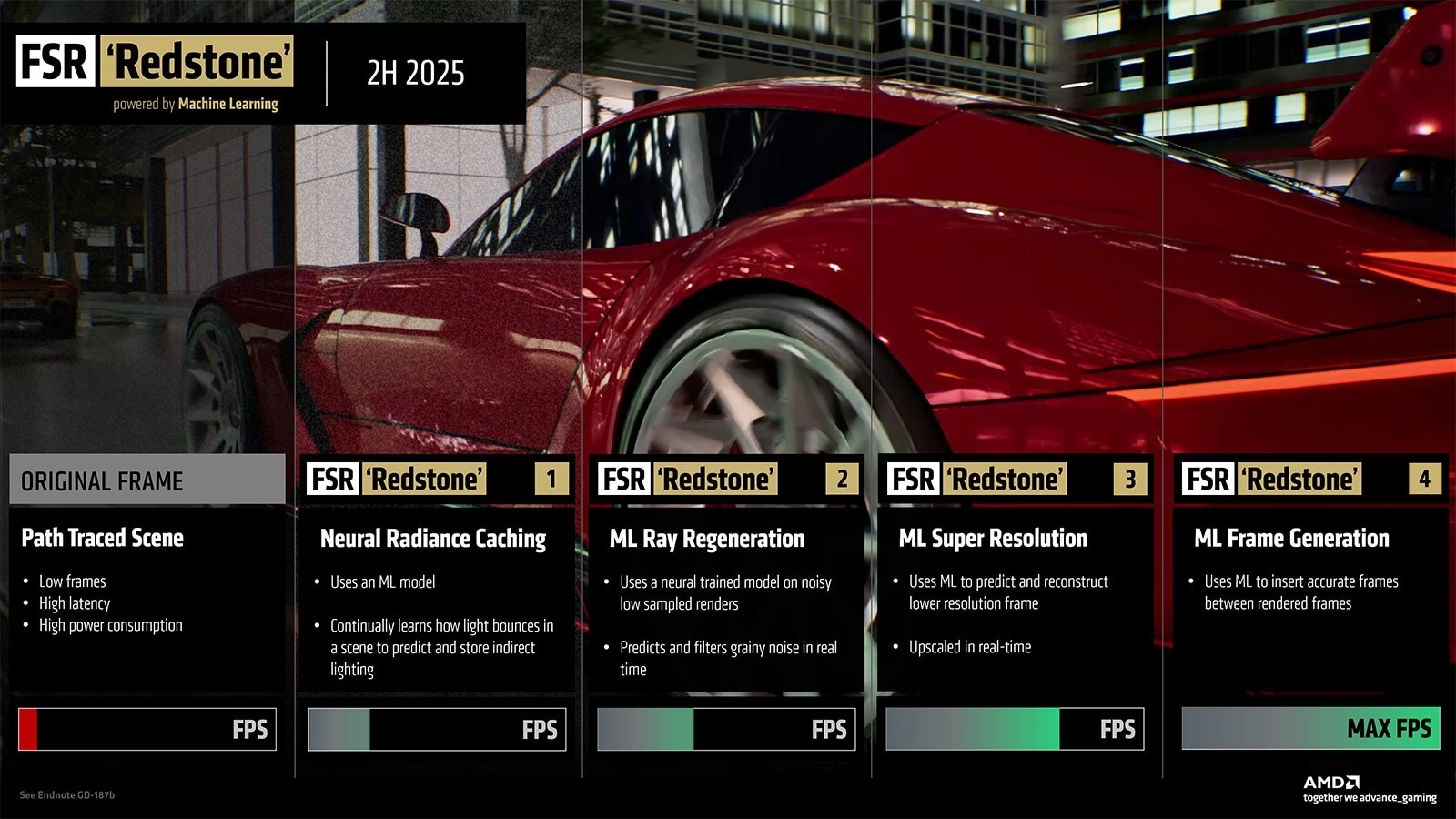
Keep in mind that the new FSR Redstone is a larger suite of upgrades that contains enhancements for AMD's frame generation, upscaling, and other technologies using machine learning. Find more details here.

















1 Comment
Load the comments and join the conversation!
Read the comments, ask the editors questions, show respect and join the conversation.