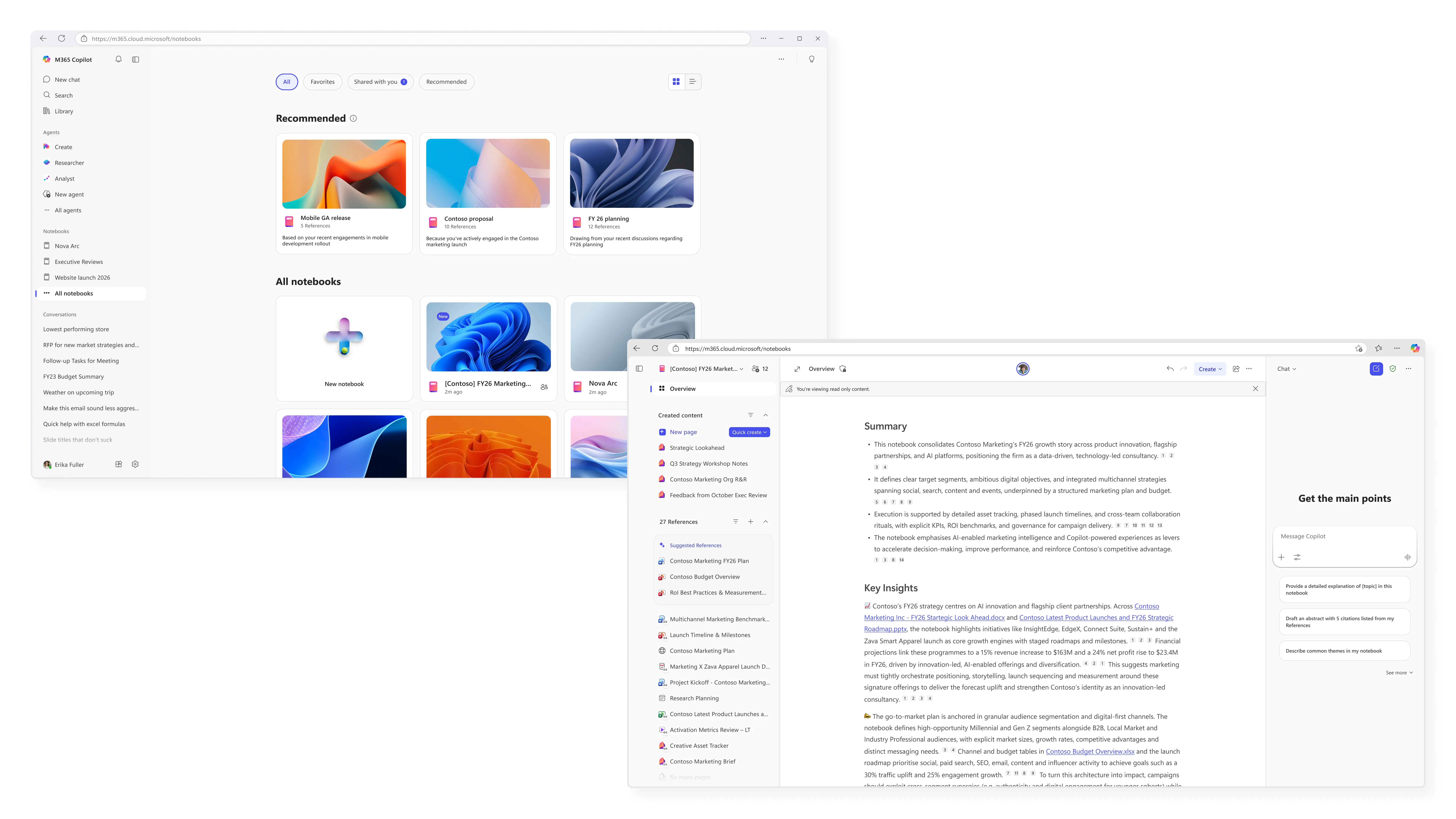
Copilot Notebooks is a particularly powerful piece of software that essentially offers you a workspace where you can perform activities related to project management, content creation, and deep research. This AI-powered experience allows you to embed multiple types of files in your workspace and build on that through contextual grounding limited only to the content in the workspace. Today, Microsoft has announced the general availability of a design refresh for Copilot Notebooks in Microsoft 365 Copilot and the OneNote app.
Copilot Notebooks now has an updated three-column layout that combines references, content in Copilot Pages, and Copilot chats into a unified interface for easier navigation and reduced need for context switching.
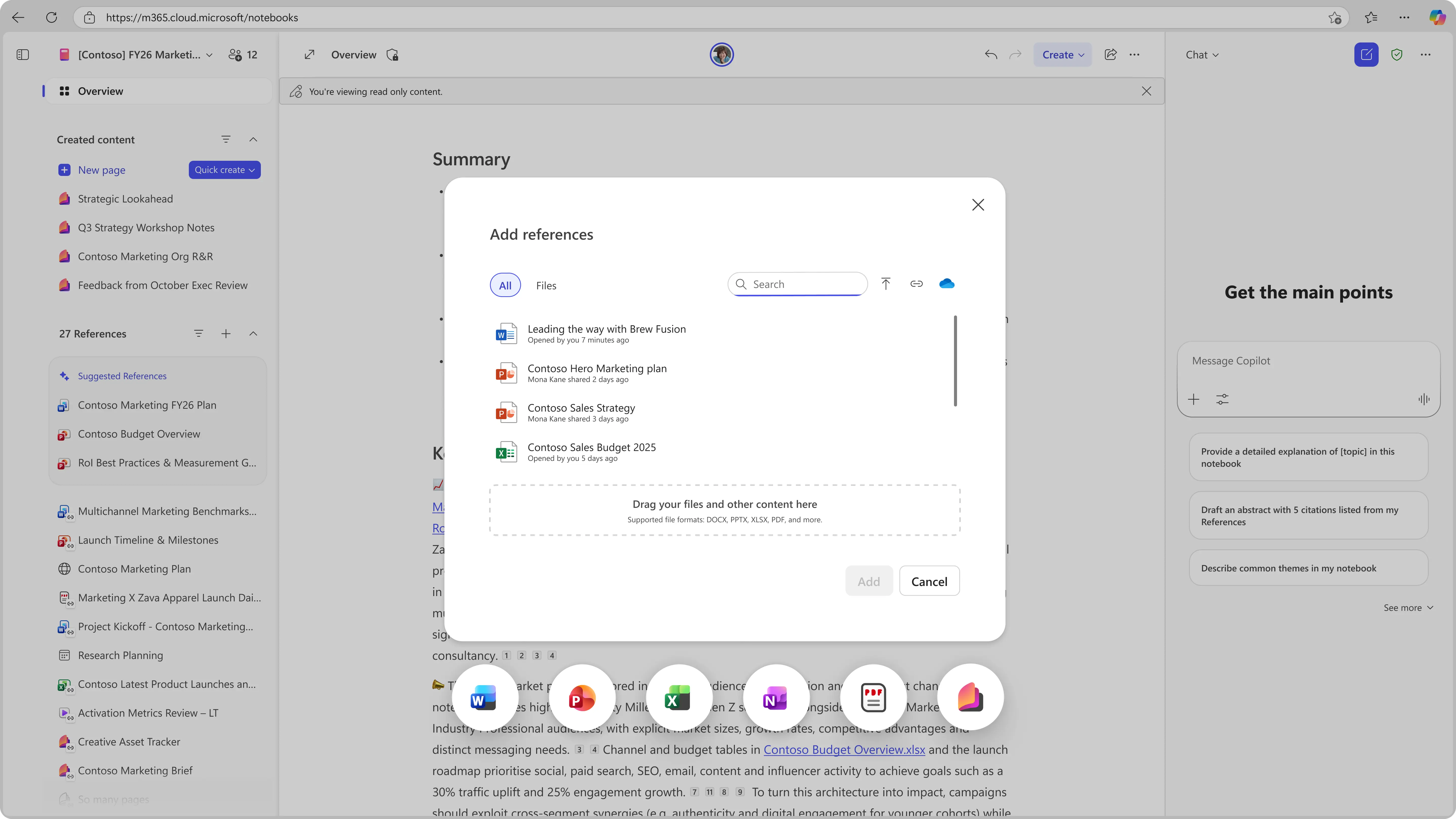
The next change in tow is richer reference sets, which now support Word, PowerPoint, and Excel files, OneNote pages, PDFs, Copilot Pages. More file and content types are on the way too. Additionally, there's a new Overview page, which basically provides you an executive summary across your entire workspace and you can simply refresh it with the click of a button.
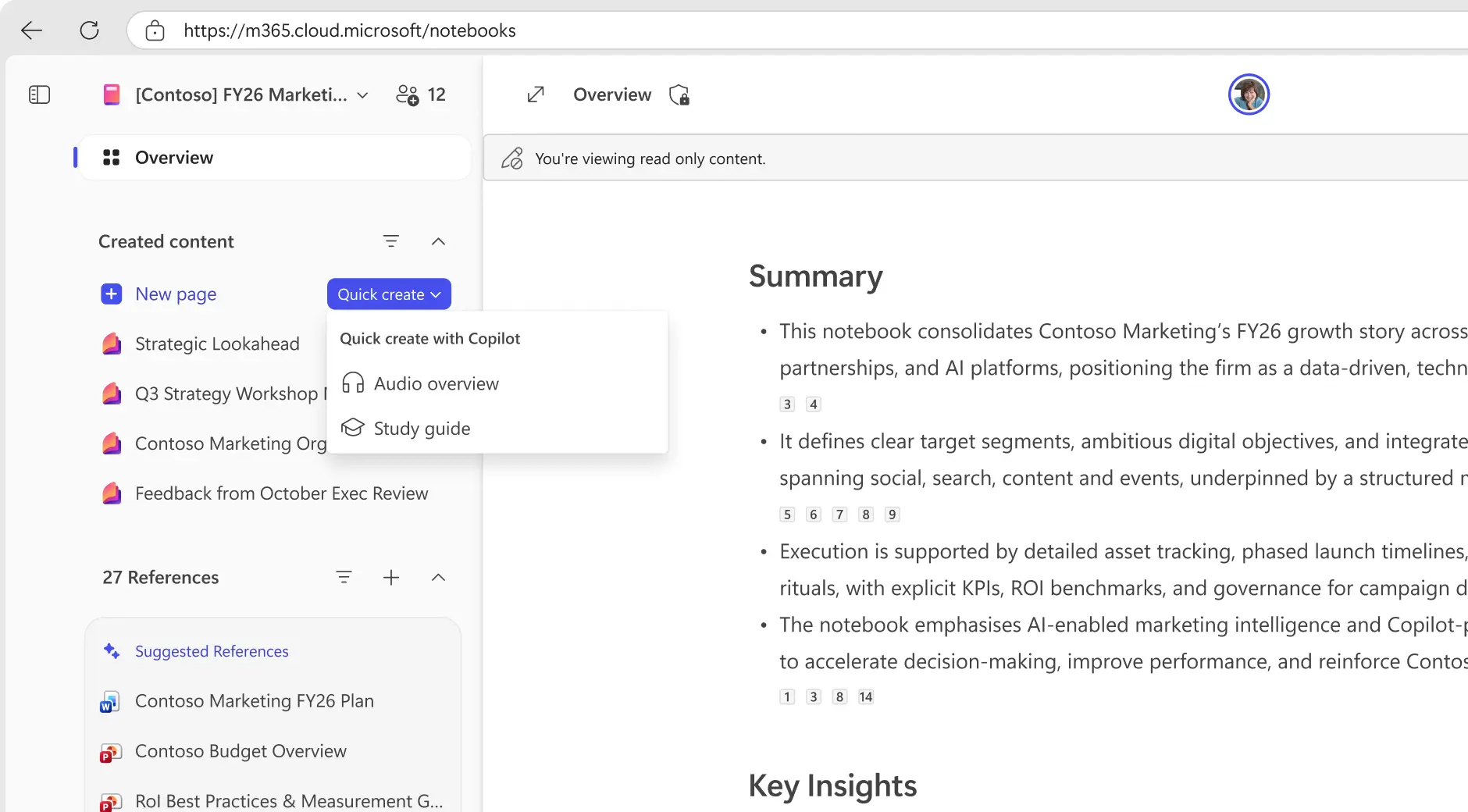
Copilot Notebooks also feature a new Quick create with Copilot option that enables users to transform raw information into structured objects like audio overviews, study guides, quizzes, and more. You can also use this in tandem with AI agents like Researcher and Designer. Finally, Copilot Notebooks can now also be shared with others, which should further enhance cross-functional collaboration.
Microsoft has urged users to try out Copilot Notebooks, highlighting assistance in scenarios like project management, tracking recurring workflows, working on short-lived tasks, and performing deep research on topics and skills.
The Copilot Notebooks revamp is generally available and can be accessed from here. It can be leveraged across Microsoft 365 Copilot app on Web, Windows, Mac, and Mobile and the OneNote app on Windows for customers who have a commercial Microsoft 365 Copilot license and an active SharePoint or OneDrive subscription. Unfortunately, it is not available for Microsoft 365 Personal, Family, or Premium accounts.


















0 Comments
Load the comments and join the conversation!
Read the comments, ask the editors questions, show respect and join the conversation.