.jpg)
Possibly the most despised feature of Windows 10 is advertisements. They show up in your apps list, lock screen, and even the Start Menu. Sadly, Microsoft plans to double the amount of Promoted Apps that you'll find hiding in the Start Menu when the Windows 10 Anniversary Update is released this summer.
More specifically, the number of Suggested Apps will increase from five to 10. At the same time, the number of "static" apps (stock apps that are pinned to the Start Menu by default) will decrease from 17 to 12.
If you're not entirely familiar with these Promoted Apps, they're considered to be "Programmable Tiles". Designed to look like an app that's pre-installed on your PC, clicking on one of them will take you to the Store to acquire it.
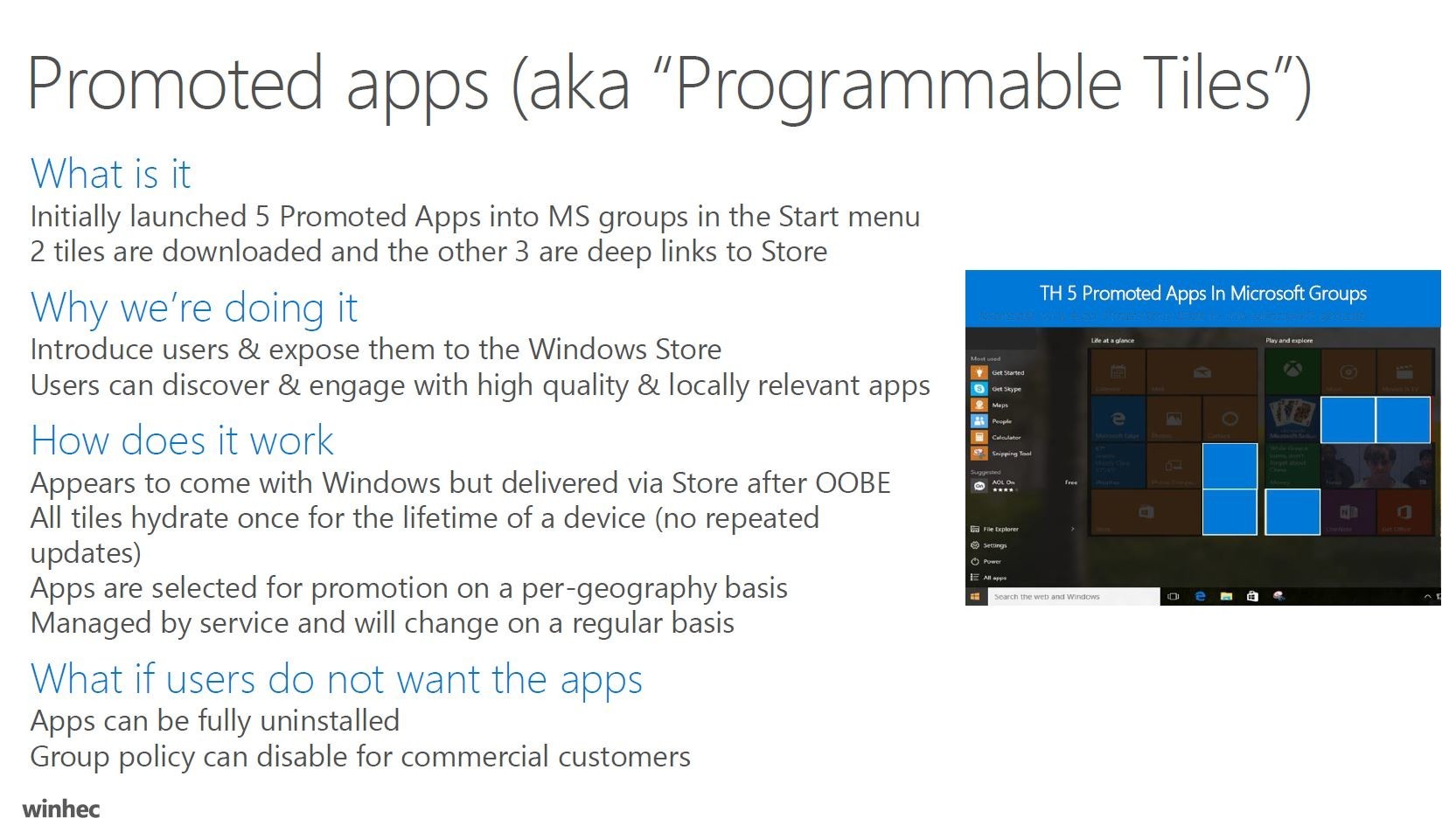
As we can see from this slide, some of those tiles are actually pre-installed, the obvious one being one of the Candy Crush titles, as those were promised to be pre-installed on all Windows 10 machines. Another common example is Microsoft's Solitaire Collection.
Of course, all of these apps can easily be uninstalled and if they haven't yet been installed, easily unpinned from the Start Menu.
You can view the slides from Microsoft's WinHEC right here.
Update: To be more clear, based on the slides, this should only apply to fresh installs of the Windows 10 Anniversary Update. We have reached out to Microsoft to confirm this but at this time, haven't received a response.

















166 Comments
Load the comments and join the conversation!
Read the comments, ask the editors questions, show respect and join the conversation.