
Back in 2024, Microsoft Outlook apps got Copilot integration, which allowed users to summarize emails, get suggestions with a writing coach, the ability to draft full emails, and more.
At Ignite 2025, Microsoft today announced several new updates for Microsoft 365 Copilot in Outlook to help users with email and calendar. To make it natural for users to interact with their email content, Copilot in Outlook mobile now supports an interactive voice experience using which users can ask Copilot to summarize unread emails, draft replies, and even do common email operations, including deleting, archiving, pinning, and flagging.
This new Copilot interactive voice experience is now available in early access for iOS and Android users via Apple’s TestFlight program and Google Play’s Beta testing program.
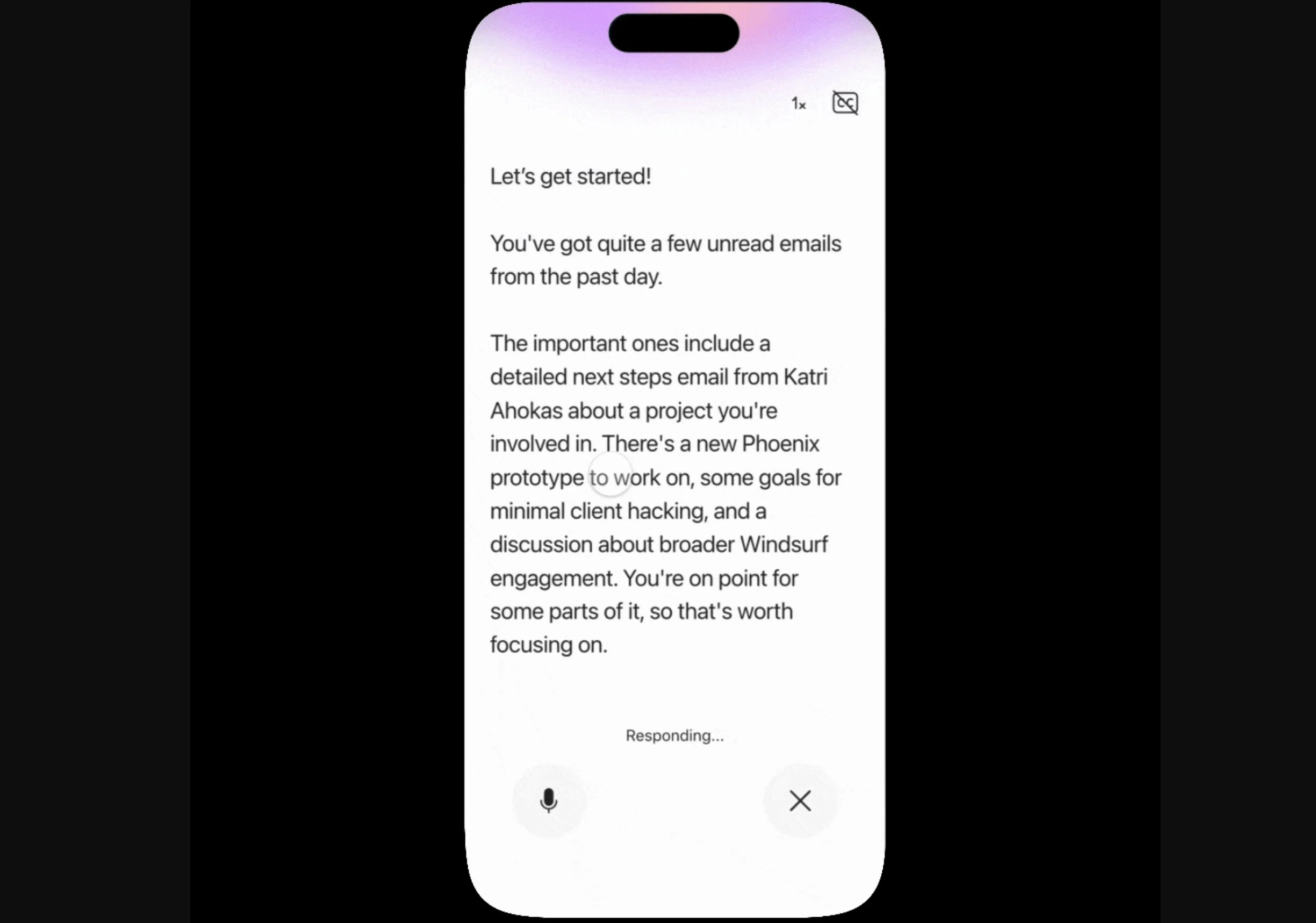
For users who don't prefer voice, Microsoft is bringing one-tap Copilot prompts, with which users can perform common email-related tasks. For example, they can tap prompts like “Triage my inbox,” “What needs my reply?” and “Summarize and reply” for quicker responses. These one-tap prompts are now generally available for Outlook for Windows, web, iOS, Android, and classic Outlook.
Even Outlook Calendar is getting Copilot integration. With this integration, users can schedule meetings by chatting with Copilot. Copilot can even find available times, book rooms, draft agendas, and send invites. This Calendar integration feature is generally available in Microsoft 365 Copilot Chat for users with a Microsoft 365 Copilot license.
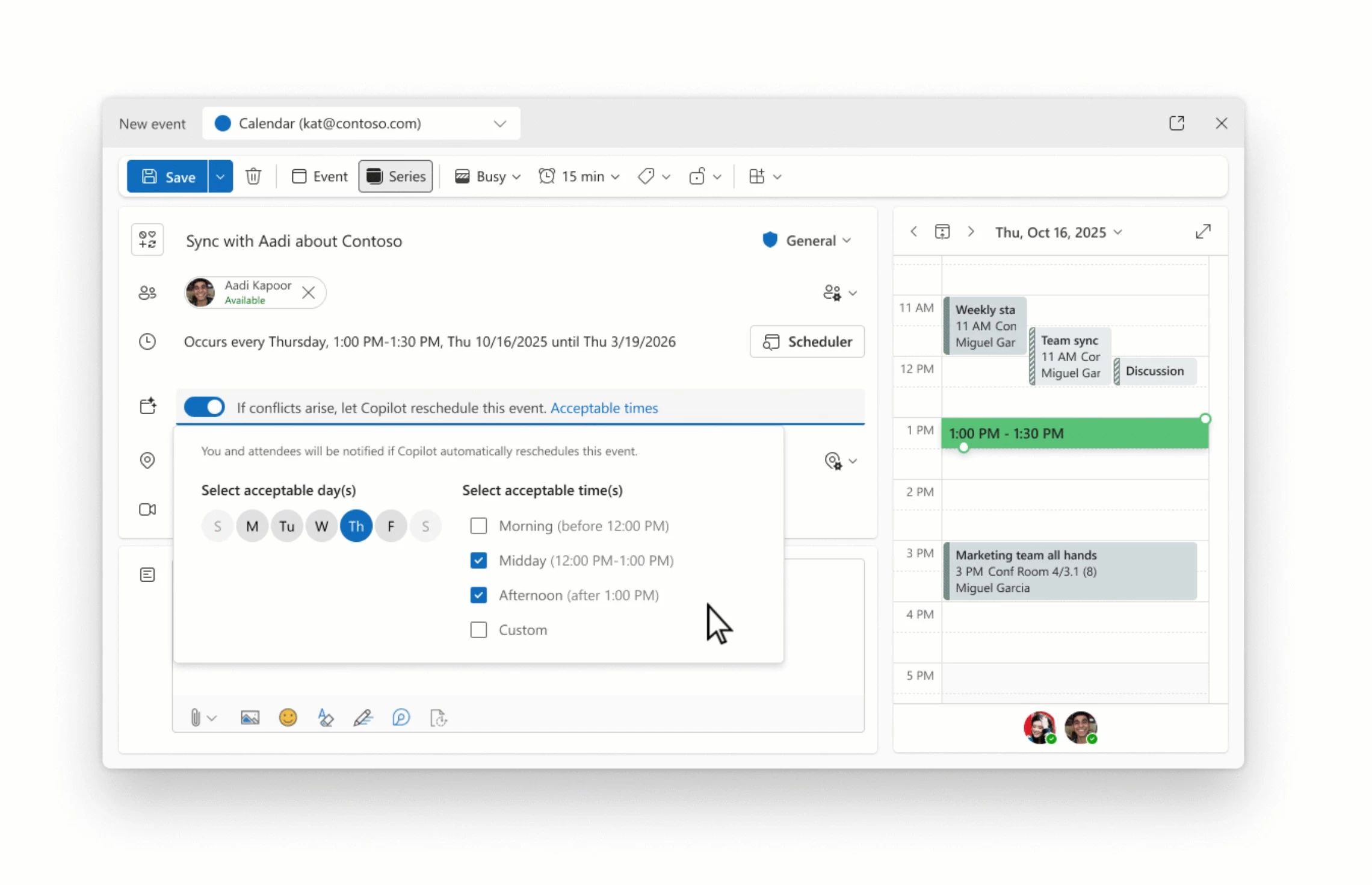
Meeting conflicts are one of the common pain points employees generally go through every day in the enterprise world. Microsoft 365 Copilot can resolve scheduling conflicts for 1:1s and personal events. Users can set preferences based on which Copilot will automatically reschedule when double-booked, notifying users of changes.
This new meeting conflicts feature is now available in early access for Outlook for Windows and web users in the Targeted Release.


















0 Comments
Load the comments and join the conversation!
Read the comments, ask the editors questions, show respect and join the conversation.