
Meeting conflicts are a frequent problem in large organizations. Employees often waste meaningful work time trying to schedule meetings without overlaps. To address this, Microsoft is introducing a new Copilot feature in the new Outlook for Windows and Outlook for the web that can automatically manage conflicting meetings.
With this feature, Copilot can move personal appointments and one-on-one meetings if another meeting lands on the same time slot and takes precedence. It is suitable for situations like recurring check-ins where the meeting doesn’t have to happen at the exact same time every week. Once enabled, users can ask Copilot to manage the meeting, and it will monitor their calendar and adjust the event if users schedule or accept a conflicting meeting.
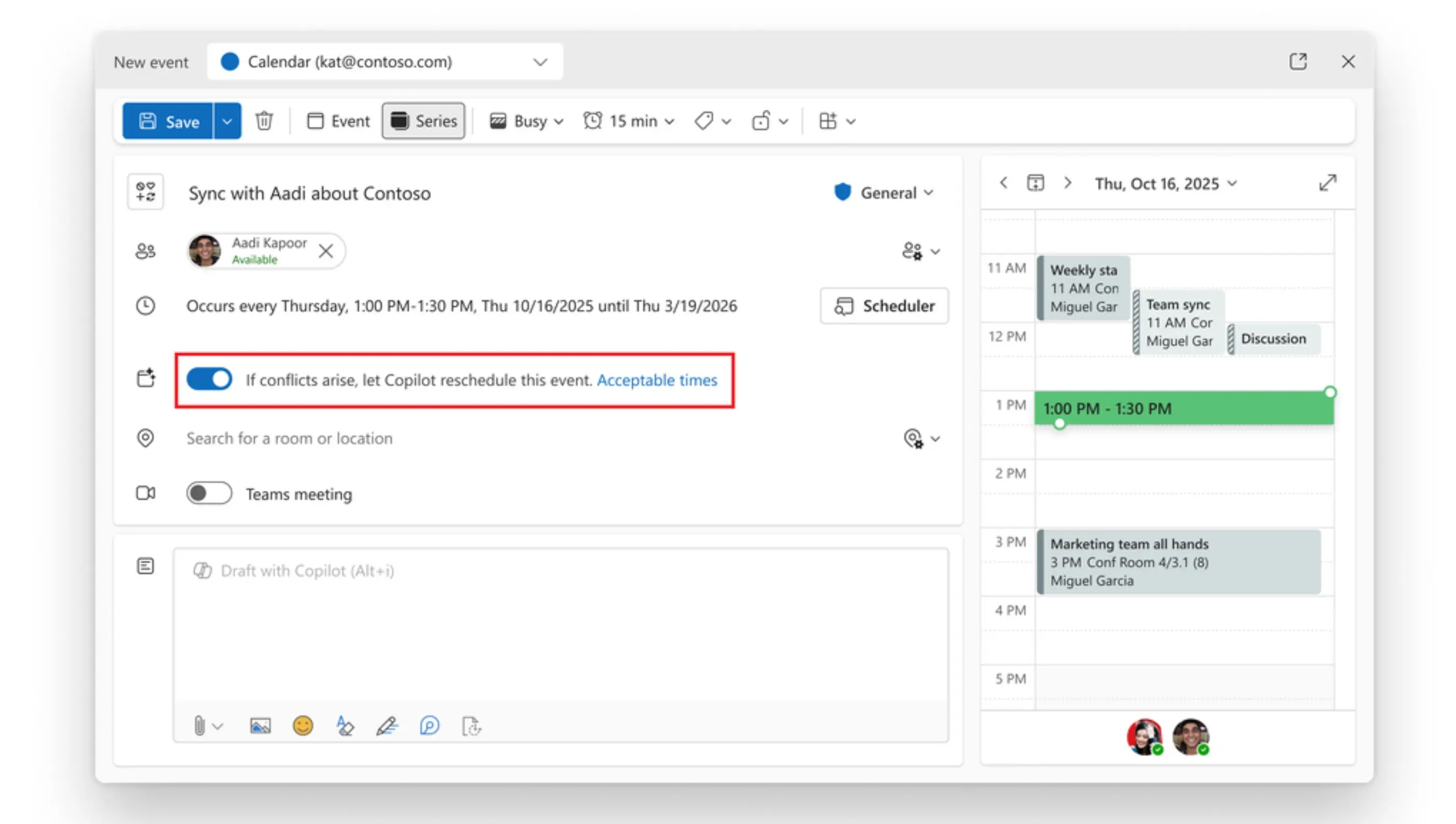
Here's how users can enable this feature:
- Go to the new Outlook for Windows or Outlook for the web.
- In the New > Event page, or an existing event or series page, there will be a new "If conflicts arise, let Copilot reschedule this event" toggle; enable it.
- Optionally, under Acceptable times, users can configure the day(s) and timeframe(s) they are available to find the best alternatives if Copilot needs to reschedule the event or series. This is an optional step to get better results.
This feature will only work with events with a status of Busy or Out of office. If the conflicting meeting is set to Tentative, Copilot won’t reschedule it.
Users will also receive notifications about rescheduling changes in the Outlook notifications pane. In the future, Copilot will also send emails when a meeting is rescheduled. This new Copilot feature is now rolling out on Teams, Outlook for the web, and the new Outlook for Windows for Microsoft 365 Copilot Enterprise license users. You can learn more about this feature here.

















1 Comment
Load the comments and join the conversation!
Read the comments, ask the editors questions, show respect and join the conversation.