
Within the next couple of days, Microsoft has said that it will complete the rollout of the new jump list for Microsoft Teams on Windows. It is a time-saving update that provides quick access to meetings and chat actions, while removing the Quit option. The Redmond giant said that this will improve user efficiency and align the app with other Microsoft 365 apps.
Microsoft began rolling this feature out in mid-November 2025, so there is a good chance that you already have it by now. Microsoft originally intended to fully roll out the feature by late November, but this got pushed back to mid-February, which we are now approaching. It’s available for Worldwide, GCC, GCCH, and DoD clouds.
If you previously used the Quit option in the jump list and need an alternative, you can now quit the application via the Teams system tray icon. Microsoft decided to change how you quit the app to prevent accidental quitting in the middle of a call, based on feedback it got from users. You can see how the jump list looks after the update:
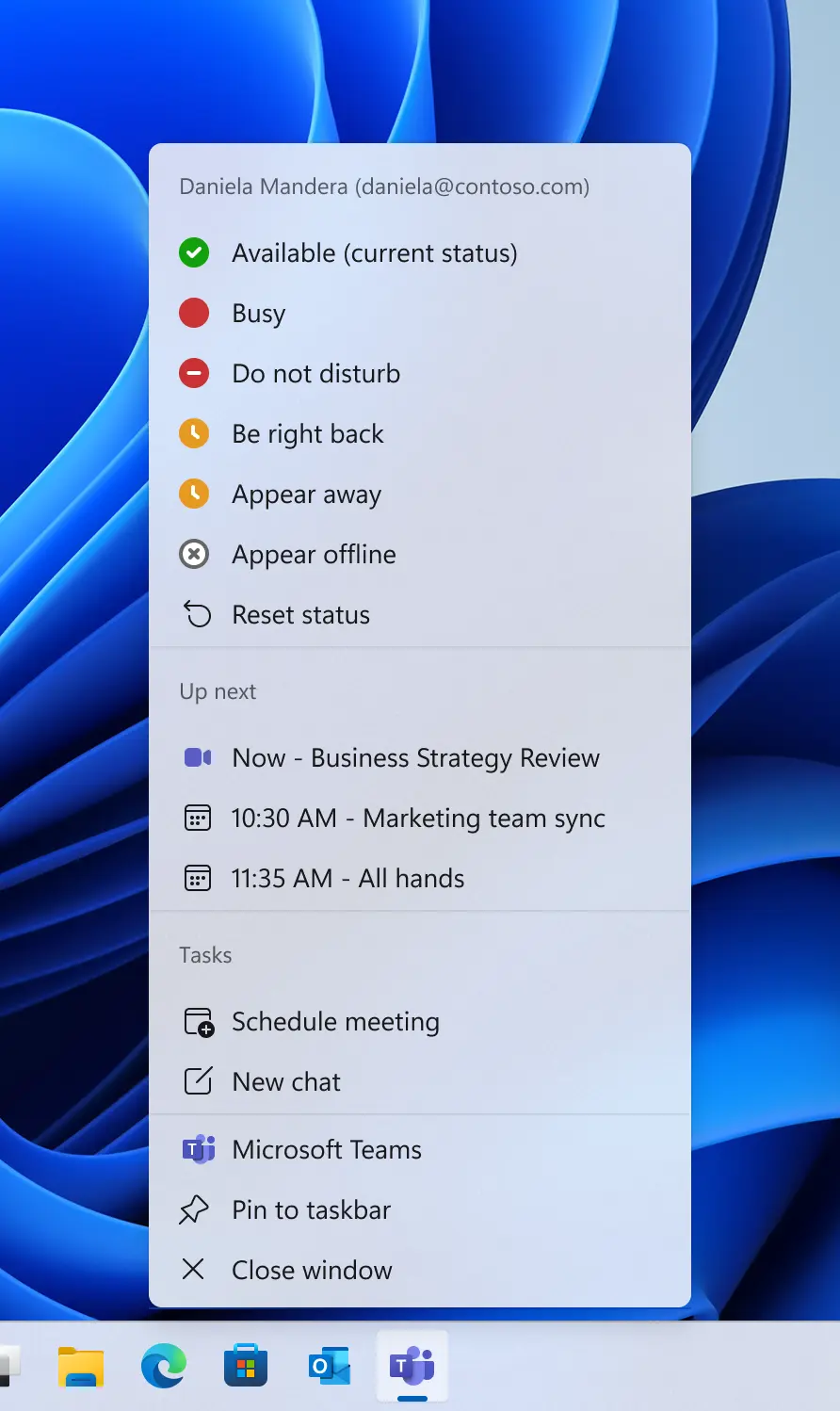
For administrators, no action is required related to this change as they will be delivered automatically as part of the Teams desktop app release. However, Microsoft does recommend letting the help desk know of the updated behavior and updating any internal documentation if it references the Quit option in the jump list.
You can find out more information about this update via the Microsoft 365 Admin Center under Message ID MC1184652.
Let us know in the comments if you have received this updated jump list yet and what you think about it. Are you glad the Quit button has been moved?















1 Comment
Load the comments and join the conversation!
Read the comments, ask the editors questions, show respect and join the conversation.