
Microsoft has released Visual Studio 2026 18.3.0, with an emphasis on deeper AI integration and platform performance improvements. Notably, this update introduces GitHub Copilot memories within the IDE that allow the AI to learn specific coding standards and project best practices across all of your coding sessions.
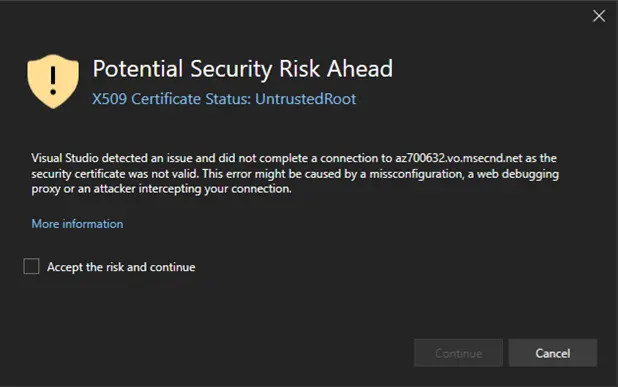
Version 18.3.0 also brings security upgrades. One of the big changes in this regard is the introduction of a new automated certificate revocation check that aims to enhance developer safety during network calls. Some important productivity upgrades include the introduction of fast scrolling and middle-click scroll which speed up navigation through large codebases.
To assist developers in building agents, 18.3.0 expands the M365 Agents Toolkit template library to include scaffolds for Teams Collaborator and Travel agents. These use the Teams SDK and Azure OpenAI to help developers build assistants that automate workflows and policy-compliant travel planning.
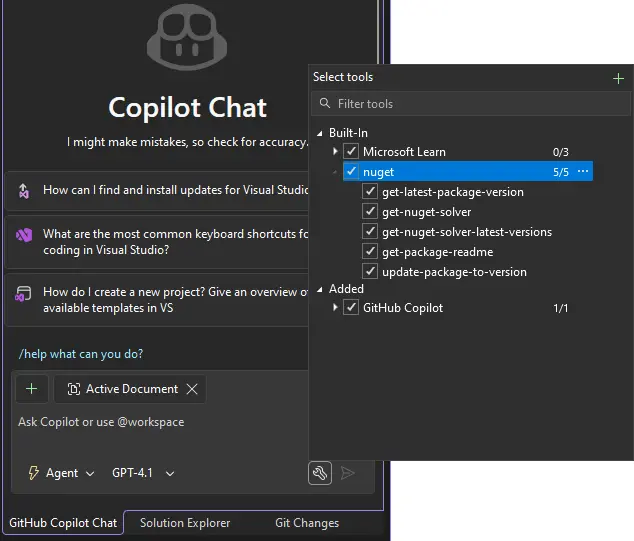
The latest Visual Studio 2026 release also introduces a new way for developers to fix vulnerabilities and update packages to the latest compatible versions using natural language prompts. This is facilitated through the NuGet MCP server, but to use the feature, the tool needs to be enabled manually through the GitHub Copilot Chat tools menu before it can analyze project dependencies.
In terms of actual code editing improvements, this update adds Insignificant Line Compression which reduces the vertical height of non-alphanumeric lines by 25% to free up more screen space. Developers can also enable a slimmer left margin by moving Quick Action icons, such as the light bulb, from the margin to an inline position. Other UI customization options added in this update include spacing options for Solution Explorer and the ability to hide symbol nodes under files.
For a complete overview of the new features and deprecations in this update, you can check out the release notes. To update your Visual Studio 2026, you should go to Help and choose Check for Updates.















0 Comments
Load the comments and join the conversation!
Read the comments, ask the editors questions, show respect and join the conversation.