The power bank market is full of plastic, unassuming bricks whose sole purpose is to power your phone, tablet, or laptop whenever necessary. While there is nothing inherently wrong with a bland-looking box, why not make something more exciting and interesting to look at or hold? Meet the Aulumu M10, a metal power bank with a unique design and nice features, particularly for those heavily invested in the Apple ecosystem.
Disclaimer: Aulumu provided the review unit without editorial input or pre-approval.
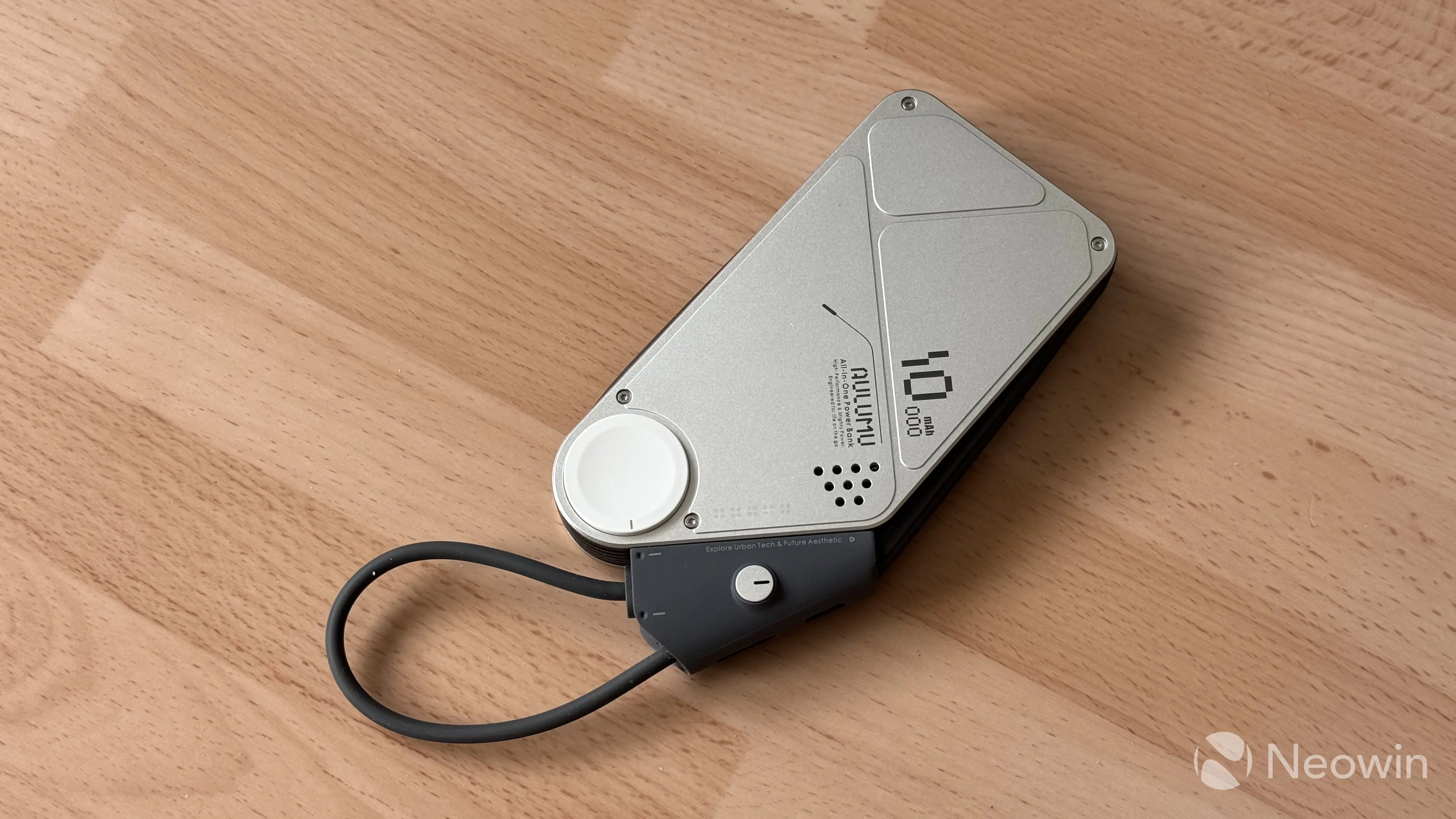
The Aulumu M10 comes in a nice-looking box with very few things inside:
- The M10 power bank
- A carrying case
- Paperwork
Here are the specs:
| Rated Capacity | 5,300 mAh at 5V 3A, 36Wh |
|---|---|
| Cell Capacity | 10,000 mAh |
| Weight | 248g |
| Size | 270 x 75 mm, 160 mm cable |
| Input | 5V 3A, 9V 3A, 12V 2.91A, 15V 2.33A, 20V 1.75A 35W max |
| Output | 5V 3A, 9V 3A, 12V 2.91A, 15V 2.33A, 20V 1.75A 35W max |
| MagSafe Output | 5W, 7.5W, 10W, 15W |
| Apple Watch Output | 2.5W Max |
| Multi-port Output | 15W Max |
| Price | $90 on the official website |
Aulumu M10 - Design
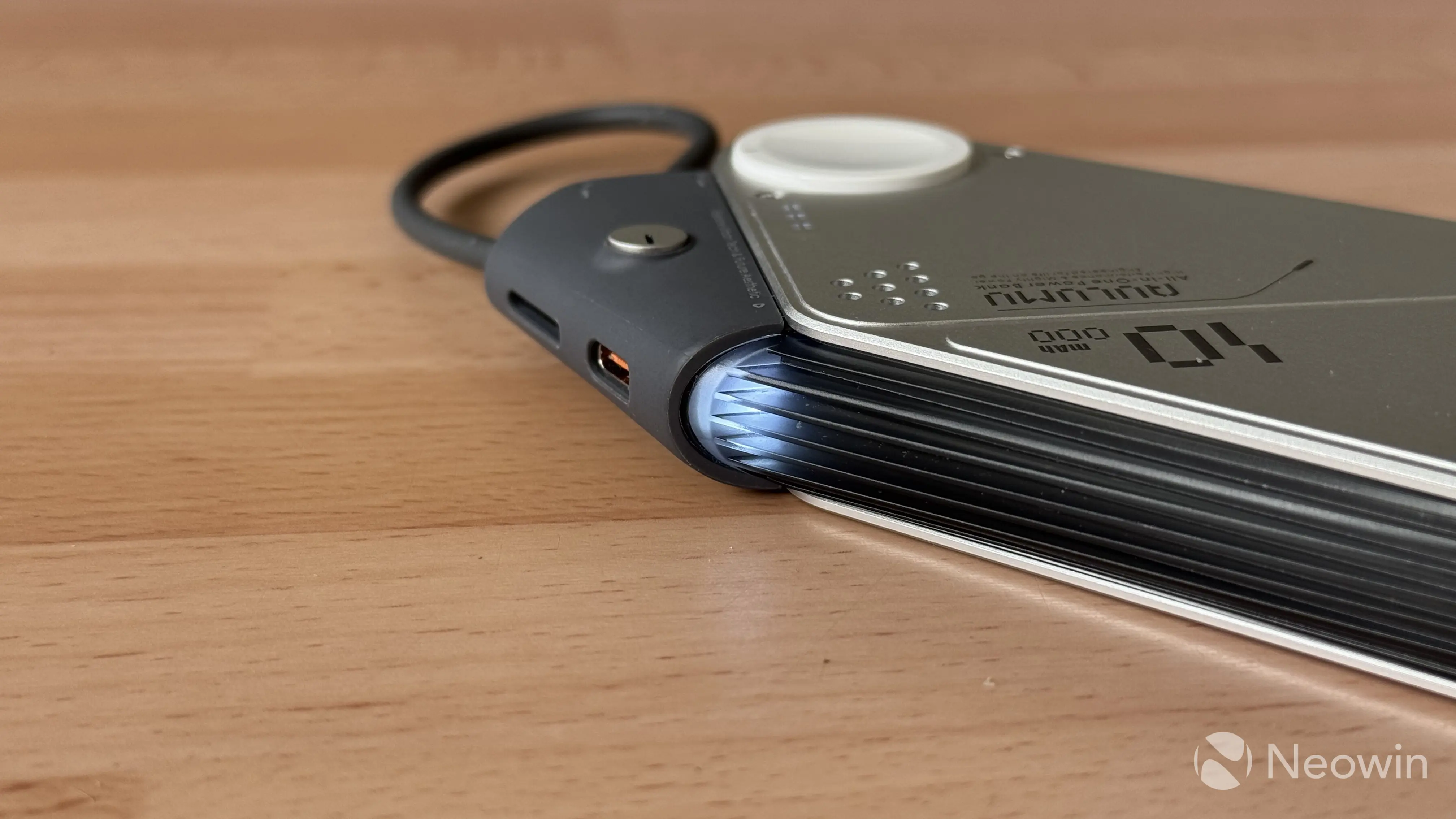
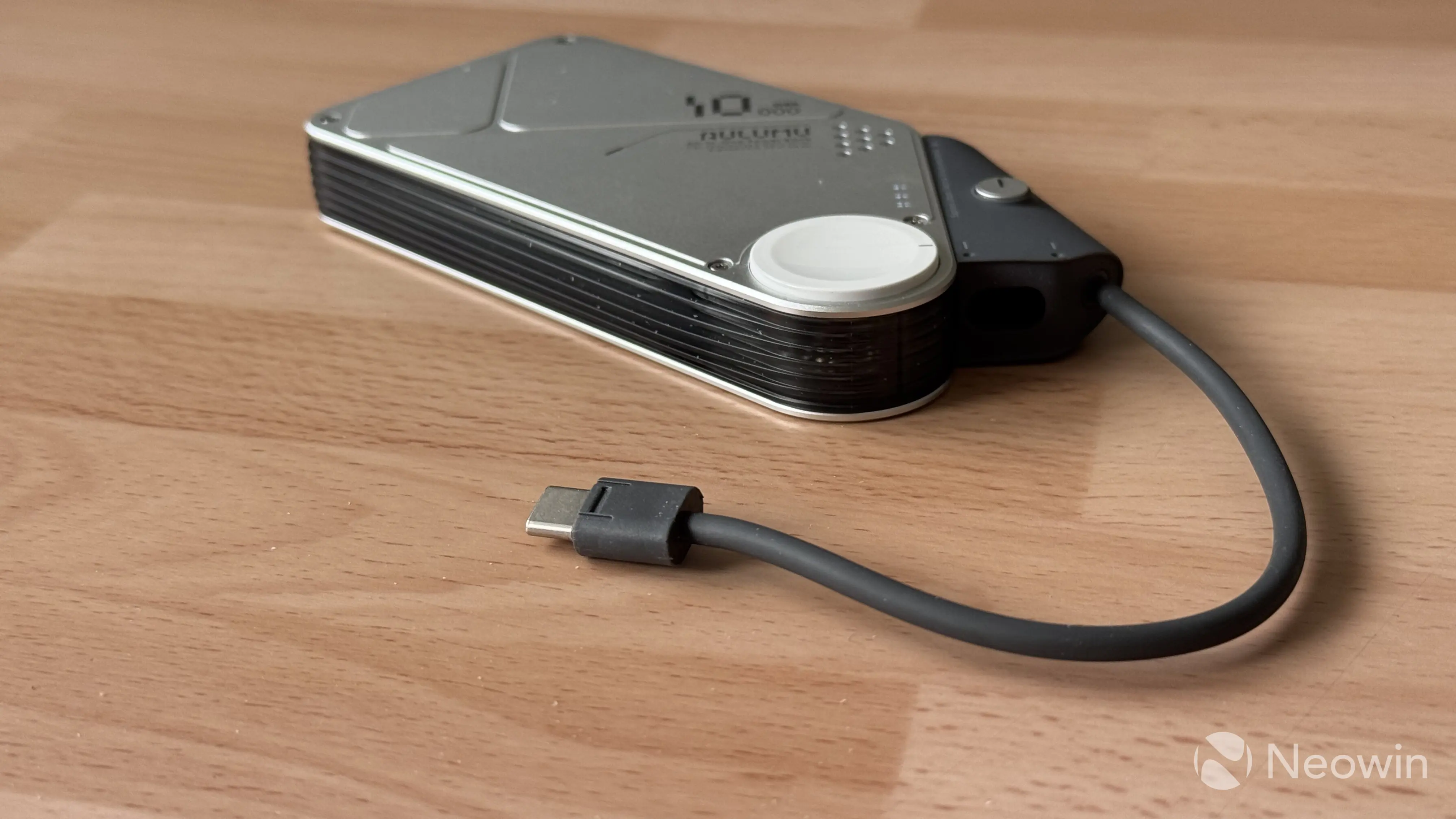
The M10 is hands-down the most interesting power bank I have ever tried. Instead of typical plastic, it uses aluminum and acrylic for a much more premium experience. Front and rear aluminum panels sandwich the main plastic caste, with ribs for a better grip. While most power banks on the market opt for a symmetrical square design, the M10 is slightly asymmetrical, with its cable housing sticking out a bit, while also hosting a single plastic on/off button.
Each aluminum plate is held together with four exposed screws. Unfortunately, removing them is not that easy. After removing each screw, I discovered that the plates were secured with glue. Exposed screws certainly add to the overall character and design, but I recommend not trying to disassemble the M10.
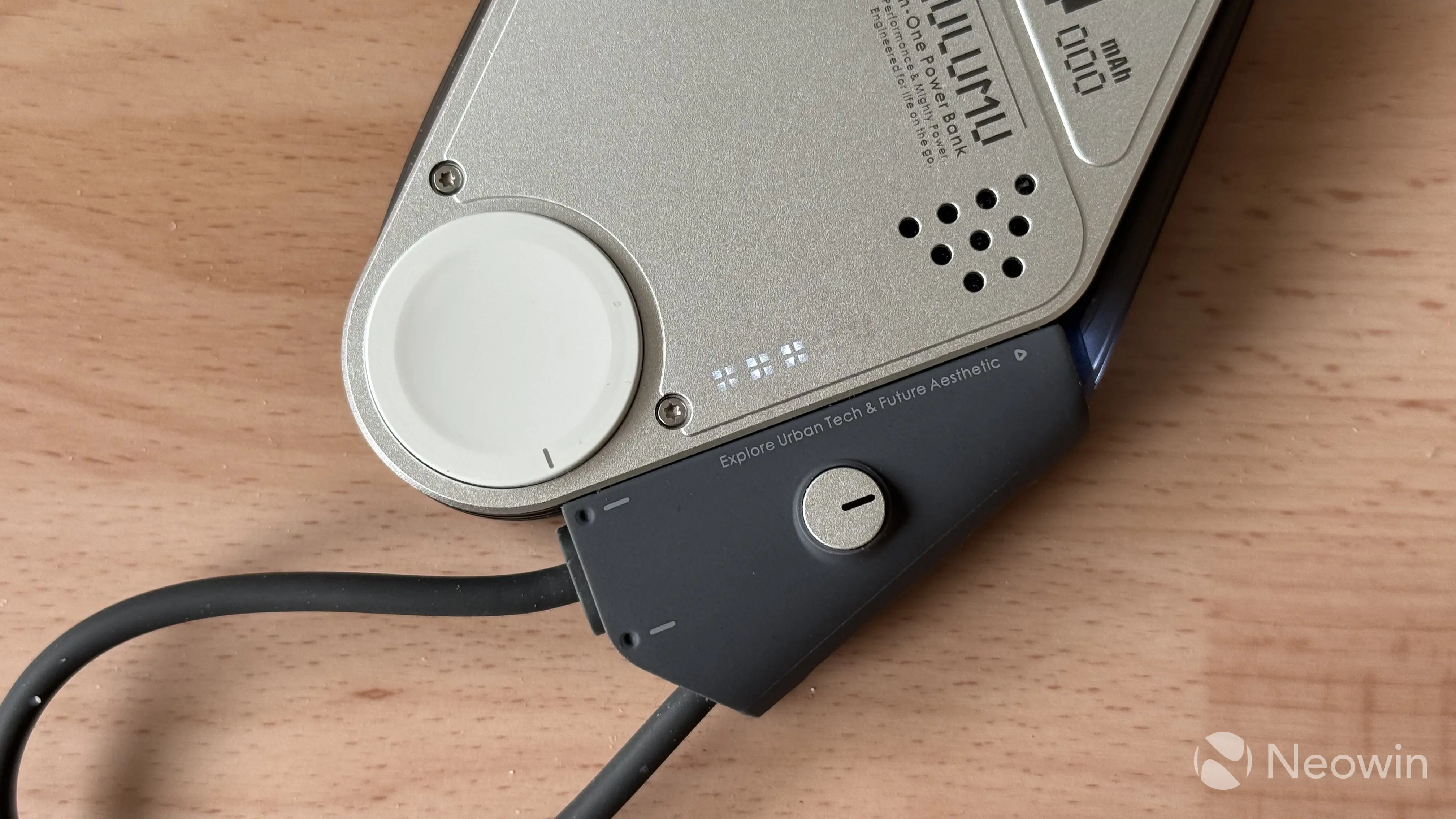
Pressing the button wakes the power bank and lights up five LEDs indicating the current charge level with a 20% step. Each indicator looks like a tiny Windows 11 logo, and they look quite neat. In addition to these, there is an extra LED indicator on the right side of the power bank. It glows white when fast charging and orange when the charging speed is slower.
I have to say, I like the overall design. It is unconventional and certainly unique, but at the same time, I cannot help but think that the LED placement is a bit unintuitive. The M10 is a MagSafe-compatible power bank, and it is supposed to be attached to the back of your phone. In this position, you cannot see the charging lights, and the charging speed indicator is way too easy to cover with your fingers. This is by no means a deal-breaker but rather a small nitpick.
Speaking of MagSafe, the wireless charger area is covered with what seems like a big acrylic piece. It looks and feels great, but it lacks grip. It is quite easy to shift your phone around when charging it with the M10 without a case. I would prefer a slightly rubberized surface for the MagSafe area. The good thing is that the surface does not scratch easily, and after about a month of nearly daily use, the surface still looks pristine and scratch-free. Good job.
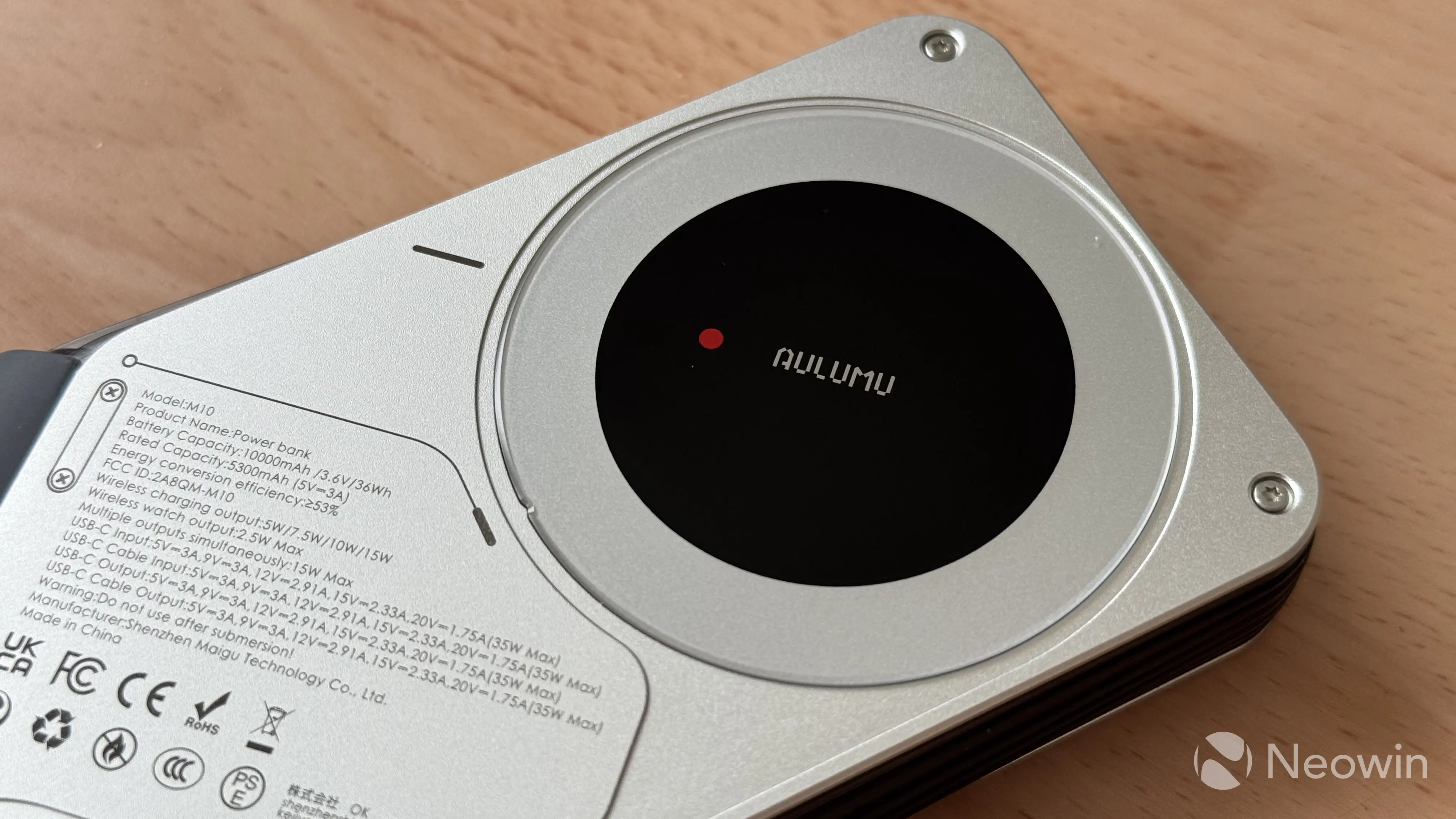
Finally, at the bottom of the M10, next to the cable/port housing, there is a dedicated Apple Watch charger. Flip the power bank around, and you will find a circular mesh opening (I assume for ventilation). There are also nine smaller circles for the same purpose on the other side.
Aluminum panels not only feel great, but they are also better at heat dissipation. In my testing, I never noticed any excessive heat when charging the power bank or using it to charge other devices. Of course, you should not expect much heat from a 35W battery, but still, wireless charging generates quite a lot of heat, and the M10 dissipates it quite well.
Charging stuff
According to the spec sheet, the Aulumu M10 has a 36Wh battery with a maximum charging speed of 35W. Getting it from dead to 100% takes about 100 minutes, because at higher levels, charging speed slows down significantly, which is typical for all modern batteries. One hour and 40 minutes is a bit longer than what I would expect from a 36Wh power bank, but I understand that there is only so much space to fit a MagSafe charger, an Apple Watch charger, a built-in USB Type-C cable, vents, and a dedicated Type-C port.
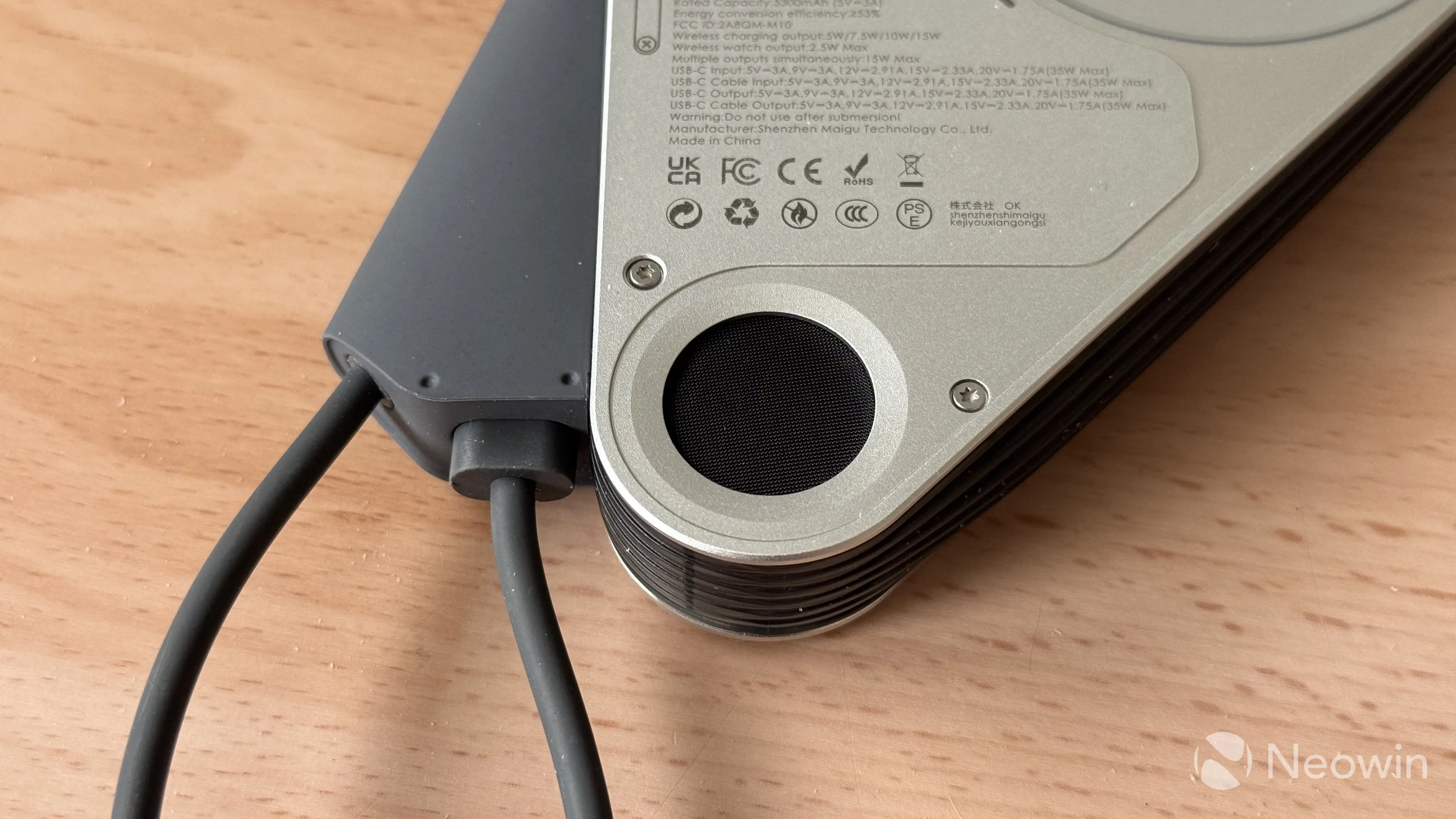
I recommend treating the M10 as your go-to daily backup. It is compact and lightweight, and you can use it for your iPhone, Apple Watch, and AirPods—all without carrying extra cables or chargers. It is a solid all-in-one solution, but if you want to go camping, a bigger power bank with faster charging speeds would be a better option.
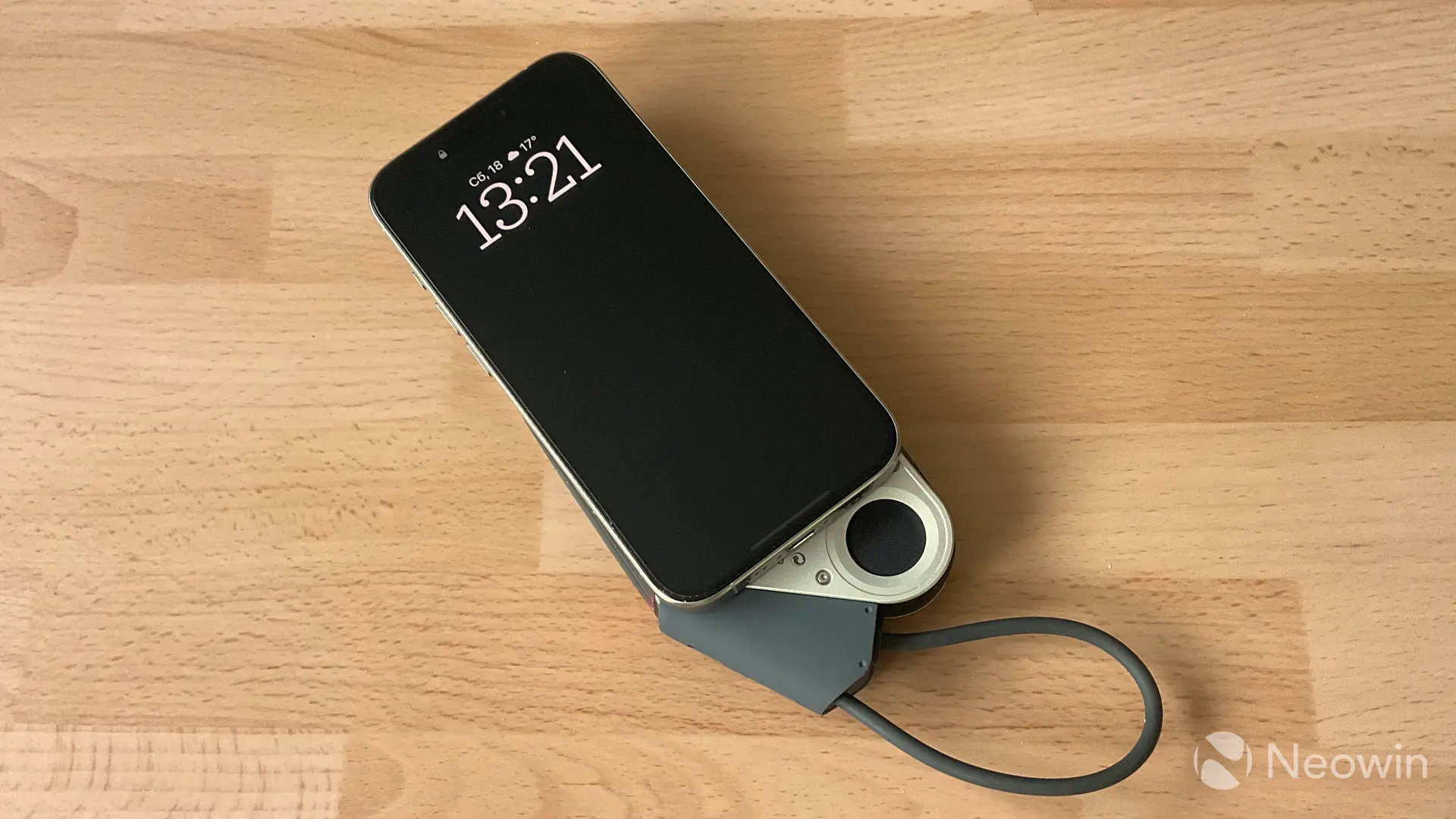
When charging my iPhone 15 Pro from 10% to 80%, I managed to get nearly two cycles. I do not recommend using the M10 to charge past 80%, as charging efficiency drops significantly, and you waste a lot of power. Wireless charging is rated at 15W, while the built-in cable delivers the full 35W if nothing else is connected to the power bank. If you use all three chargers (MagSafe, Apple Watch, and the cable), the maximum output is capped at 15W.
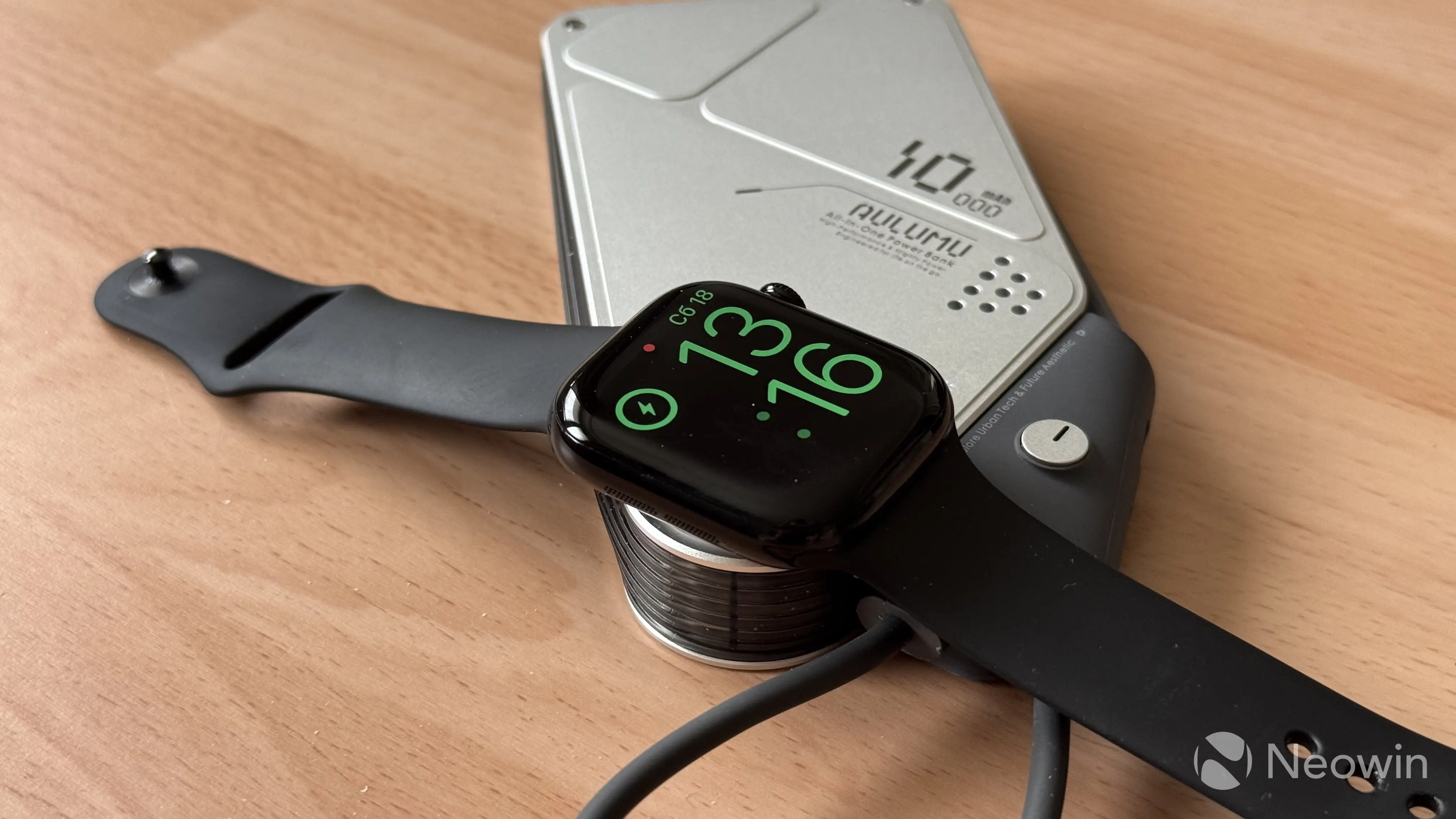
The Aulumu M10 is not MagSafe-certified, so it can only deliver up to 7.5W when charging iPhones wirelessly. It is just enough for slow charging while using the phone, but if you want faster charging, I recommend connecting the built-in cable. 7.5W wireless charging is slow. Getting my iPhone from 10% to 80% took nearly two and a half hours. Charging to 100% will take over three hours.
When you plug in the built-in cable, the M10 automatically switches from wireless to wired charging. The cable itself is nice and very flexible, plus it serves as a makeshift lanyard that can hold the entire weight of your phone and the power bank itself. Pretty cool.
The built-in cable can also charge the power bank. Just plug it into a charger, and you are good to go. If you want to charge the M10 with a longer cable, the extra USB Type-C port will work just fine. The latter can also charge other devices, which is nice. In total, you can charge up to four devices with the M10:
- iPhone via MagSafe
- Apple Watch
- Another device with a built-in Type-C connector
- Another device with through the extra Type-C port
In such a scenario, charging speeds slow down to a crawl, and the 36W battery drains fast, but it is still possible, which I find pretty cool (good internals and controllers). It is also worth noting that you can charge other devices while charging the power bank, but the MagSafe charger does not support reverse charging. You can only charge it with the built-in Type-C cable or Type-C port.
Apple Watch charging is slow as well. While it is cool to have it built-in, the charging speed is rated for 2.5W, and it is nowhere near the speed of the stock Apple Watch charging cable. If you have an Apple Watch with fast charging support, do not expect the M10 to be capable of charging it quickly. With it, you downgrade to the charging speeds of pre-Series 7 Apple Watch models.
Conclusion
The Aulumu M10 is a nice power bank. Unique and cool (both style- and temperature-wise), and capable of charging devices like the Apple Watch, it is a very nice accessory for Apple users. Of course, if you do not have an Apple Watch or you use an Android phone, there is not much sense in buying the M10. You will be better off with a more typical power bank. But for those rocking iPhones and Apple Watches, I can confidently recommend the M10. That is, of course, if you can tolerate slower speeds.
As an Amazon Associate, we earn from qualifying purchases.









3 Comments
Load the comments and join the conversation!
Read the comments, ask the editors questions, show respect and join the conversation.