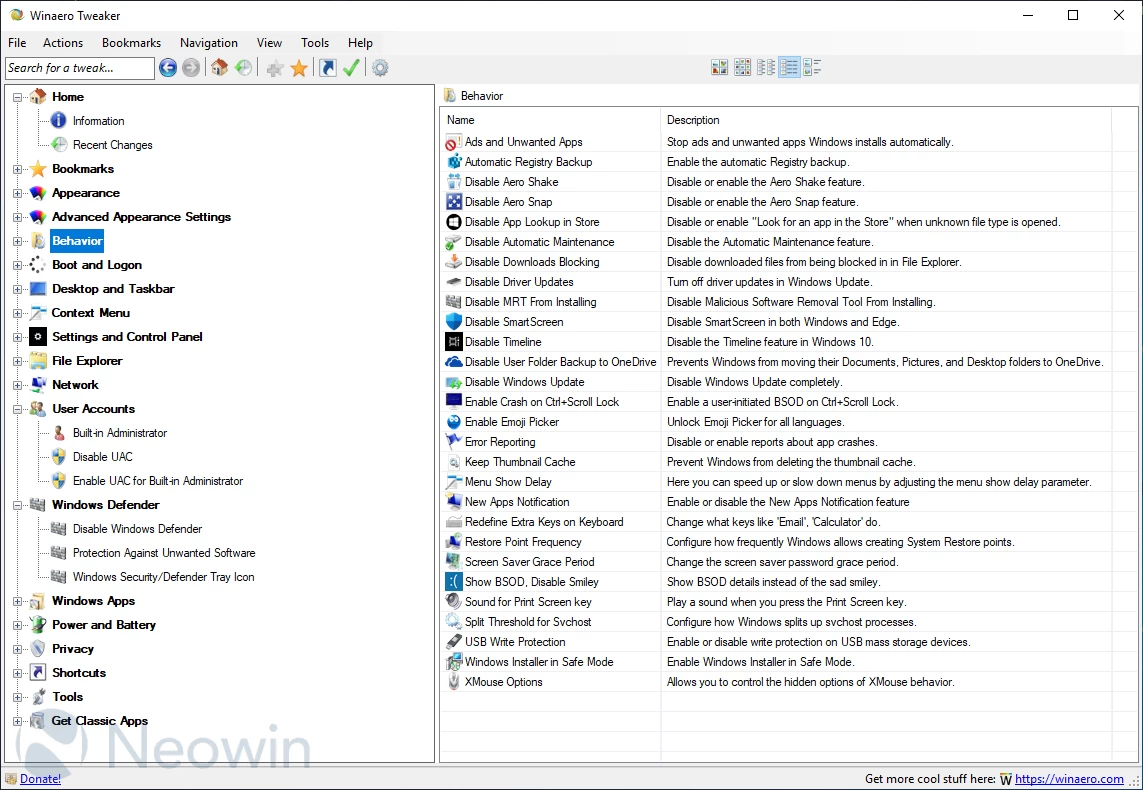
Winaero Tweaker is an an all-in-one customization utility that helps you to tweak Windows in just a few simple clicks. The program includes tweaks for every version of operating system from Windows 7 to Windows 11. Winaero Tweaker automatically detects the version of Windows OS you’re running and shows tweaks and customization options accordingly. The software can be installed as a portable app so you can take it with you as you move from one computer to another.
Here's a partial features list:
- Information - View information about your PC hardware and OS.
- Aero Colors - Change all Windows Aero settings including those which can't be changed with Control Panel.
- Aero Lite - Activate the hidden Aero Lite theme.
- Alt+Tab Appearance - Change hidden secret options of the Alt+Tab dialog.
- Colored Title Bars - Enable colors for window title bars in Windows 10.
- Dark Color Scheme - Here you can enable the dark color scheme for Windows 10 system settings and apps.
- Inactive Title Bars Color - Change the color of inactive title bars in Windows 10.
- Disable Aero Shake - Disable or enable the Aero Shake feature.
- Disable Driver Updates - Turn off driver updates in Windows Update.
- Disable Web Search - Disable Web Search in taskbar and Cortana in Windows 10.
- Disable Action Center - Disable or enable the Action Center feature in Windows 10.
- Disable Live Tiles - Disable Live Tiles all at once for Universal(Metro) apps.
- Activate Windows Photo Viewer - Activate Windows Photo Viewer in Windows 10.
- Auto-update Store apps - Disable or enable auto-update of Store apps in Windows 10.
- Disable Cortana - Disable Cortana in Windows 10.
- Disable Windows Defender - Disable Windows Defender in Windows 10.
- Microsoft Edge Download Folder - Change the default download folder in Microsoft Edge.
- Stop Unwanted Apps - Stop unwanted apps Windows installs automatically.
- Windows Defender Tray Icon - Show or hide Windows Defender tray icon.
- App Switcher Hover Timeout - Change the App Switcher hover timeout delay.
- Charms Bar Hover Timeout - Change the Charms Bar hover timeout delay.
- Modern App Closing Options - Speed up closing time of Metro apps for mouse and touch.
- Start Screen Power Button - Show or hide the Power button on the Start screen.
- Disable Telemetry - Prevent Windows 10 from spying on you.
- ... and many more.
Winaero Tweaker 1.64.1 key changes:
Disable Display Animation
- Users can now disable the display animation that occurs when connecting a new monitor in Windows 11 (22H2 and later).
- This option is available under Appearance > Disable Display Change Animation.
- Credit for this suggestion goes to Reddit user “Aerath Xlythe.”
Dark Mode Enhancements
- All dialog boxes now properly follow the dark mode theme, including About, Reset All Tweaks, Import/Export Tweaks, and Visible Tweaks dialogs.
- Previously, disabled controls appeared with black text on a dark background; most of these issues have been fixed (some remain, see Known Issues).
- The search pane now also respects dark mode.
Other Updates
- Most taskbar-related options are now hidden on Windows 11, as they no longer function.
- Options remain for users combining Winaero Tweaker with ExplorerPatcher, though it is currently broken in Windows 11 25H2.
- For a full classic taskbar experience, StartAllBack is recommended. It is a paid but affordable solution that restores the lost taskbar flexibility.
Xmouse
- In version 1.64, the Xmouse feature was re-enabled after a long hiatus. However, a coding oversight accidentally removed the ability to disable it. Version 1.64.1 addresses this, restoring the option to toggle Xmouse on or off as intended.
Advanced Appearance
- The "Advanced Appearance" section previously relied on legacy, hardcoded font values optimized for Windows 7. On newer versions of Windows, resetting these options could incorrectly apply outdated Registry values for system fonts, status bar, desktop icons, and menus.
Version 1.64.1 completely rewrites the Advanced Appearance logic:
- Tweaks now read and operate using current Registry values.
- Backup copies of font binary data are created automatically.
- Resetting to defaults restores the original system fonts accurately.
- No hardcoded font values are used, and there are no visible changes for users.
- This issue was first reported by a Reddit user, highlighting that even minor or infrequently used tweaks can harbor hidden bugs. Importantly, claims that the software intentionally damages user systems are unfounded; any problems were easily reversible without requiring System Restore.
General Notes
- Winaero Tweaker is a personal, community-oriented project—not a commercial product.
- Use is voluntary, and undocumented behavior may change or cause issues unexpectedly.
- Like any software, Winaero Tweaker may contain bugs or imperfect code, similar to Windows itself.
Known Issues
OneDrive Icon in Navigation Pane
- Even after being disabled, the OneDrive icon may reappear. This is due to the OneDrive client restoring it automatically. A workaround is planned, and testing is underway.
Disabled Tables Displaying White
- Some UI tables, such as the lower table in the Terminal context menu tweak, appear white when disabled. No reliable solution has been found yet.
Remaining Issues from Previous Release
- Toolbar icons remain blurry.
- Icons on the "Information" page are still blurry.
- The "Disable Windows Update" page does not yet allow selection of the method to use.
- These issues are expected to be resolved in the next app release.
Download page: Winaero Tweaker 1.64.1 | 5.3 MB (Freeware)
View: Winaero Tweaker Home Page | Screenshot
 Get alerted to all of our Software updates on Twitter at @NeowinSoftware


















1 Comment
Load the comments and join the conversation!
Read the comments, ask the editors questions, show respect and join the conversation.