Google Photos is getting an under-the-hood upgrade for a feature that turns your photos into videos. The feature called 'Photo to video' is now powered by Google's latest video generation model, Veo 3.
As its name suggests, you can use Photo to video to transform still images in your gallery into fun, short clips. The feature was powered by Veo 2 when it was released earlier this year, and now, the Veo 3 model can generate even higher-quality clips.
Veo 3 is Google's flagship video generation model that builds on the capabilities of its previous versions, offering significantly improved realism, better prompt adherence, and better real-world physics.
In addition to text prompts, Veo 3 can also turn images into video clips and natively generates synchronized audio, including dialog, sound effects, and ambient noise. The generative AI model powers similar features on other apps like Gemini, Google Vids, and the AI filmmaking tool called Flow.
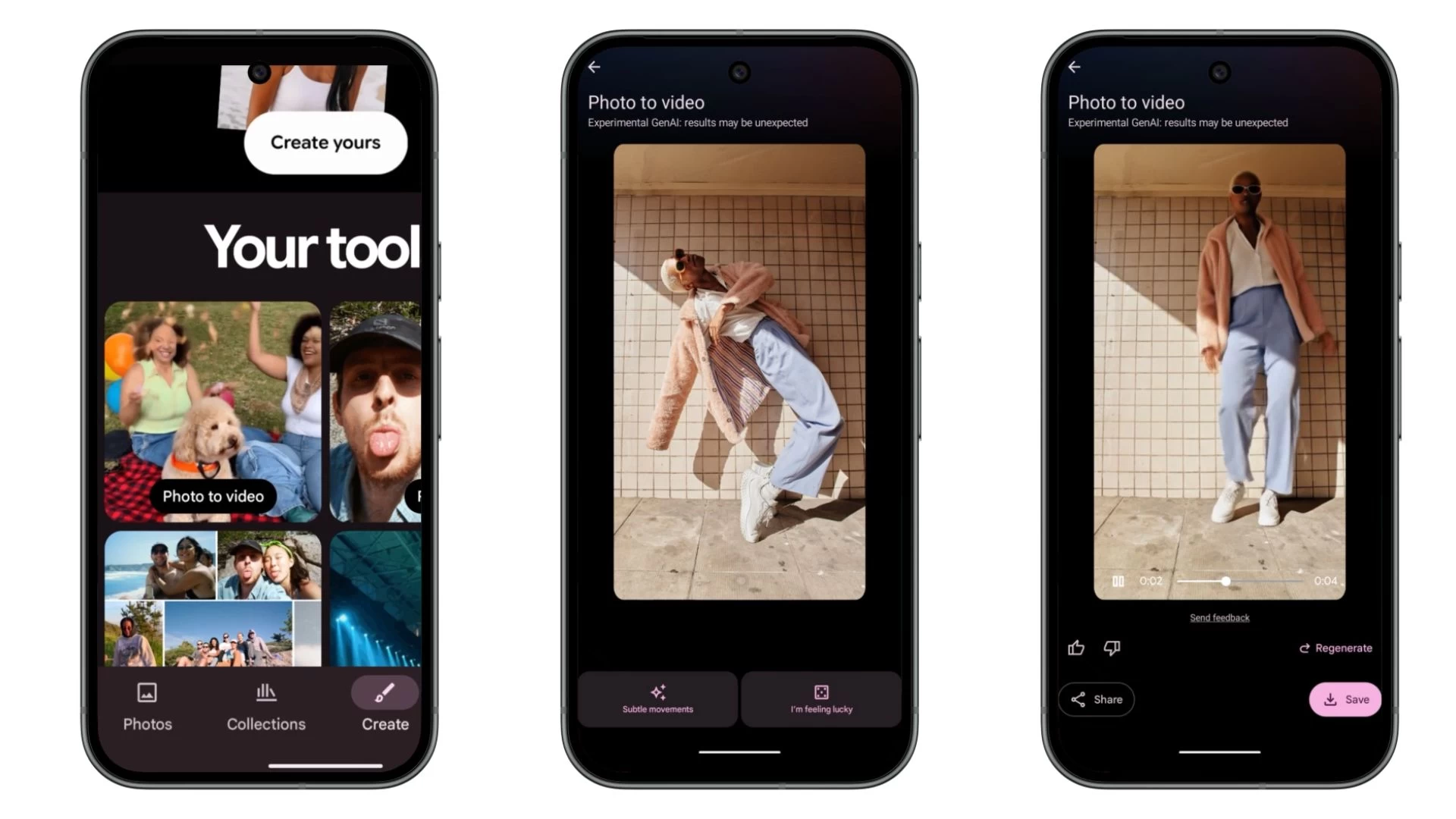
You can find the Photo to video feature in the Create tab in Google Photos alongside other creativity tools such as Remix, Highlight video, Collage, Cinematic photo, and Animation. The Create tab has been available since August for Android and iOS users living in the US.
After selecting a photo from your Google Photos gallery, you can pick between "Subtle movements" or "I'm feeling lucky" prompts to get the ball rolling. Google limits how many videos you can generate per day. So if you want more, you'll have to buy the Google AI Pro or Ultra subscription.
Google Photos celebrated its tenth birthday this year and got a redesigned photo editor. Google revealed that the service stores over nine trillion photos/videos and has over 1.5 billion people every month. The app was updated with new features, including the ability to undo device backups and edit images using voice commands, in the redesigned photo editor.


















0 Comments
Load the comments and join the conversation!
Read the comments, ask the editors questions, show respect and join the conversation.