
Google has added one more capability to the Gemini app. The generative AI chatbot can now create slide presentations within the app based on the prompts you provide. The feature has started rolling out to Workspace users.
You can type a text prompt or upload a file to generate a set of slides with a theme and complete with relevant images. Gemini can export the presentation directly to Google Slides, where you can make changes or collaborate with other users.
Google said in a blog post that the feature can be useful for working professionals who can create campaign briefs, initial pitch decks, or upload a large document to summarize it into slides. Similarly, students and teachers can use the chatbot to create lesson presentations or convert notes into a structured slide deck.
To use the slide generation feature in Gemini, click on the "Tools" option below the chat box, then choose "Canvas". After that, you can ask the chatbot to "create a presentation" while including your topic in your prompt or uploading a document.
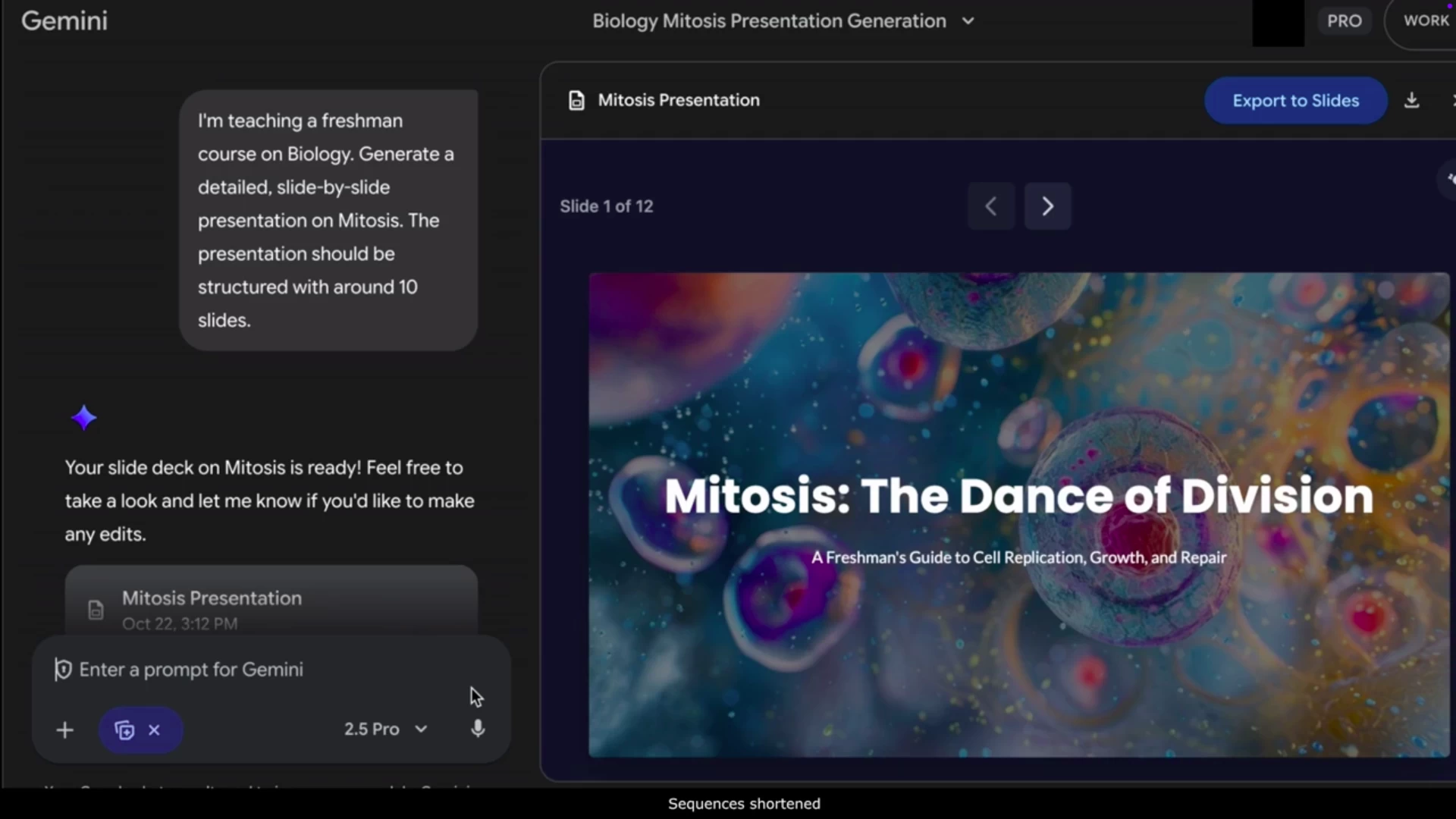
The feature is currently available on Gemini's web version on desktop and mobile. It's rolling out to Workspace tiers over the coming weeks, including Business, Enterprise, Essentials, Education, and Nonprofits, as well as to those with Google AI Pro/Ultra/Education plans.
Google notes that Workspace admins have no control over this feature, and it's expected to be available to free users in the future. Gemini can already generate tables from text prompts, and you can export them to Google Sheets for further editing. The latest feature adds to the stream of features Google has added in recent updates.
The Gemini app has been updated with improved LaTeX rendering and a new PDF export feature, alongside the new video generation model, Veo 3.1, which better understands storytelling, cinematic styles, and character interactions.


















1 Comment
Load the comments and join the conversation!
Read the comments, ask the editors questions, show respect and join the conversation.