
Microsoft has already added dozens of new capabilities to Notepad, turning a bare-bones, bulletproof text editor into a feature-rich app with AI, tables, formatting, markdown support, tabs, autosave, and more. In a nutshell, Notepad replaced WordPad, an old app that was killed a couple of years ago. Now, a new feature appears on the horizon.
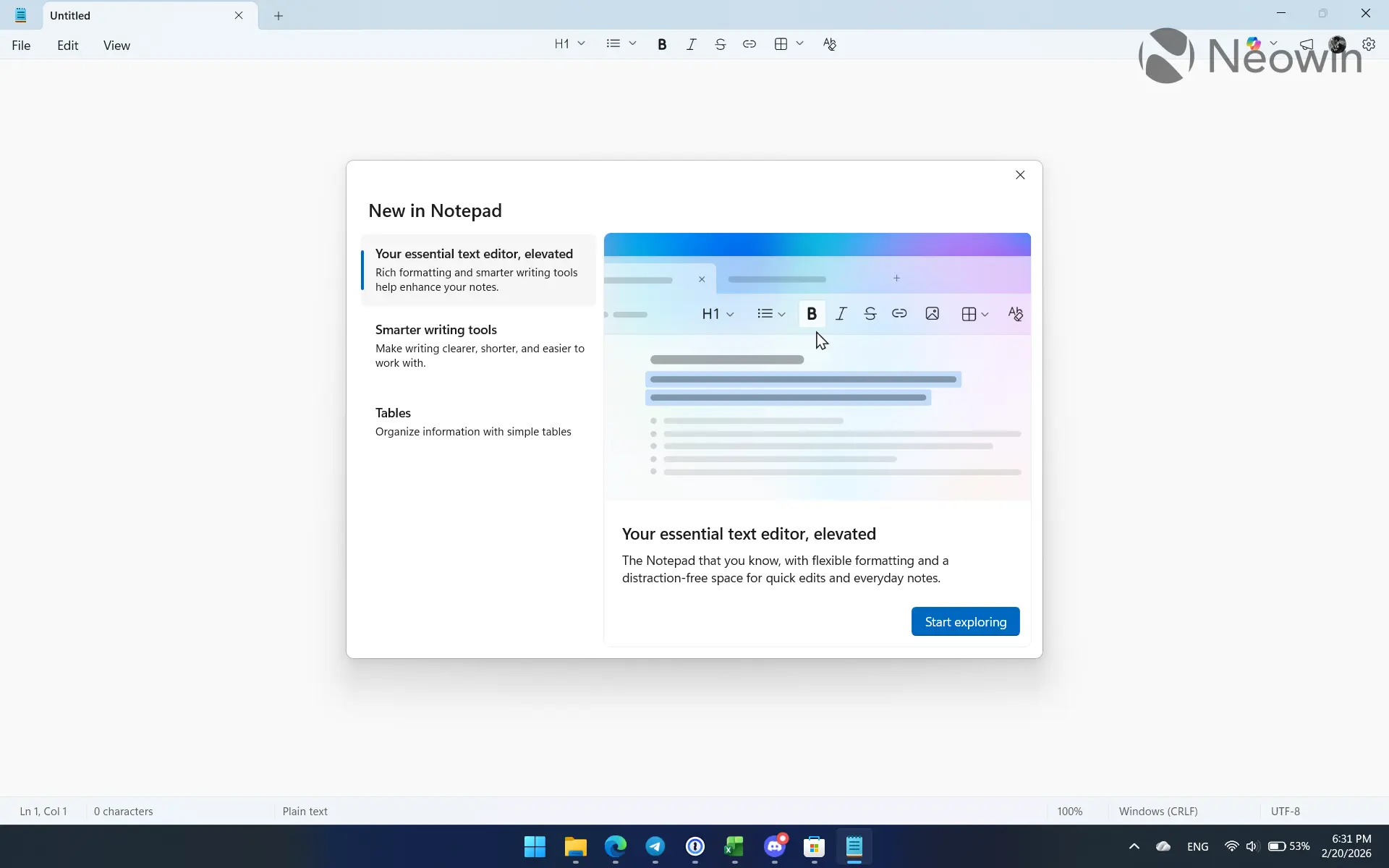
One of the changes to Notepad was a "What is new" interface that showcases the latest additions to the app and its new features. Users noticed that recent Notepad updates for Windows Insiders introduced new screenshots for the "What is new" section. Those screenshots include what looks like an image button that should let you insert images into your text documents.
Here is what the updated section looks like in the latest updates:
What Microsoft is doing to Notepad is not welcomed by everyone. Some users openly express their discontent with Microsoft's strategy, while others simply left for alternatives altogether (some solid options to consider include the famous Notepad++ or QuickPad from the Microsoft Store), claiming the company has lost the plot. Notepad used to be a super-simple, reliable app for the most basic text editing (was very handy for developers and enthusiasts), keeping WordPad, Word, and OneNote for those who need more features. Now, Notepad is full of rich text editing features and AI, the opposite of its original purpose.
Microsoft has not announced image support in Notepad yet, so look out for an announcement in the near future, assuming it will actually arrive. Meanwhile, share your thoughts in the comment section about whether you like what Microsoft is doing to Notepad or not.















33 Comments
Load the comments and join the conversation!
Read the comments, ask the editors questions, show respect and join the conversation.