
Earlier today, we reported on Microsoft's purported new "K2" plan which aims to boost Windows 11 performance. This has always been an area of complaint for users and as such third-party debloating apps have been popular.
One such third-party tool is WMT. The Windows-Maintenance-Tool or WMT project has undergone one of its most substantial updates with the new release. The changes include a rewrite of the Startup Manager, a redesigned Restore Manager, the introduction of a new “My Device” page, and a series of performance and usability improvements.
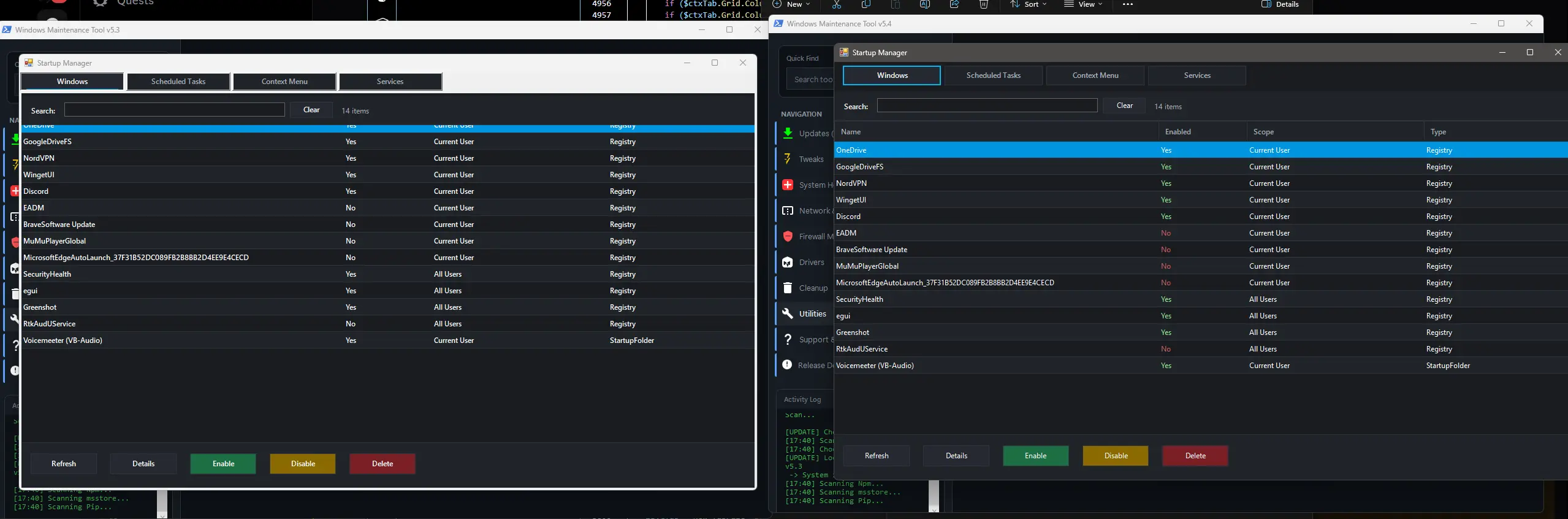
We start with the StartupManager which has been rebuilt with a newer "cleaner" interface, bug fixes, and expanded functionality. Users can now manually control services, access context menus, and benefit from smarter refresh behavior. Registry and directory handling for startup entries has also been improved to give users more transparency over what launches on their system during bootup.
The Restore Manager has been enhanced with new functional buttons for enabling, disabling, creating, deleting, and restoring points. Error messaging has been added for failed deletions, and legacy task scheduler functions have been removed in favour of tighter integration with Task Manager.
Moving on, the new “My Device” page which provides system specifications, driver version details, and tools for defragmentation, trimming, and RAM cleaning. It also offers direct links to vendor sites for driver checks, reducing reliance on third-party applications and also improving security.
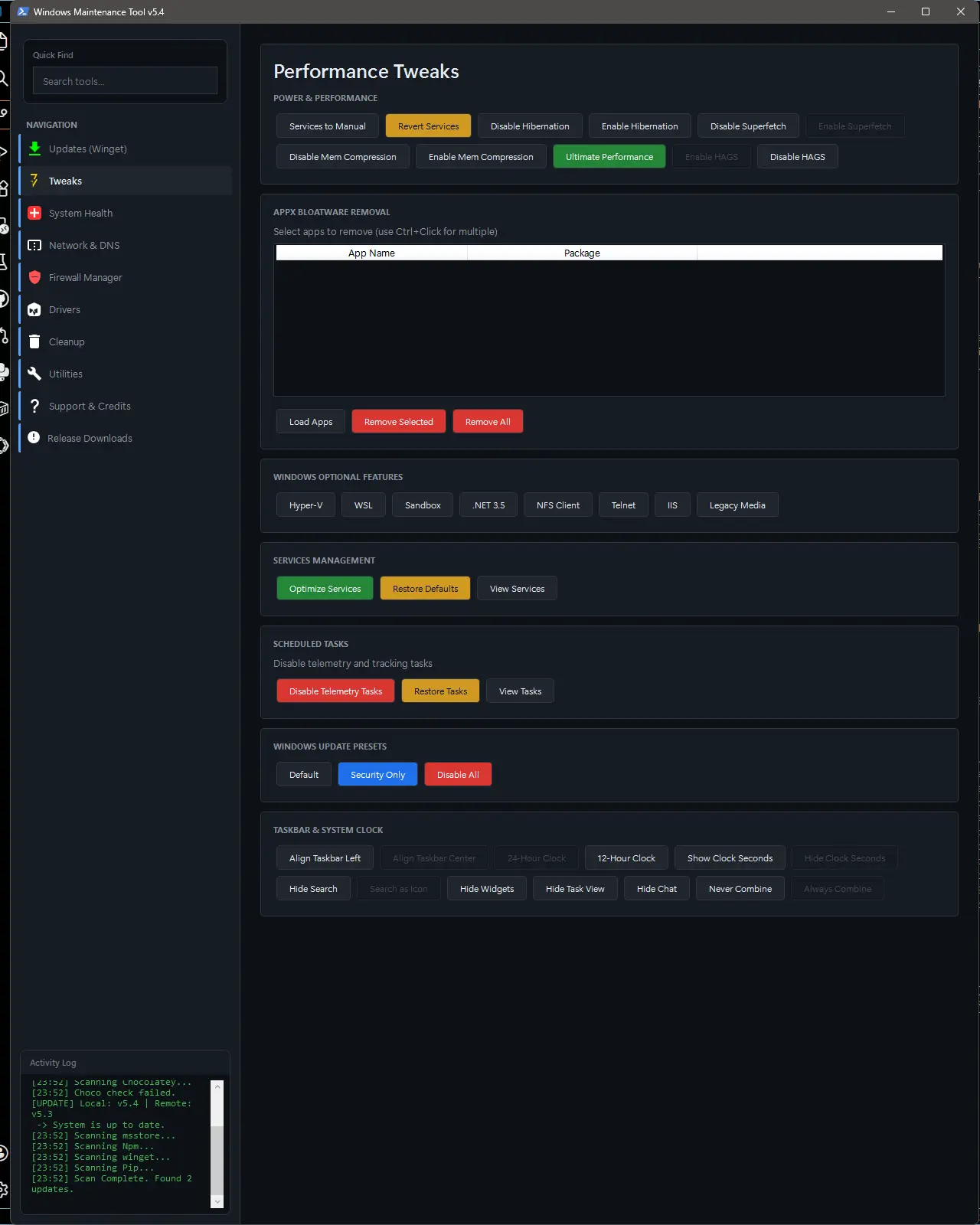
Performance Tweaks include taskbar customization, the addition of Hardware-Accelerated GPU Scheduling (HAGS), and improvements to global search, which now executes functions rather than simply switching tabs. Visual updates such as refreshed SVG icons and a new Windows Update button further modernize the UI.
Cloud integration has also been expanded with OneDrive support allowing users to free up local disk space directly from the tool. These features will roll out with a future update. Here is the changelog for the current version 5.3:
- Added launcher self-update checks in
Start_WMT_GUI.bat(downloads latest launcher script when a newer launcher version is detected). - Added GUI script auto-update checks in
Start_WMT_GUI.batby comparing local and remote$AppVersion. - Added clearer launcher failure handling dialogs for missing script download and declined admin elevation.
- Added
/data/to.gitignore.
Changed
- Updated
Start_WMT_GUI.batfrom launcherv1.2tov1.3. - Updated startup flow in launcher:
- checks launcher update,
- checks GUI script update,
- validates script is not HTML,
- then elevates and starts
WMT-GUI.ps1.
- Updated
WMT-GUI.ps1app version to5.3. - Switched PowerShell console output encoding setup from fixed UTF-8 to locale-aware OEM code page handling.
- Reworked WinGet scan/search parsing logic to better handle variable column layouts and source column presence/absence.
Fixed
- Fixed launcher startup problems in paths containing spaces/parentheses (for example
Program Files (x86)). - Fixed admin elevation robustness from the launcher batch flow.
- Fixed WinRE status parsing reliability on localized Windows installs.
- Fixed WinRE command output encoding handling for non-English environments.
- Fixed WinGet list/search row parsing stability (reduces column/value mismatch cases).
You can download the app here from the official GitHub repo.
Thanks for the tip, Chay Meredith !!!!
















1 Comment
Load the comments and join the conversation!
Read the comments, ask the editors questions, show respect and join the conversation.