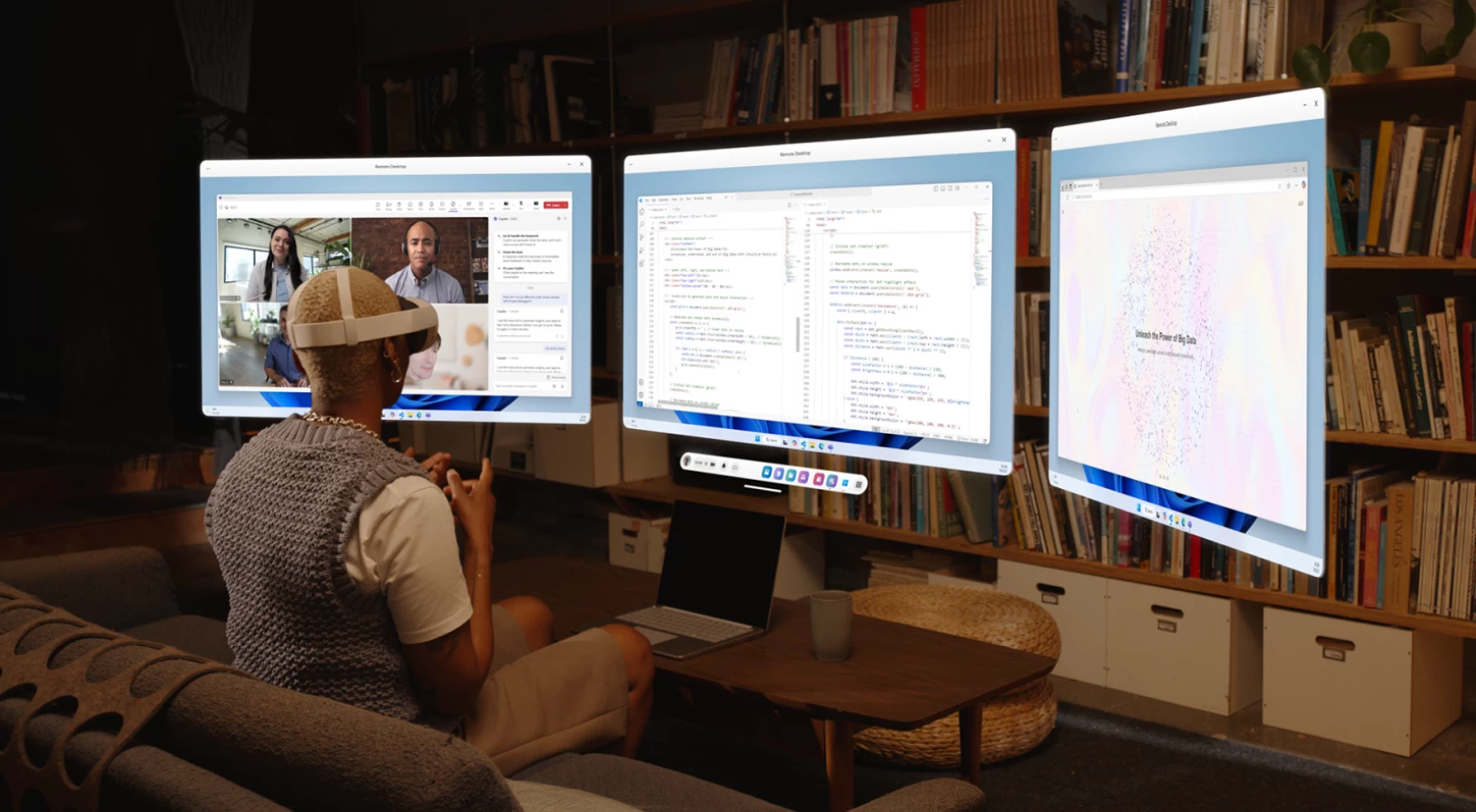
Mixed Reality Link and the Windows App for Meta Quest are now generally available. Microsoft announced the launch on its official website, bringing Meta Quest customers a new way to work with their computers. According to the company, these experiences enable "immersive productivity."
With the Windows App and Mixed Reality Link, Meta Quest users can connect to local Windows PCs or Windows 365 PCs in the cloud and boost their productivity by having a bunch of virtual monitors floating around, similar to what Apple offers with its Vision Pro headset. You can keep those monitors floating around your surroundings to stay connected to the physical world around you, or stay in a private virtual space where nothing outside distracts you from your work.
Microsoft started previewing this experience in December of last year, and now, with the release of Meta's Horizon OS 81, "immersive productivity" with Windows and Windows 365 is available to all users with no need to enable experimental settings or features.
You can connect your Meta Quest 3 or Meta Quest 3S to a PC by installing the Mixed Reality Link app on your computer and then pairing it with the headset by looking at your keyboard. Microsoft has a dedicated support page for Windows Mixed Reality Link, where you can find all the details about setting the experience up.
Note that Windows Mixed Reality Link requires Windows 11 version 22H2 and newer, and Windows 10 is not supported. It supports all the processors that Windows 11 supports, but the experience has quite strict networking requirements. Also, if your computer does not meet the graphics requirements, you may experience issues with quality with three active displays.
You can find the announcement post on the official Windows Experience Blog. The support document is available here.
















4 Comments
Load the comments and join the conversation!
Read the comments, ask the editors questions, show respect and join the conversation.