Flyby11, now known as Flyoobe, is a lightweight patching utility built to remove the restrictions that Microsoft enforces during the installation of Windows 11, particularly version 24H2. By bypassing hardware checks such as TPM, Secure Boot, CPU generation, and RAM requirements, it enables installation on devices that would otherwise be blocked as unsupported. Designed for simplicity and
efficiency, Flyby11 provides a minimal yet effective solution for enthusiasts, IT admins, and power users who want to deploy Windows 11 seamlessly across a wider range of systems.
Flyoobe also enhances the Windows Out-of-Box Experience (OOBE) by removing several limitations that typically appear during first-time setup. It can disable mandatory Microsoft account sign-in requirements, allowing the creation of a local account without workarounds. The tool also bypasses region and network checks, making it possible to complete setup even when internet access is unavailable or restricted.
Flyby11 (Flyoobe) key features:
- Bypasses TPM requirement
- Bypasses Secure Boot requirement
- Bypasses unsupported CPU checks
- Bypasses minimum RAM requirement
- Removes other Windows 11 setup restrictions
- Works with Windows 11 version 24H2
- Lightweight and portable tool
- No installation required
- Simple interface and usage
What’s new in Flyoobe 1.25:
- OOBE optimized further for Windows 11 25H2, with extended "debloat" routines targeting AI components, bundled apps, and the overall user experience
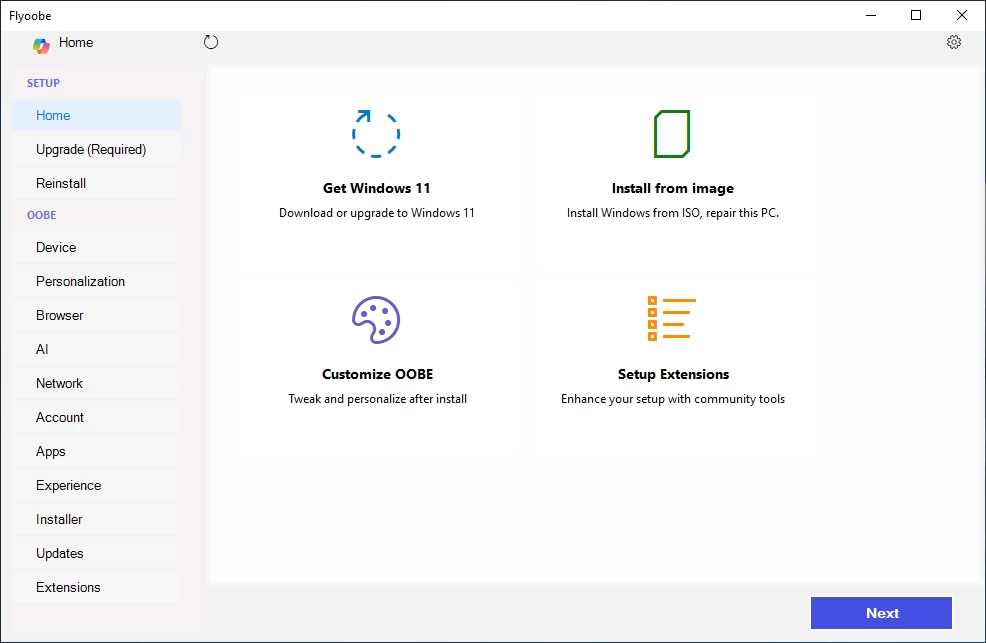
- Navigation now starts with a lightweight Windows 10–style flow focused on upgrades or reinstalls; once switched to Windows 11, the full OOBE navigation is unlocked
- General UI optimizations and improved color harmony across all OOBE panels. Unlike the Windows 11 OOBE, which leverages WebView2 to render its HTML/CSS/JS-based interface, this app is fully native, so no Webview2 engine, no Chromium layer, just pure system-level rendering. Yet some users still say it feels suspiciously webby
- Added a navigation collapse feature so the main panel can now go full-screen via the toggle button next to the "More" menu
- Improved notification area for better clarity and consistency
- Core integration of PowerShell extensions optimized for faster and cleaner execution
- Added "Windows Update Tamer" extension, a new tool to manage Windows 11 updates directly from Flyoobe. It allows pausing or resuming updates, disabling automatic updates, setting an extended pause period (up to 10 years), and restoring default behavior
Download: Flyoobe (Flyby11) 1.25.485 | 355 KB (Open Source)
Links: Flyoobe Website | Screenshot
 Get alerted to all of our Software updates on Twitter at @NeowinSoftware

















0 Comments
Load the comments and join the conversation!
Read the comments, ask the editors questions, show respect and join the conversation.