
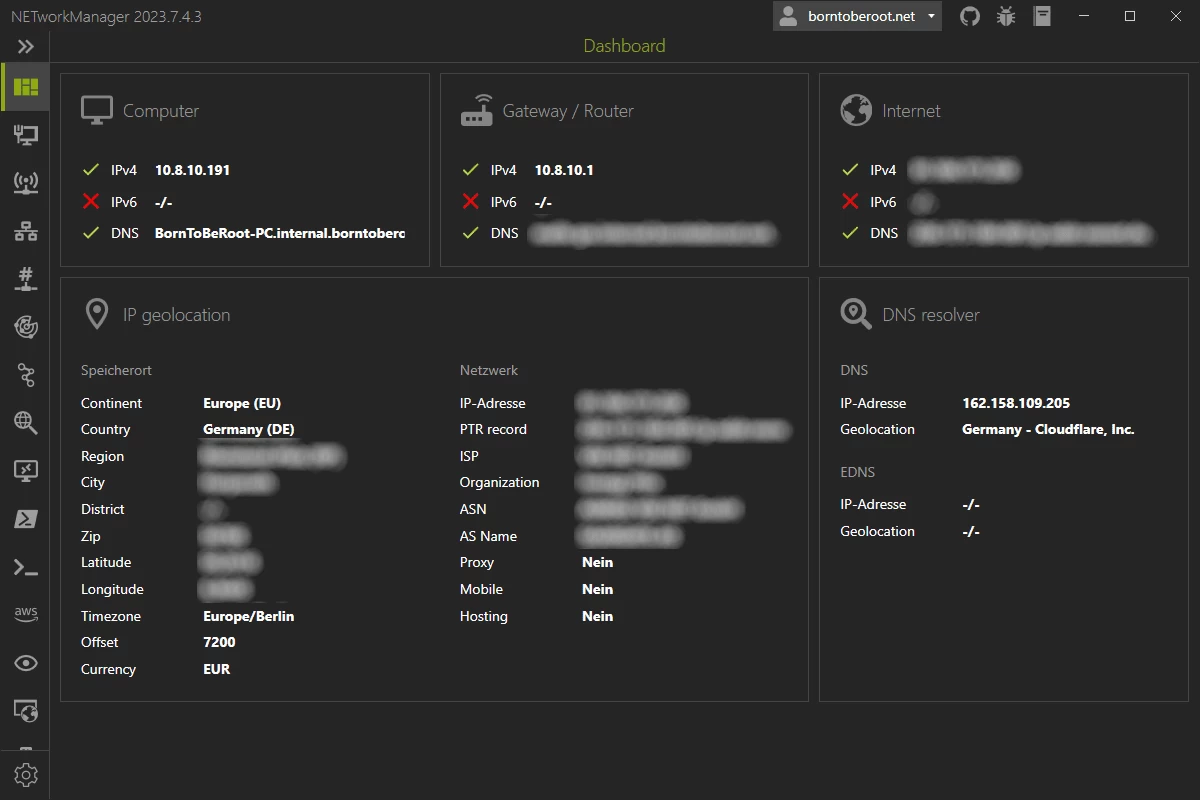
NETworkManager is a powerful tool for managing networks and troubleshoot network problems! It includes a variety of tools such as an IP scanner, Port Scanner, Ping Monitor, WiFi analyzer, PuTTY/RemoteDesktop with tabs or an LLDP/CDP capture (and many more) in a unified user interface. NETworkManager is available in 16 languages.
NETworkManager features:
- Dashboard
- Network Interface - Information, Bandwidth, Configure
- WiFi - Networks, Channels
- IP Scanner
- Port Scanner
- Ping Monitor
- Traceroute
- DNS Lookup
- Remote Desktop
- PowerShell
- PuTTY (requires PuTTY)
- TigerVNC (requires TigerVNC)
- Web Console (requires Microsoft Edge - WebView2 Runtime)
- SNMP - Get, Walk, Set
- Discovery Protocol - LLDP, CDP
- Wake on LAN
- Whois
- Subnet Calculator - Calculator, Subnetting, Supernetting
- Lookup - OUI, Port
- Connections
- Listeners
- ARP Table
NETworkManager 2026.7.7.0 changelog:
- New tool Firewall added
- You can view / add / edit / delete / enable / disable entries
- Dashboard - Speedtest Widget added
- WiFi - Channel width (20, 40, 80 MHz, ...) added + 6 GHz channel view
- Neighbor Table supersedes ARP Table – supporting IPv6
- Remote Desktop - View only mode added
- DPI scaling for embedded PowerShell and PuTTY is now properly handled; fonts and controls now rescale correctly when moving between monitors with different DPI factors (e.g. 100% -> 150%).
- Profiles - Import from Active Directory. Thanks to @Tyrix for the PR! [full release notes]
Download: NETworkManager 2026.7.7.0 | 27.8 MB (Open Source)
Download: NETworkManager Portable | 35.4 MB
Links: NETworkManager Home Page | Screenshot
 Get alerted to all of our Software updates on Twitter at @NeowinSoftware

















0 Comments
Load the comments and join the conversation!
Read the comments, ask the editors questions, show respect and join the conversation.