
Microsoft PowerToys is a set of free, open-source utilities designed to help power users and developers get more out of Windows. It builds on familiar Windows experiences and adds thoughtful tools that boost productivity, streamline workflows, and unlock customization options that don’t exist out of the box. From managing window layouts and remapping keys to launching commands instantly and automating everyday tasks, PowerToys is all about removing friction and letting you focus on what you want to get done—faster, smarter, and with more control.
The currently available utilities include:
Productivity & Launching
- PowerToys Run – Quick app/file launcher with search and plugin support
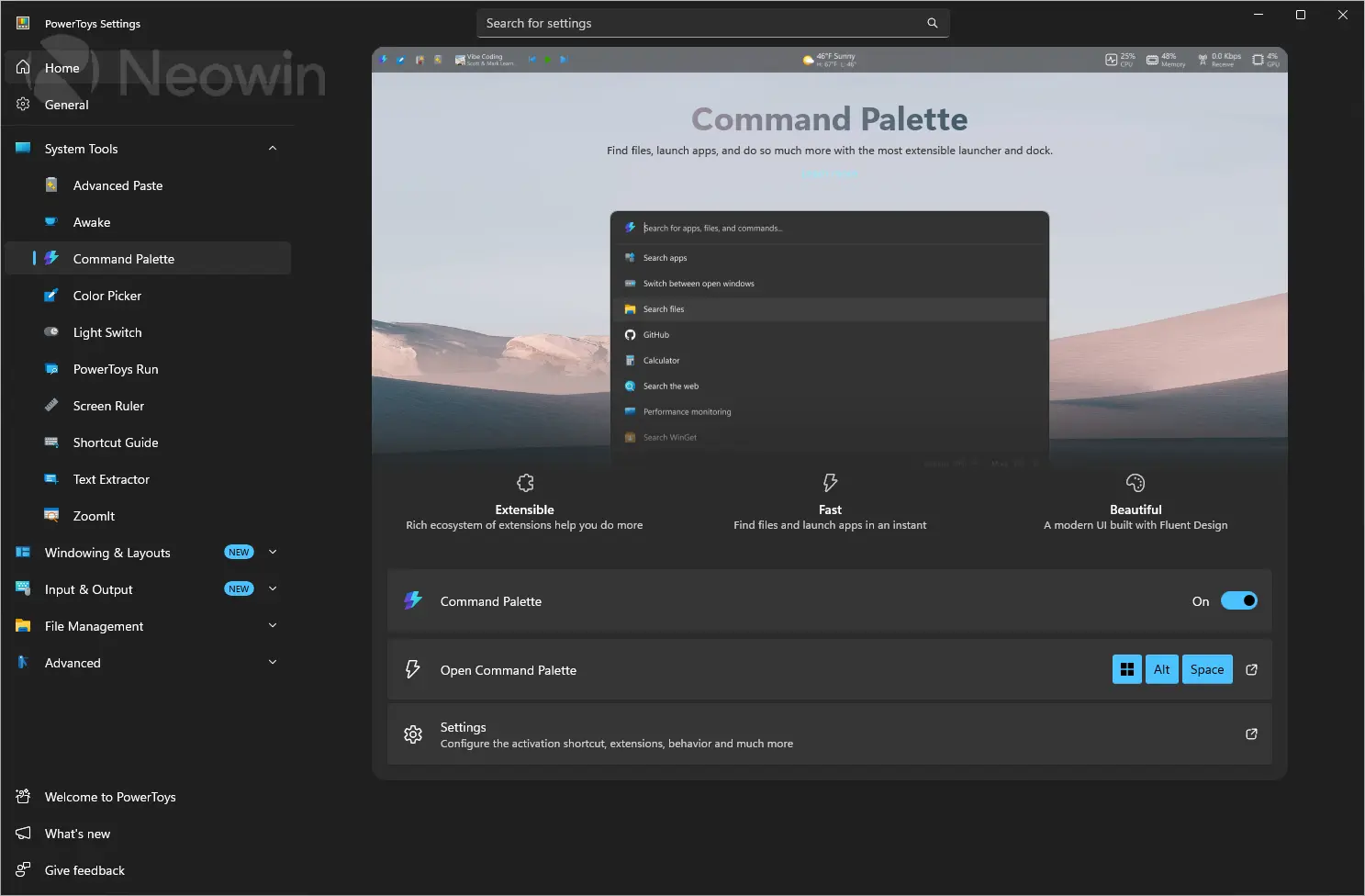
- Command Palette – Modern launcher for apps, commands, and system actions
- Advanced Paste – Paste with formatting control and AI/format options
- Command Not Found – Suggests installing missing command-line tools
- New+ – Creates custom file/folder templates quickly
Window & Layout Management
- FancyZones – Custom window snapping layouts for multitasking
- Always On Top – Pins windows above all others
- Crop And Lock – Crops or creates a focused view of a window
- Workspaces – Launch and restore grouped app layouts
Input, Keyboard & Mouse Tools
- Keyboard Manager – Remaps keys and shortcuts
- Mouse utilities – Enhances cursor visibility and tracking tools
- Mouse Without Borders – Controls multiple PCs with one mouse/keyboard
- Quick Accent – Easy access to accented characters
File & System Tools
- File Explorer add-ons – Preview support for extra file types
- File Locksmith – Shows which processes are using a file
- Image Resizer – Bulk resize images from File Explorer
- PowerRename – Advanced batch renaming tool
- Hosts File Editor – Simplifies editing the system hosts file
- Environment Variables – GUI for managing system variables
- Registry Preview – View and edit .reg files safely
Text & Content Tools
- Text Extractor – Extracts text from images using OCR
Screen & Visual Tools
- Color Picker – Picks and copies screen colors
- Screen Ruler – Measures pixels on screen
- Peek – Quick file preview without opening apps
- ZoomIt – Screen zooming and annotation for presentations
System Utilities
- Awake – Prevents PC from sleeping temporarily
- Light Switch – Automatically switches between light/dark modes
PowerToys v0.99.0 changelog highlights:
- New Power Display utility to control monitors from the system tray
- Introduced Grab and Move for Linux-style window dragging/resizing
- Power Display adds monitor profiles and Light Switch integration
- Command Palette gets compact dock mode and major reliability fixes
- Added persistent calculator history in Command Palette
- Improved extension support (text + image viewing in results pane)
- Better Dock pinning controls with per-item placement options
- Keyboard Manager gains manual key editing and disable key action
- Fixed multiline text replacement reliability in apps and editors
- ZoomIt adds scrolling screenshot capture
- Image Resizer migrated to WinUI 3 UI framework
- Advanced Paste fixes compatibility issues with Chromium/Electron apps
- Indexer search improved with better filename matching logic
- Multiple crash fixes across Command Palette and search components
- General performance, stability, and UX improvements across modules [full release notes]
PowerToys 0.99.1 changelog:
Command Palette
- Fixed a crash on startup when loading settings caused by null DockSettings deserialized from settings.json in #47296
- Fixed a bug where dock label settings were not persisted across sessions in #47317
Grab And Move
- Fixed a bug where releasing the absorbed Alt key while pressing another key prevented it from propagating correctly to other apps in #47261
- Fixed a bug where there Start menu and other OS surfaces would be draggable in #47302
- Fixed a bug where the G key would be blocked, or Game Bar would be activated, when the modifier was set to Win key in #47326
Power Display
- Added additional diagnostic logging to help investigate display detection and control issues in #47270
- Defaulted the Input Source, Color Temperature, and Power State controls to off and added a confirmation dialog before applying these potentially disruptive changes in #47303
- Used the localized "Built-in Display" name for the internal display instead of a hard-coded string in #47321
Download: PowerToys 64-bit | ARM64 | ~400.0 MB (Open Source)
Links: PowerToys Website | PowerToys @GitHub | Screenshot
 Get alerted to all of our Software updates on Twitter at @NeowinSoftware
















1 Comment
Load the comments and join the conversation!
Read the comments, ask the editors questions, show respect and join the conversation.