
The Sysinternals Suite is a comprehensive package of advanced Windows utilities created by Mark Russinovich, who launched the Sysinternals website in 1996 to share his system tools and technical resources.
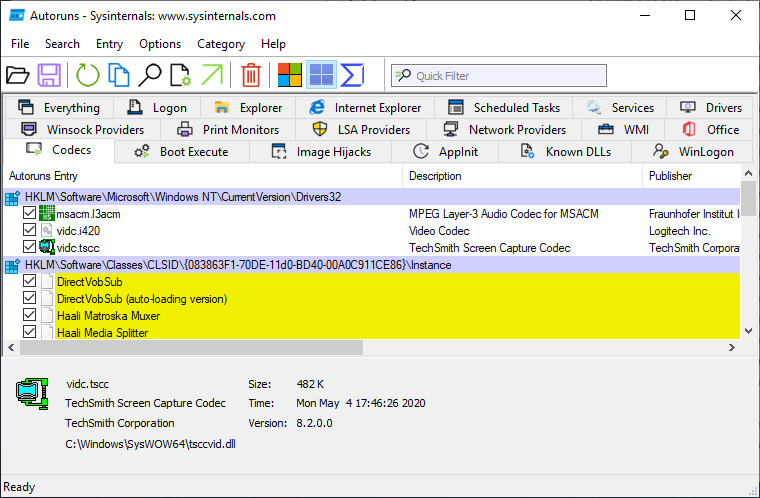
This suite combines a wide range of troubleshooting and diagnostic tools, including Process Explorer, Process Monitor, Sysmon, Autoruns, ProcDump, the PsTools collection, and many others. It provides everything IT professionals and developers need to manage, monitor, and troubleshoot Windows systems and applications.
The Suite bundles all of the core troubleshooting utilities along with their help files. Non-troubleshooting extras—such as the BSOD Screen Saver or NotMyFault—are excluded. In addition to the well-known tools, it also includes AccessChk, Autologon, Ctrl2Cap, DiskView, Disk Usage (DU), LogonSessions, PageDefrag, PsLogList, PsPasswd, RegMon, RootkitRevealer, TCPView, VMMap, ZoomIt, and more.
Sysinternals Suite 2025.17.11 changes:
- ZoomIt v9.21 - This update to ZoomIt, a screen magnification and annotation tool, fixes several minor bugs.
Sysinternals Suite 2025.20.11:
- Process Explorer v17.08 - This update to Process Explorer, an advanced process, DLL, and handle viewing utility, reenables the Image field in the process Properties dialog.
Download: Sysinternals Suite 2025.20.11 | 167.0 MB (Freeware)
Download: Sysinternals Suite for ARM64 | 15.2 MB
Link: Sysinternals Suite Home Page | Screenshot
 Get alerted to all of our Software updates on Twitter at @NeowinSoftware








_(1)_small.jpg)







1 Comment
Load the comments and join the conversation!
Read the comments, ask the editors questions, show respect and join the conversation.