
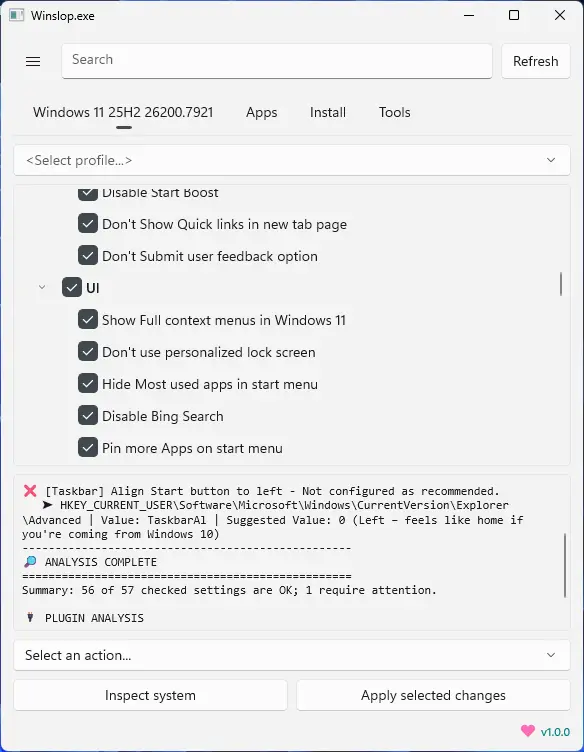
Winslop, developed by the creator of Flyoobe, is a lightweight Windows utility that removes unnecessary system slop, reduces bloat, and restores full user control. A focused, local fork of CrapFixer, Winslop shows exactly what changes will occur, allowing users to review and revert actions. It works entirely offline, with no AI, cloud, or telemetry. Perfect for users who want a cleaner, transparent, and minimal Windows experience, Winslop simplifies system maintenance, optimizes performance, and eliminates forced, opaque, or redundant features while keeping Windows itself intact.
Winslop key features:
- Removes system slop – eliminates unnecessary or redundant Windows components.
- Reduces bloatware – optimizes resource usage for faster performance.
- Full user control – all changes are transparent, reviewable, and reversible.
- Local and offline operation – no AI, cloud, or telemetry involved.
- Deterministic behavior – predictable, consistent, and safe modifications.
- Fork of CrapFixer – smaller, focused, and easier to maintain codebase.
- Improves system performance – reduces overhead and unnecessary processes.
- Targeted optimization – only removes opaque, forced, or optional slop.
- Visibility of changes – shows exactly what will be modified before applying.
- Lightweight tool – minimal footprint, no unnecessary layers or assistants.
Winslop 26.03.100 update highlights:
- New Zoom Support: Reclaim your screen space! Use Ctrl + Scroll on the Home page to zoom out and see more of your feature tree at once.
- Power Shortcuts: Work faster with new hotkeys for Toggle All (Ctrl+T), Undo (Ctrl+Z), Refresh (F5), and instant Log Copy (Ctrl+L).
- Color-Coded Logs: Stop squinting at text. Errors are now Red, Warnings are Orange, and Info is Gray for instant readability.
- Right-Click Menu: You can now right-click any individual item to Analyze, Fix, or Restore it directly without searching through menus.
- Cleaner Toolbar: We’ve decluttered the interface by moving Toggle, Undo, and Refresh into a single, sleek "More Options" (⋯) menu.
- Combined Summaries: View your Windows Features and Plugin results in one unified window, complete with a quick link to the Online Log Inspector.
- Smarter Filtering: Actions like "Fix All" now intelligently skip items hidden by your search filter, giving you total control over what you modify.
Winslop 26.03.110 changes:
- Language switcher in Settings (English, Deutsch, Francais)
- UI localized: menus, navigation, dialogs, tooltips, search
- 45+ feature names translated
- Log messages and status summaries localized
- Major dialogs translated (restore, migration, donation, plugin manager)
Download: Winslop 26.03.110 | 43.8 MB (Open Source)
View: Winslop Website | Screenshot
 Get alerted to all of our Software updates on Twitter at @NeowinSoftware


















5 Comments
Load the comments and join the conversation!
Read the comments, ask the editors questions, show respect and join the conversation.