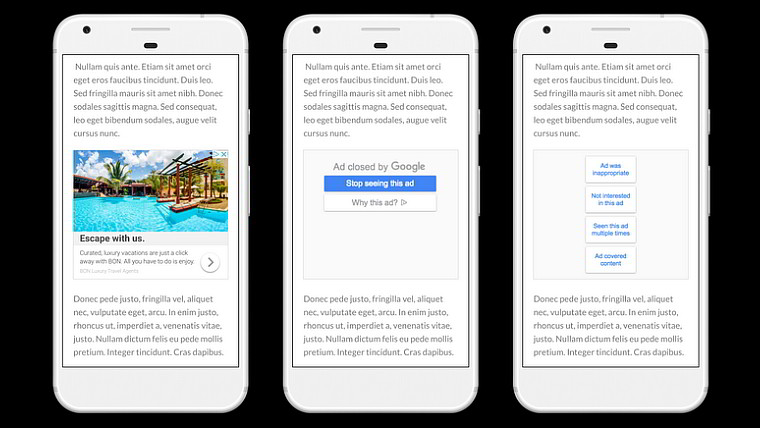
In an effort to give users of its products more control over what they see - and what they don't want to see - Google has updated its Ads Setting and Mute this Ad functionality with more options.
Jon Krafcik, Google's group product manager for Data Privacy and Transparency, explained in a blog post that users will now be able to mute reminder ads from websites you have visited and possibly started a purchase. Log in to your Google account, go to Ads Settings, find “Your reminder ads,” and then click or tap the X next to the advertiser whose reminder ads you'd like to remove. This will work on PCs and Android devices, providing the company running that ad has partnered with Google.
Two changes came out today for the Mute This Ad functionality as well. The tool now will save your preferences across devices where you are signed in. Muting an ad from your phone will keep it muted on your laptop. In addition, Mute This Ad will also start to work with a greater number of apps and websites that show Google-partnered ads.
"Millions of people use Mute this Ad on a daily basis, and in 2017, we received more than 5 billion pieces of feedback telling us that you mute ads that aren’t relevant," Krafcik said. We incorporated that feedback by removing 1 million ads from our ad network based on your comments."
While this is just from browsing right now, the functionality will be added to YouTube, Search, and Gmail over the next several months.


















4 Comments
Load the comments and join the conversation!
Read the comments, ask the editors questions, show respect and join the conversation.