
Signal has announced a small update coming to its Messenger: the ability to pin up to 3 messages to the top of any chat, whether it is a one-on-one conversation or a group discussion.
To use the new feature, you first long-press on the message you want to highlight. A menu will pop up with a "Pin" option. Once you select it, the message appears in a banner at the very top of the conversation. Everyone in the chat who had the original message will see it there. Here's what a pinned message looks like:
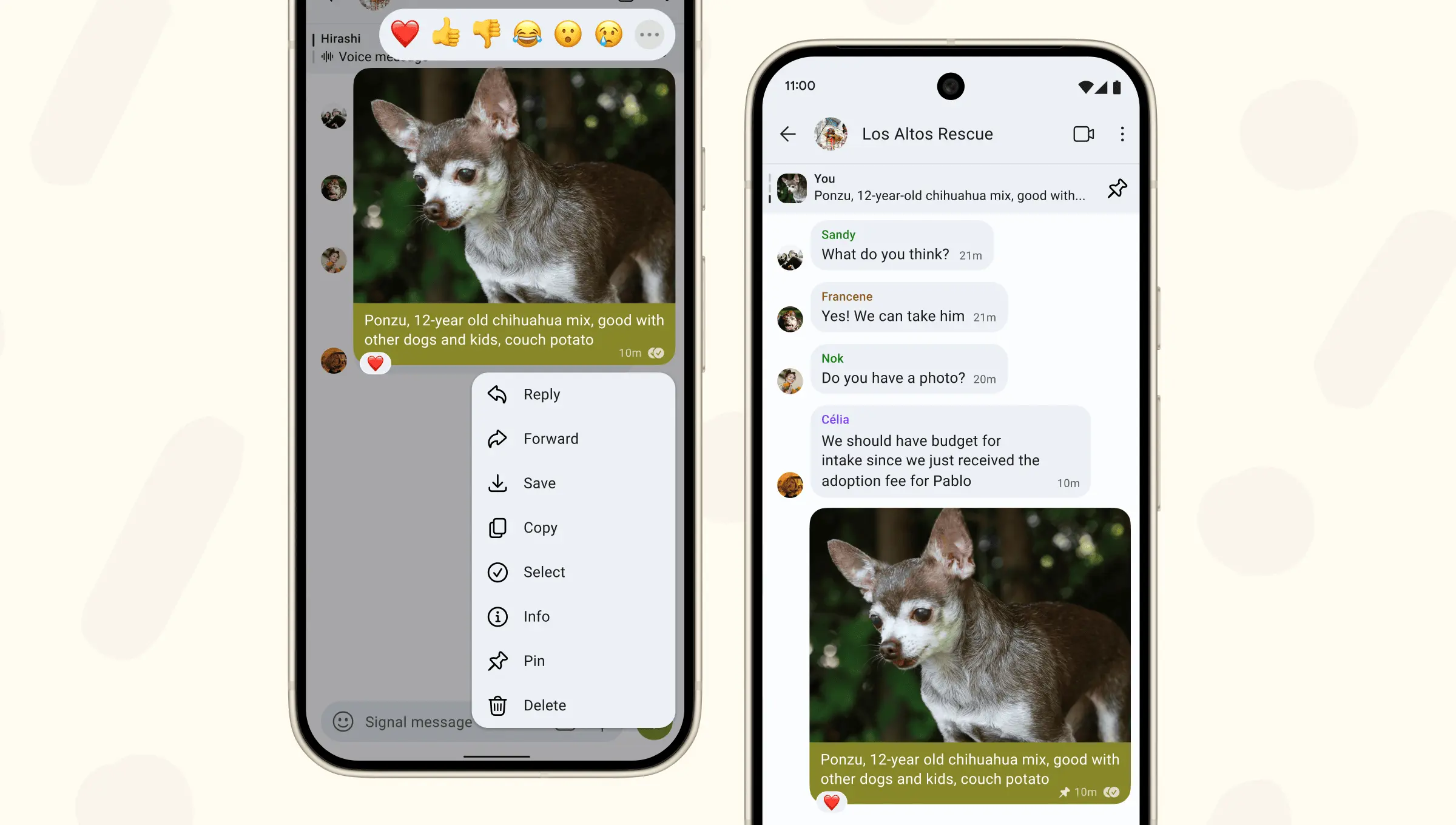
Signal says admins in group chats have control over who gets to pin messages. Within the group settings, they can decide if only other admins can use the feature or if all members are allowed to pin things.
Just like with WhatsApp's pin message feature from December 2023, users can pin different types of messages, including text, polls, photos, and files. The duration for the pin is also similar between the two platforms, letting you choose between 24 hours, 7 days, or 30 days. One key difference, though, is that Signal has an option for pinning a message forever, something WhatsApp does not offer.
Signal also notes that if you do not have the original message in your chat history, you won't get to see the pin. This can happen if you join a group after the message was sent or if you delete it. Pinning a message when there's already a full set of three will cause the message that has been pinned the longest to be automatically unpinned to make room.
Over the last few months, Signal has gained a substantial number of features, with the most recent one being Secure Backup and Restore, which lets you back up your encrypted message history with a 30-digit passphrase.
Before launching Secure Backups, Signal introduced "Screen Security", a feature that cleverly uses a Digital Rights Management (DRM) flagto make the app window appear as protected content, effectively blocking screen capture tools like Microsoft's "Recall" feature in Windows 11.

















3 Comments
Load the comments and join the conversation!
Read the comments, ask the editors questions, show respect and join the conversation.