
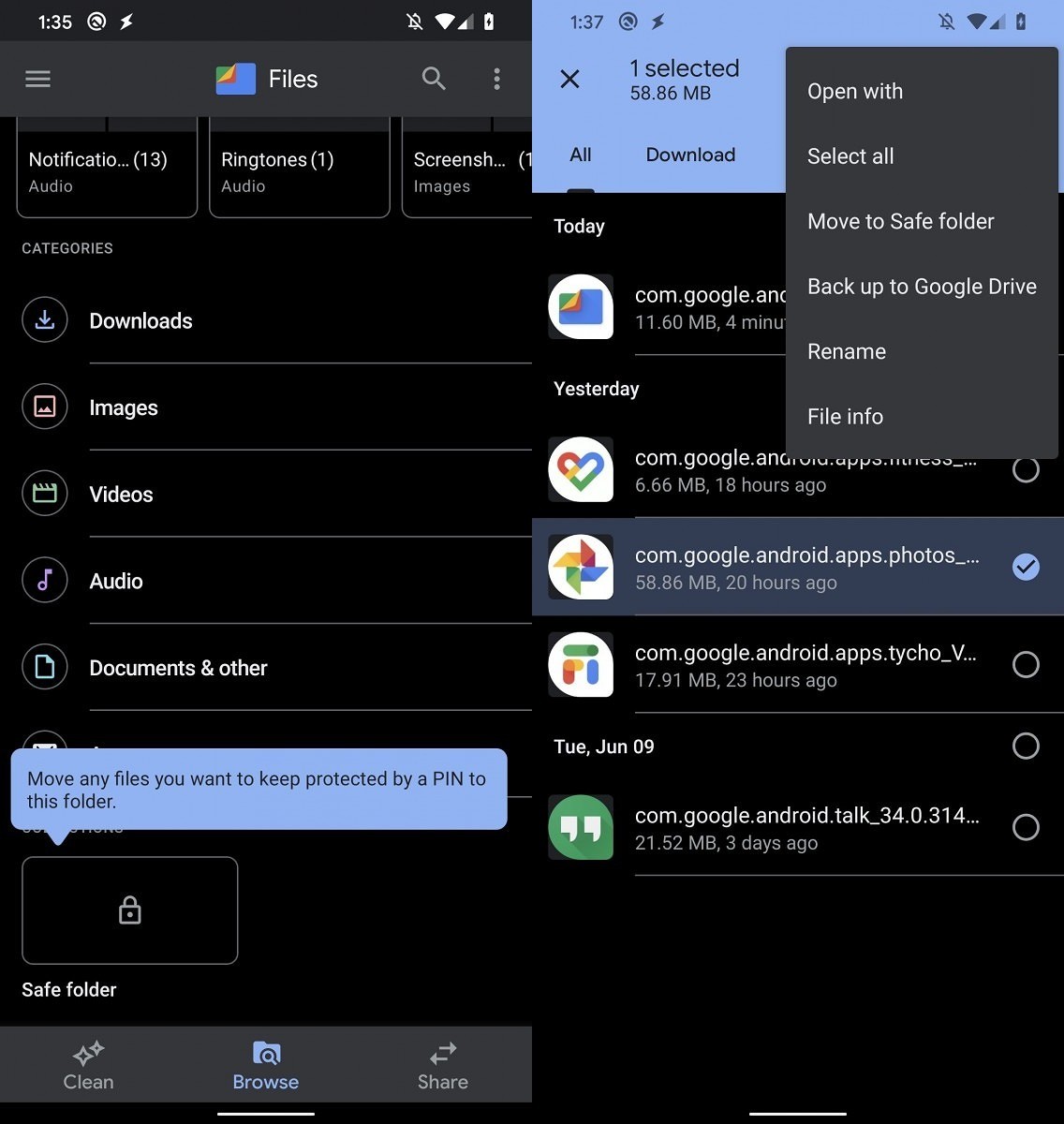
Google is adding a "Safe Folder" feature to its Files app which as the name indicates will allow one to hide and protect their important documents, files, and photos using a 4-digit PIN. The feature is a part of the latest Files app (v1.0.315), though Google is yet to activate it.
The folks at XDA Developers, however, managed to activate the feature and took it for a spin as well. The "Safe Folder" button is located under "Collections" in the "Browse" tab of the app. Tapping on the button the first time around will prompt users to set up a 4-digit PIN. After that, users will be able to move their important files and documents to the folder using the "Move to Safe Folder" option to password-protect it.
There's no 'Forgot PIN' option here so if you forget the 4-digit PIN, you will not be able to access the files stored in the Safe Folder. Google is also encrypting all the files in the Safe Folder for optimum security. Another issue with the feature is that if you uninstall the Files app and then re-install it again, you won't be able to access the content saved in the Safe Folder previously. This is despite the encrypted files themselves not being deleted.
Given that the feature is already working in the latest version of Files by Google, it is only a matter of time before Google rolls out the feature for all.

















8 Comments
Load the comments and join the conversation!
Read the comments, ask the editors questions, show respect and join the conversation.