
A couple of months ago, Microsoft introduced the Sidebar feature for its browser. It lets you pin websites and access various tools, such as image generator, browser essentials, Bing AI, speed test, and more. Slow but steady, Sidebar gets new features and capabilities, some of which may look and feel a bit quirky. For example, the latest update allows detaching Sidebar from the main window, creating a permanent taskbar-like panel on your desktop with quick access to your pins.
You can try the updated Sidebar in Edge Canary 114.0.1791.0. Update the browser to the latest version and ensure you have Sidebar enabled. After that, click the detach button next to the Settings icon in the bottom-right corner. Now you have one taskbar at the bottom and one to the right, and in typical Microsoft fashion, your pins will open whenever you hover the cursor over them (you cannot change that).
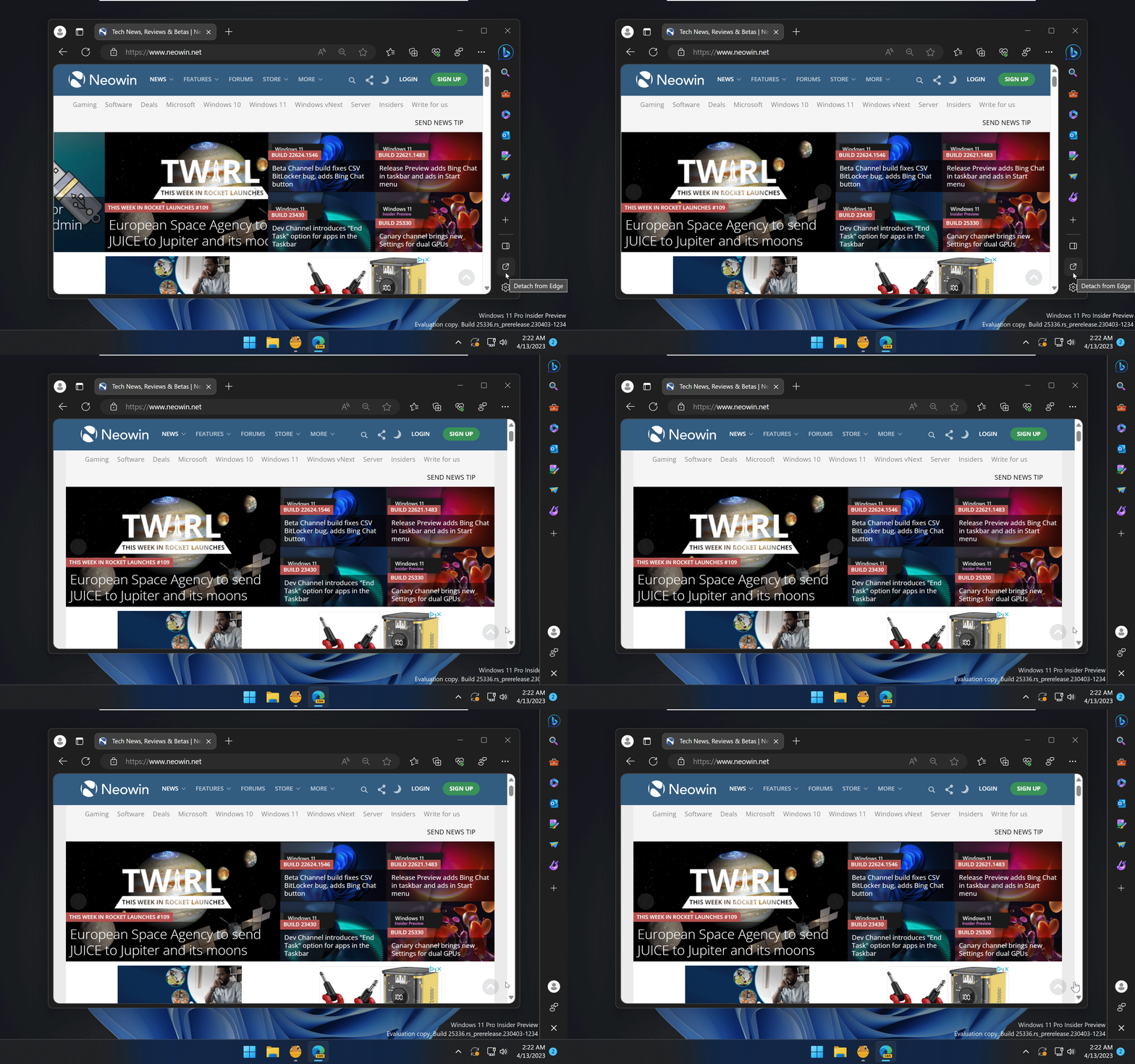
Fortunately, it seems that the detached Sidebar will be an option disabled by default. And if you do not like it, click the close button to reattach Sidebar to Microsoft Edge. Although many will consider the change slightly invasive, the updated Sidebar may become a handy tool, especially if you have an ultra-wide monitor. After all, you can always disable Sidebar and forget about it.
What do you think about the ability to turn Edge's Sidebar into a taskbar-looking thing on your desktop? Let us know in the comments.
















12 Comments
Load the comments and join the conversation!
Read the comments, ask the editors questions, show respect and join the conversation.