Microsoft has detailed some of the recent improvements to the Microsoft 365 suite of products, highlighting some new features. PowerPoint is one of the focus points of this set of updates, both on the web and in the desktop apps.
Starting with PowerPoint on the web, the AI-powered Presenter Coach feature is now available in public preview for English language users. First announced back in June, the feature will help presenters gauge the pace of their presentation and monitor the use of filler words, such as basically" and "um".
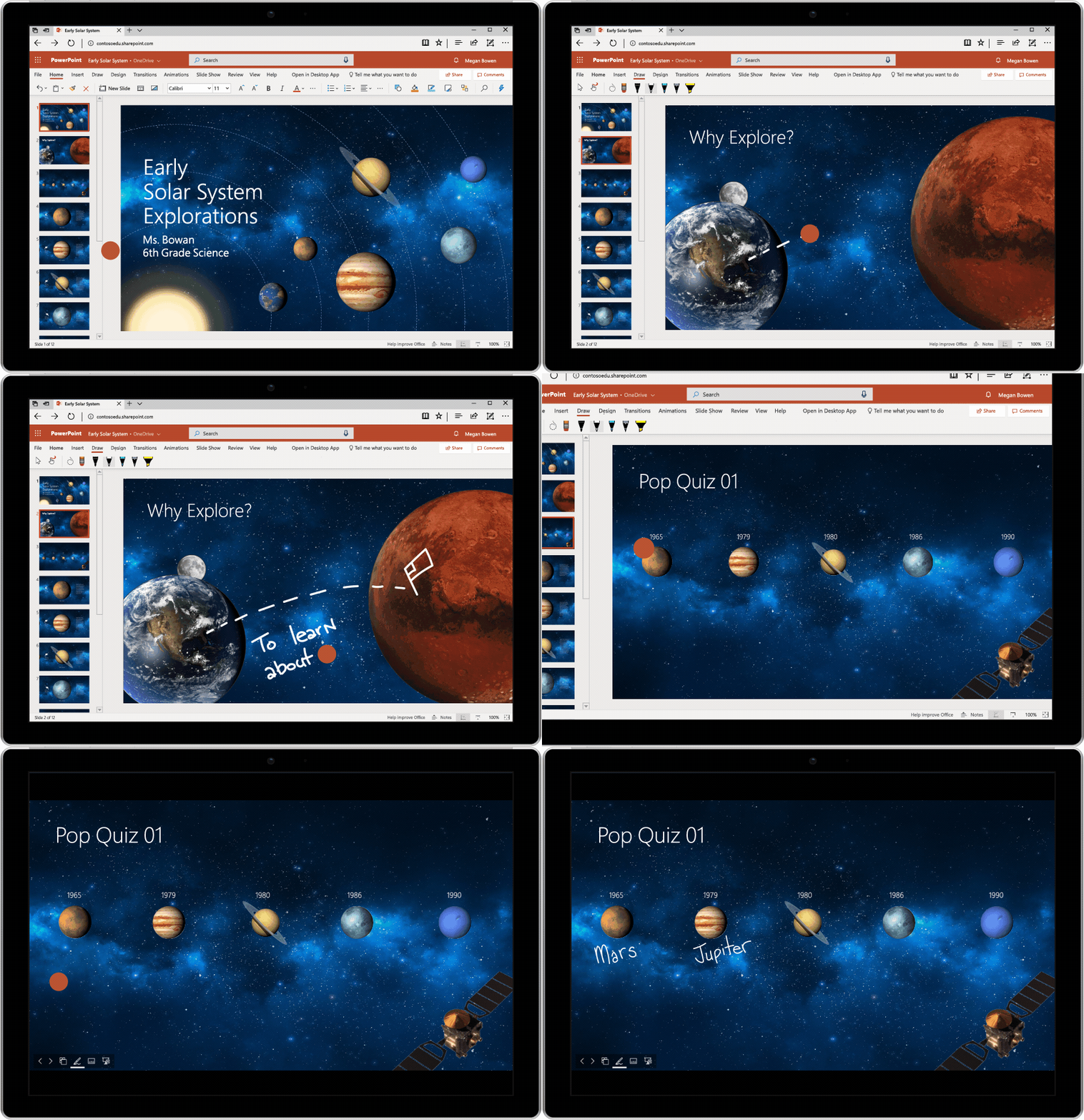
PowerPoint on the web also has another new capability - inking in presentations. It's now possible to add ink in real time during presentations. Meanwhile, the Windows and Mac versions of PowerPoint now support Ink Replay animations, so you can replay inking step by step during a presentation for added visual impact. Both of these features are currently rolling out to Office Insiders.
Microsoft has also added 23 new education-oriented 3D models, as well as 10 new lesson plans to the Office suite of apps. They target various topics, including geology, biology, and space.

Finally, Whiteboard now offers templates. As you'd expect, these offer a pre-created layout to start your planning rather than have you place objects on the board at random. There's a total of nine templates at this time, such as one for brainstorming, or one for project planning. The templates are in public preview on Windows 10 right now, and should roll out to the iOS app soon.


















4 Comments
Load the comments and join the conversation!
Read the comments, ask the editors questions, show respect and join the conversation.